
Turning a regular photo into a cartoon version of yourself has gone from a novelty filter to a genuinely useful trick. People use cartoon portraits for profile pictures, group chat icons, birthday gifts, and even book covers. The apps have also grown up: most now use AI that redraws your face instead of just applying a flat filter.
This guide covers the best photo to cartoon apps available in 2026, what each one is actually good at, and how to get a result you are happy with. Everything here works on both iPhone and Android unless stated otherwise.
The Short Answer: Which App for Which Person
- ToonMe: the best all-around choice for cartoon portraits and profile pictures
- Voilà AI Artist: the best for fun, playful 3D and cartoon styles
- Prisma: the best for artistic, hand-drawn looking results
- PhotoDirector: the best if you want a full photo editor built in
- PhotoLab: the best for variety, with hundreds of cartoon and art effects
- Painnt: the best for control over the style and intensity
Quick Comparison
| App | Best for | Price model | Standout trait |
| ToonMe | Cartoon portraits | Free, paid unlocks more | Hand-drawn look, great faces |
| Voilà AI Artist | Playful 3D cartoons | Free with ads, premium available | Pixar-style 3D effects |
| Prisma | Artistic styles | Free, premium subscription | High-quality AI painting styles |
| PhotoDirector | All-in-one editing | Free, premium subscription | Cartoon styles plus pro editing tools |
| PhotoLab | Style variety | Free, paid removes watermark | Hundreds of effects and combos |
| Painnt | Fine control | Free, premium unlocks HD | Adjustable style intensity |
1. ToonMe
ToonMe is the app most people end up staying with. Its AI actually reworks your facial features into something that looks hand-drawn rather than just posterizing your photo. The result holds up well as a profile picture, which is what most people want this for.
It offers a long list of styles, from classic cartoon to oil painting, and you can apply effects to specific parts of the photo rather than the whole image. Backgrounds can be swapped or blurred, which helps when your original photo has a messy room behind you. The free version gives you plenty to play with, though some of the newer trending styles sit behind the paid plan.
- Strengths: excellent faces, selective editing, huge style library
- Watch out for: the best new styles are premium only
2. Voilà AI Artist
Voilà went viral for its 3D cartoon mode, and it is still the fastest way to see yourself as a Pixar-style character. It converts selfies into 3D cartoons, 2D cartoons, caricatures, and Renaissance paintings with one tap each.
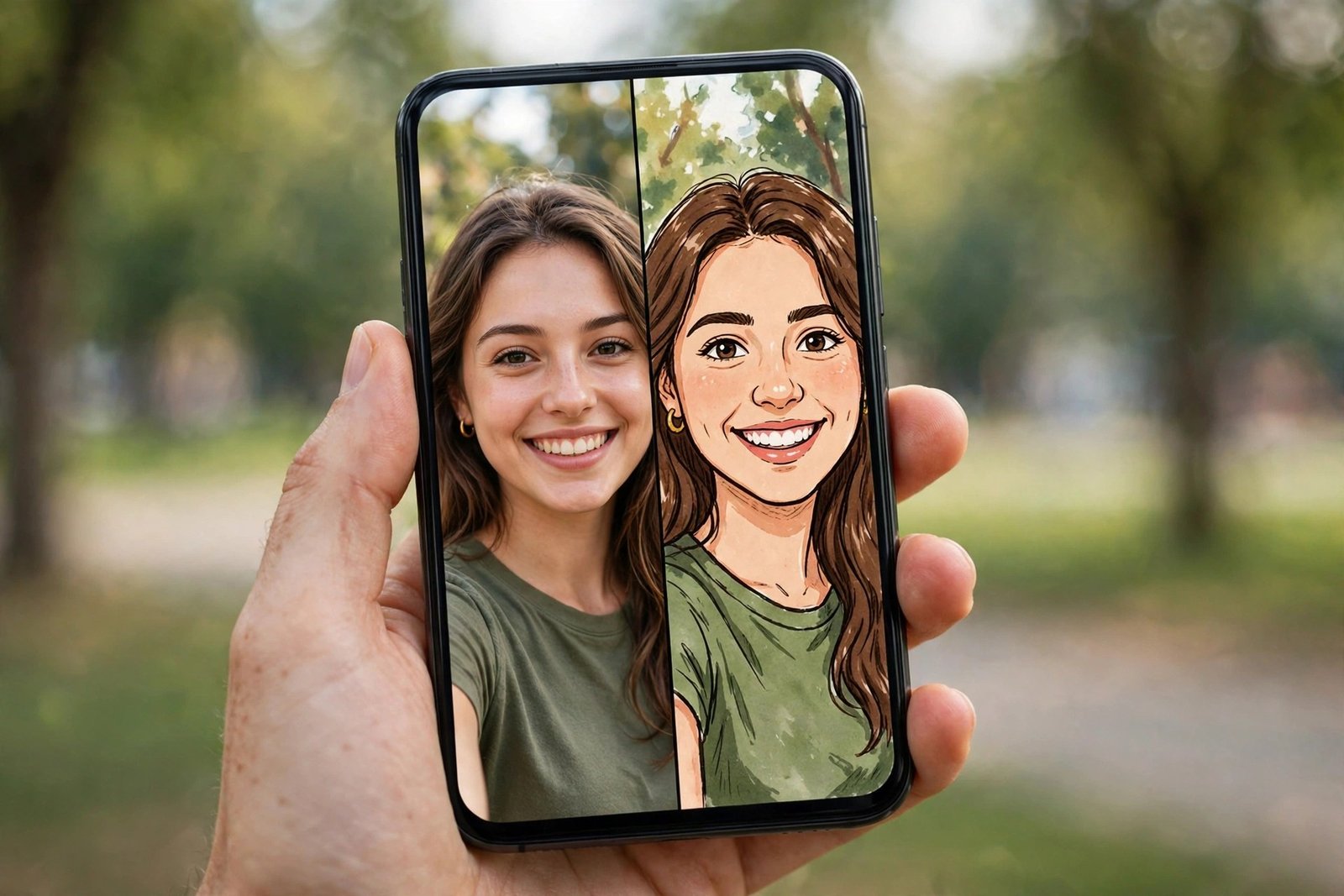
The results are fun rather than realistic, which is exactly the point. Quality is best with straight-on selfies in good light. The free version shows ads, and there is a premium plan that removes them and unlocks more styles.
- Strengths: instant 3D cartoon mode, very easy to use
- Watch out for: ads in the free version, fewer serious art styles
3. Prisma
Prisma takes a different approach. Instead of a simple cartoon filter, it restyles your photo as an actual painting, with styles inspired by famous artists and modern illustration. If you want a result that looks like it belongs in a frame rather than a meme, start here.
The AI behind Prisma is consistently one of the best at keeping detail in the image while transforming the style. It works on landscapes and objects too, not just faces, which most cartoon apps struggle with. A premium subscription unlocks the full style library and HD exports.
- Strengths: genuinely artistic output, works on any photo
- Watch out for: less of a “cartoon” look, more of a painting look
4. PhotoDirector
PhotoDirector is a full photo editor that happens to have strong cartoon effects. If you want to cartoonize a photo and then keep editing, adjusting colors, removing the background, or sharpening details, this saves you from bouncing between apps.
The cartoon styles themselves are solid, with several variations of sketch, cartoon, and anime looks. Because the editor tools are professional grade, you can fix a weak conversion, brighten a dark photo before converting, or crop out a distracting background first. For related face-swap style tools, see our guide to the best deepfake apps.
- Strengths: real editing tools included, good sharing options
- Watch out for: more menus to learn than a single-purpose app
5. PhotoLab
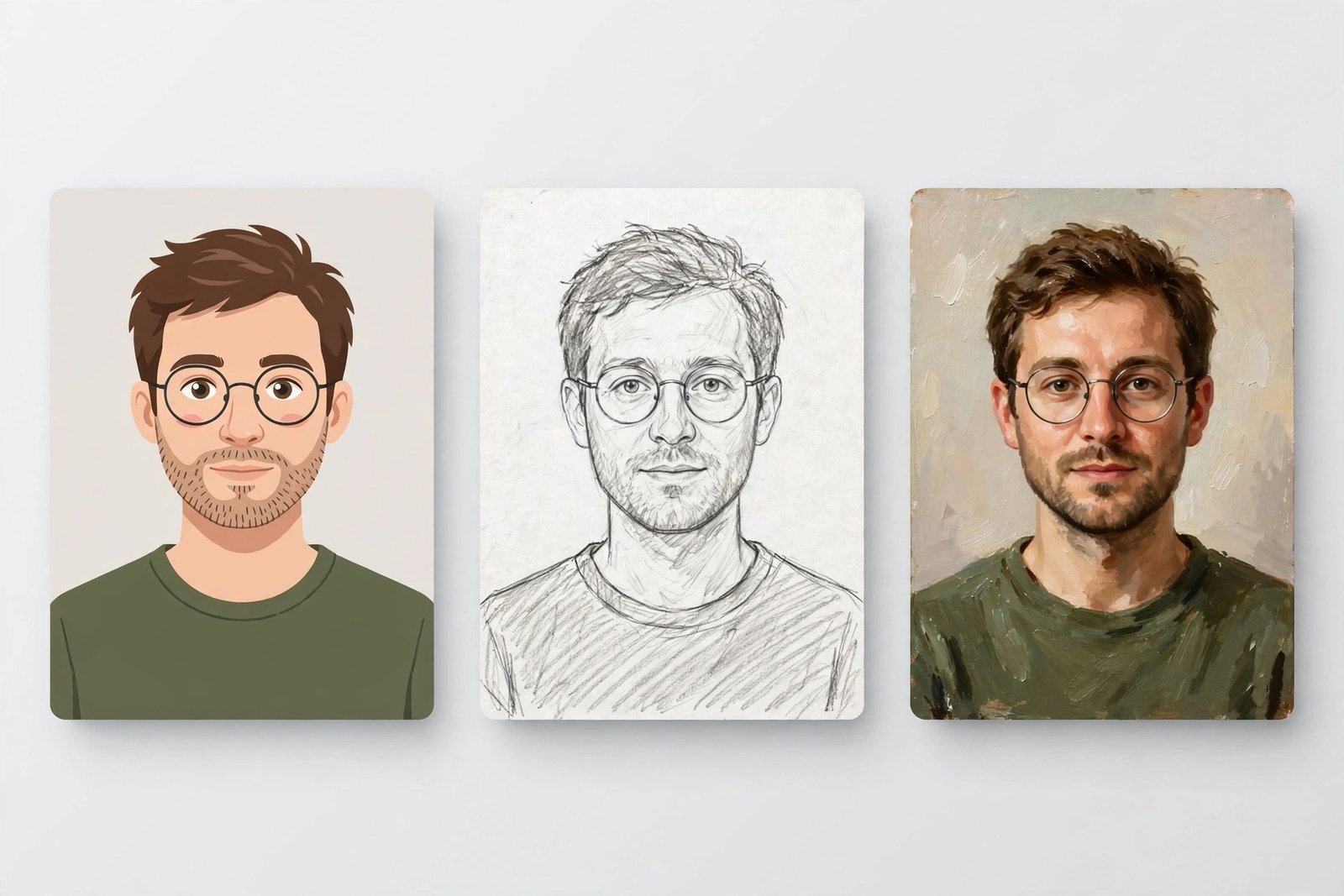
PhotoLab has one of the largest effect libraries of any app here: hundreds of cartoon, painting, and art filters, plus collage and face-montage tools. If you get bored with one look quickly, this app keeps things fresh.
Quality varies by effect, since there are so many, but the popular cartoon styles are reliably good. The free version adds a watermark to some exports, which the paid plan removes. It also pairs well with a clean source image, and our background remover tools roundup can help you isolate a subject before cartoonizing.
- Strengths: enormous variety, fun combo effects
- Watch out for: watermark on free exports, quality varies across effects
6. Painnt
Painnt is for people who want control. It offers a huge catalog of artistic filters, and unlike most apps, it lets you adjust the strength of each effect, change the look of edges and brush strokes, and fine-tune the result before saving.
The interface is more technical than ToonMe or Voilà, but the payoff is a result that looks closer to what you pictured. HD output requires the premium version, though the free previews are full resolution enough to judge whether you like a style.
- Strengths: fine-grained controls, huge filter catalog
- Watch out for: steeper learning curve, HD is paid
How to Get the Best Result
Photo choice matters more than app choice. A great app cannot fix a blurry, dark selfie. Follow these basics and any app on this list will perform noticeably better:
- Use a well-lit photo. Natural daylight facing the subject beats overhead room lights.
- Keep the background simple. Busy backgrounds confuse the AI and create odd shapes.
- Use a straight-on or three-quarter angle. Extreme side profiles distort faces.
- Start with the highest resolution copy you have. Compression artifacts from social media downloads show up in the cartoon.
- Try two or three styles per app. The same photo can look great in one style and strange in another.
Is the Paid Version Worth It?
For casual use, no. The free versions of all six apps produce good results, and you can always export a screenshot if a watermark bothers you. Paid plans, usually a few dollars a month or a yearly option, make sense if you convert photos regularly, want the newest trending styles the day they launch, or need HD exports without watermarks for printing or professional profiles.
A practical rule: use the free version for a week. If you open the app more than twice in that week, the premium plan will pay for itself in saved annoyance. If not, you were never going to use the paid features anyway.
Frequently Asked Questions
Do these apps work on both iPhone and Android?
Yes. Every app in this guide has versions for both platforms. Feature sets can differ slightly between iOS and Android, so check the app store listing for your device.
Can I cartoonize a group photo?
You can, but results are usually weaker than with single portraits. The AI handles one clear face best. For groups, try a close crop of one or two people instead.
Will the cartoon look exactly like me?
Recognizably, but not exactly. Cartoon conversion simplifies features and changes colors on purpose. If you want precision, ToonMe and Prisma preserve likeness best. If you plan to use cartoon clips in videos, our YouTube Shorts channel ideas guide has formats where stylized visuals work well.
Are these apps free?
All six are free to download with usable free tiers. Premium plans remove watermarks and ads, unlock more styles, and add HD export. Independent roundups, including Gizmodo’s ToonMe overview and SaaSworthy’s Prisma alternatives list, confirm the same free-versus-paid split across this category.
Bottom Line
Start with ToonMe if you want a cartoon portrait, Voilà if you want something playful, or Prisma if you want art. Pick a well-lit selfie, try two or three styles, and you will have a result worth using in about five minutes.

- How to Fix a Laptop Camera Not Working in Windows 11 - October 23, 2026
- How to Fix the Brightness Slider Missing in Windows 11 - October 22, 2026
- How to Stop Phone Link From Opening on Startup in Windows 11 - October 21, 2026