
If you have heard that Google now sells an AI assistant that does your work for you, not just answers your questions, you heard right. On October 8, 2026, at its Gemini at Work event, Google announced the Gemini agent: a single AI system that plans tasks, works across your apps, and hands back finished results. There is one catch that matters more than anything else in this article: almost nobody can use it yet. Here is the full picture, based on Google’s official announcement and the reporting that followed.
The short answer: it is in private preview only (for now)
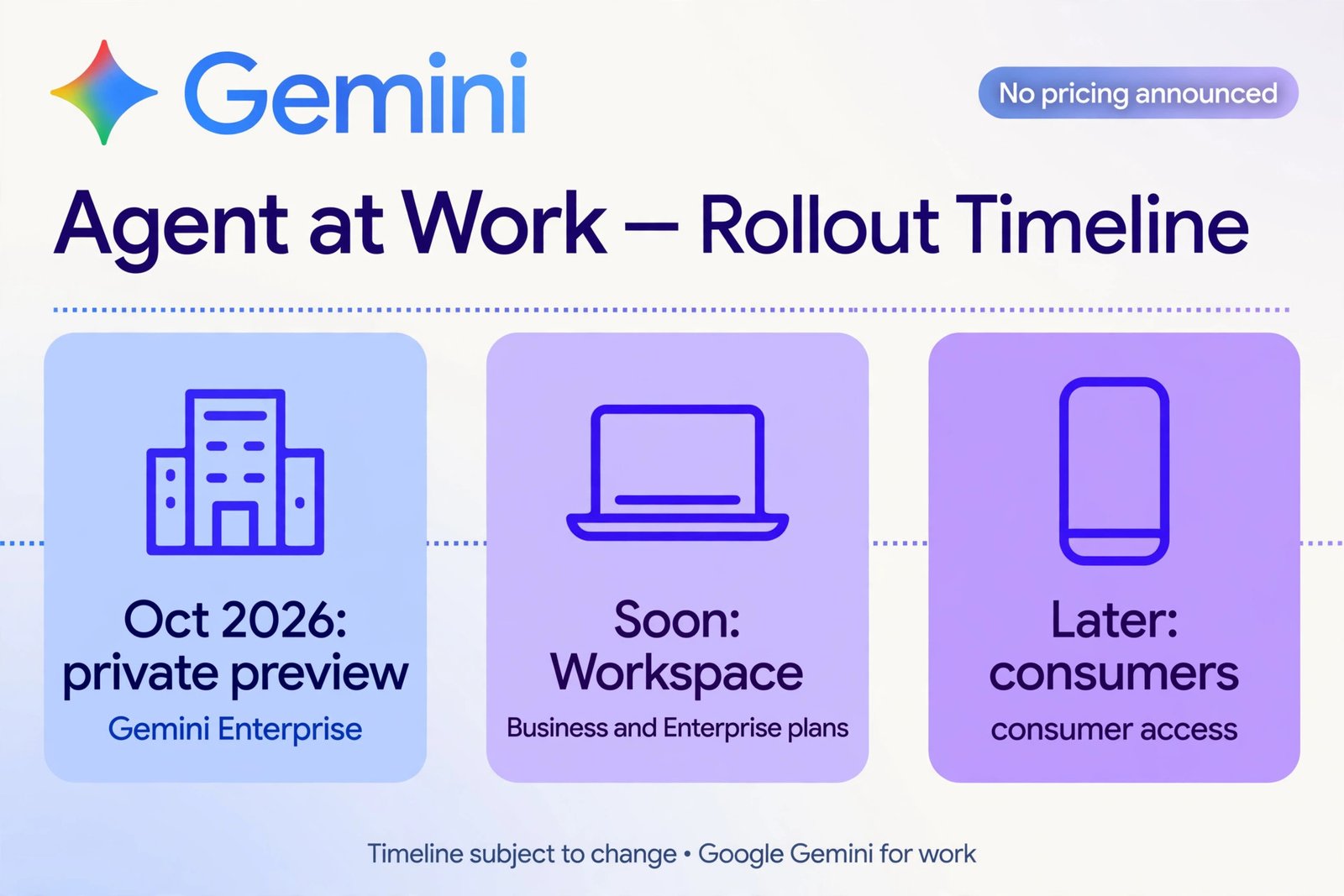
Google Cloud CEO Thomas Kurian introduced the Gemini agent on October 8, 2026, at Gemini at Work 2026 in Mountain View. As of mid-October 2026, it is in private preview for a selected group of Gemini Enterprise customers. That means it exists, real companies are testing it, but there is no public signup page, no download, and no way for an individual to turn it on.
Google says wider availability is coming “soon” for customers on select Google Workspace Business and Enterprise plans, and that everyday consumers will follow after businesses. The company has not published a price and has not named a general-availability date. Independent analysts have offered their own guesses about timing, but none of those are confirmed, so treat any date you see outside Google’s own materials as speculation.
What the Gemini agent actually is
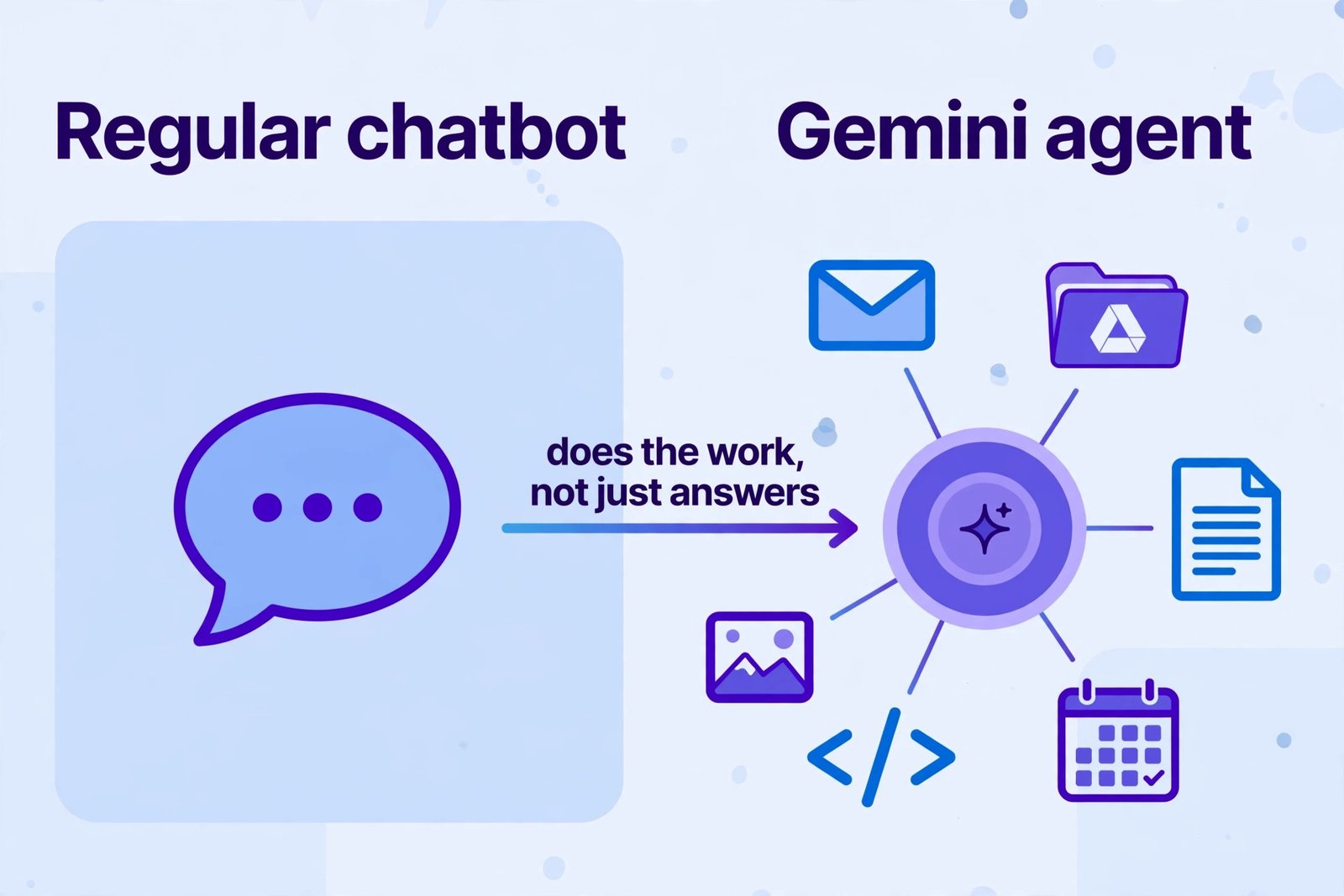
The easiest way to think about it: the Gemini agent is not a smarter chatbot. Google describes it as “a single, universal agent for work,” and the pitch fits on one line: you give it objectives, not instructions. Instead of typing step-by-step commands, you describe the outcome you want, for example, “prepare the project update as a slide deck.” The agent plans the work, picks the tools and skills it needs, connects to your company’s systems, and returns the finished result inside the documents, inboxes, and developer tools people already use.
Two things make this different from the AI features you have used before. First, it acts across applications rather than inside one chat window. A chatbot answers; the agent goes off, does the multi-step work, and comes back. Second, it keeps going without you. It runs in the cloud with a single set of memory and context, so a task that takes hours or days continues after you close your laptop. Google says the agent keeps four kinds of memory: the task in front of it, a knowledge base it builds from what it learns, the workflows it has picked up along the way (including skills it writes for itself), and a record of its past work.
It is reachable from one prompt box in the Gemini Enterprise app, and from the web, mobile, and desktop, the command line, Google Workspace, Microsoft 365, Slack, and through an API that lets developers embed it in third-party apps.
What it can do
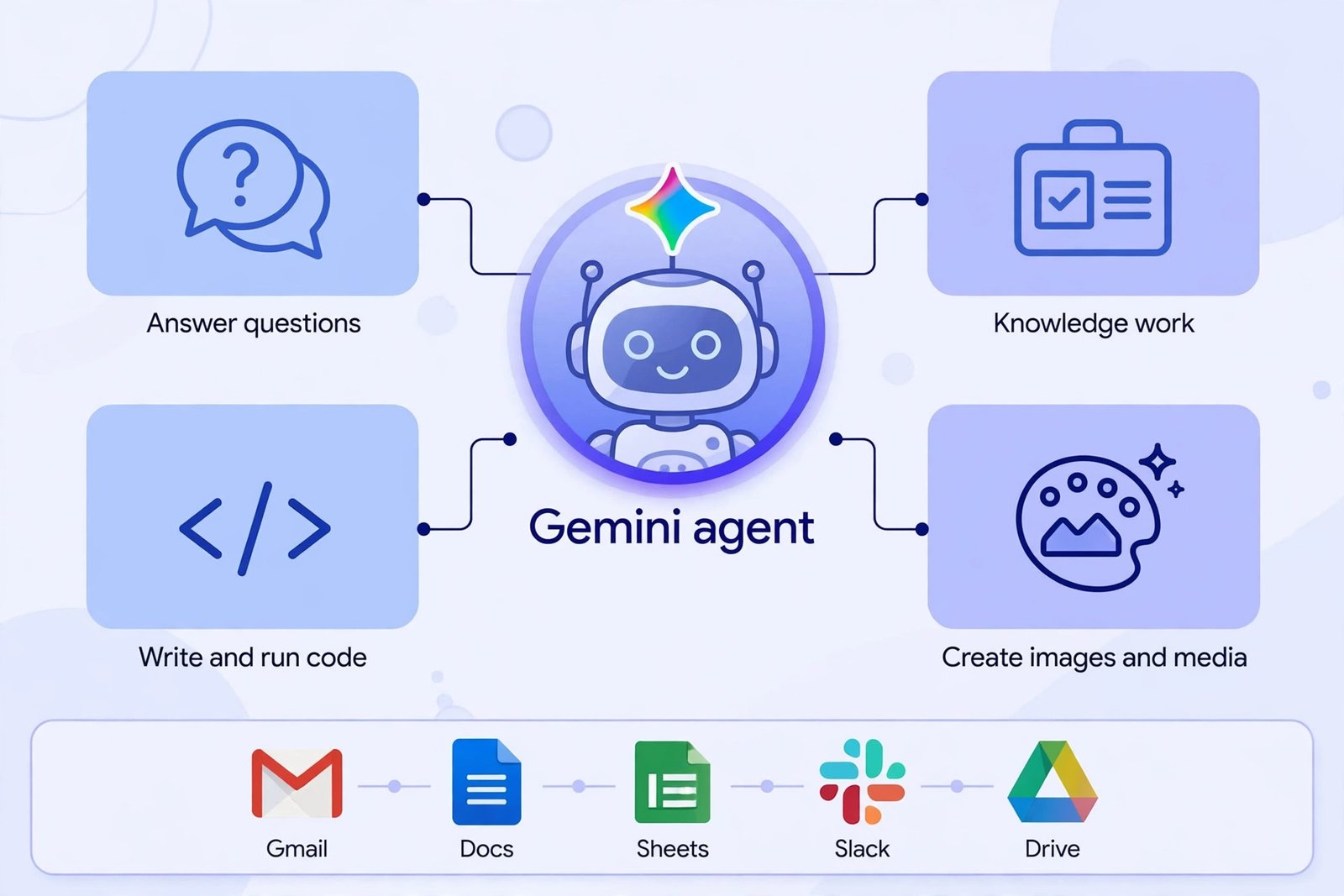
Google groups the agent’s abilities into four buckets: answering questions, handling knowledge work, creating images and media, and writing and running code. Here is what each one looks like in practice.
Answer questions and handle knowledge work
This is the familiar part, but pointed at your company’s own information. Ask in plain language, and the agent searches across Drive, documents, and spreadsheets instead of just the web. For example, ask “what did we agree with the vendor in March,” and it can pull the answer from email threads and signed documents rather than making you dig. Google also announced new data and analytics skills that let both technical and non-technical staff ask plain-language questions and get usable operational answers in minutes, drawing on sources like BigQuery.
Create images and media
The agent generates images and media and builds them into finished deliverables. The example Google used: your manager emails asking for the latest project update as a slide deck, and the agent gathers the content, builds the deck, and delivers it. It is not generating a picture for fun; it is producing the asset your team actually needs and placing it where the team works.
Write and run code
The agent writes code and runs it, which matters for developers and for automating routine technical chores. It connects to code repositories like Git and to databases like Postgres, so it can work with real systems rather than producing code snippets that sit in a chat window. A progress inbox shows the reasoning, the sub-tasks it delegated, the skills it loaded, and any code it wrote, so a human can follow what happened.
Work inside the apps you already use
This is the part Google is betting on most. The agent works directly inside Gmail, Drive, Docs, Sheets, Slides, Chat, and Calendar, carrying the same memory and skills everywhere. It is not limited to Google’s world either: it connects with Microsoft 365, Slack, and Teams, plus business systems like Jira, Confluence, Salesforce, ServiceNow, Git, BigQuery, Snowflake, Databricks, and any server that speaks the Model Context Protocol (MCP). Teams can also publish their own tools and skills to a shared company registry, so one team’s workflow can become reusable by everyone.
Keep working, coordinate helpers, and become a coworker
For big jobs, the agent can spin up temporary sub-agents that handle parts of a task in parallel or in sequence. The more unusual version is the coworker agent: a persistent, role-based agent that gets its own Google Workspace account, complete with an email address (in the form @agents.company.com), a calendar, Drive storage, and an entry in the company directory. Colleagues add it to a Chat space, mention it by name, or tag it in a document comment, and its edits appear under its own name in version history.
Crucially, a coworker agent acts under its own identity rather than borrowing the identity of the person who created it, and it can only see the context people share with it. Access follows the company’s existing sharing rules. Every action it takes is logged to an audit trail attributed to the agent itself, which is exactly what IT and compliance teams will want to hear.
Behind the scenes, the agent picks the AI model that fits each job. Today that means routing between Google’s own Gemini models and Anthropic’s Claude models, with more models promised later, and administrators can limit which models their agents are allowed to use. Companies can also set hard spending caps per project: the agent pauses when a budget is reached, and costs can be charged back to departments.
Who gets it, and how to check eligibility
Right now, eligibility is simple and narrow: the Gemini agent is in private preview for selected Gemini Enterprise customers. If your company is a Gemini Enterprise customer, the path in is through your IT administrator or your Google Cloud account team, not through a public signup. Google says select Google Workspace Business and Enterprise plans are next in line, and everyday consumers come after that. There is no public waitlist or download at launch.
Google is also rolling out industry-specific versions: agents tailored for financial services and legal teams are already in preview, with versions for government, healthcare, and retail expected later. If you work in one of those fields, your industry’s version may arrive alongside or ahead of the general rollout.
On pricing, the honest answer is that Google has not published any. Some press coverage has suggested the agent will be included where Gemini Enterprise is already available, with usage-based details to follow, but that comes from reporting, not from Google’s announcement. Do not budget around a number you have not seen from Google itself. If you are a regular consumer, nothing changes for you yet: you will keep meeting Gemini through the Gemini app and through AI answers in search, which you can turn off if you prefer the classic results, while businesses get the agent first.
| Detail | Status as of October 2026 |
|---|---|
| Announced | October 8, 2026, at Gemini at Work 2026 |
| Availability | Private preview for selected Gemini Enterprise customers |
| Next in line | Select Google Workspace Business and Enterprise plans |
| Consumers | After business rollout; no date given |
| Models used | Gemini and Claude families today; more to come |
| Price | Not published by Google |
| General availability date | Not announced |
How it differs from the AI assistants you already use
A consumer chatbot lives in its chat window. You ask, it answers, and the work still falls to you. The Gemini agent is designed to leave the chat window: it plans the task, moves through your apps, remembers what it learned, and keeps working after you walk away. That shift, from answering to doing, is the whole point of the announcement.
Google is also not alone here. Microsoft has been pushing its own workplace agents, and OpenAI has focused more on consumer products, going so far as to discontinue its AI-powered browser, ChatGPT Atlas. Google’s bet is different: be the first to wire a frontier AI agent directly into enterprise workflows, with its own Workspace identity, audit trail, and cost controls. If your company already runs on Workspace, this lands where you work. If it runs on Microsoft 365 or Slack, Google is betting the cross-platform connections are good enough to pull you in anyway.
Limitations and open questions
The announcement is ambitious, but a launch announcement is a promise, not proof. Here is what is still unknown or unresolved.
- Reliability is unproven. Private preview means a small group of customers is testing it. Google has not published independent benchmarks showing how reliably the agent completes long, multi-step assignments across different apps. Customer stories in the announcement, such as document review times dropping dramatically, are Google-reported figures, not independent results.
- Pricing is a blank page. No published price, no confirmed detail on whether each coworker agent needs its own license, and no word on how long-running tasks will be billed. Companies planning budgets will want answers before committing.
- Governance is now your problem. An agent with its own email address and calendar is convenient, but it raises real policy questions: who is allowed to create agents, what data can each one see, what can it spend, and who reviews its work before it acts. Companies will need an agent-account policy before they scale this.
- It depends on rivals cooperating. The cross-platform story only works if the connections to Microsoft 365, Slack, Teams, and third-party systems stay solid. Google can control its own apps; the rest depends on integrations it does not fully own.
- Consumers wait. If you are an individual user hoping to try this on your personal Google account, there is nothing to try yet, and no announced date for when that changes.
The bottom line
The Google Gemini agent is Google’s clearest statement yet that AI at work is moving from chatbots that answer to agents that do. One agent, one prompt box, working across Workspace, Microsoft 365, and Slack, with its own identity, memory, and budget controls, all in private preview since October 8, 2026. If your company runs on Google Workspace, this is worth watching closely and discussing with your IT team. If it does not, the pattern still matters: agents with real identities, audit trails, and spending caps are where the whole industry is heading, and Google just made the biggest move of the year.

- What Is Google Gemini Agent? What It Does and Who Gets It - October 17, 2026
- What Happened to ChatGPT Atlas? And What to Use Instead in 2026 - October 16, 2026
- How to Avoid Black Friday Scams in 2026: The Scam-Spotting Field Guide - October 15, 2026