
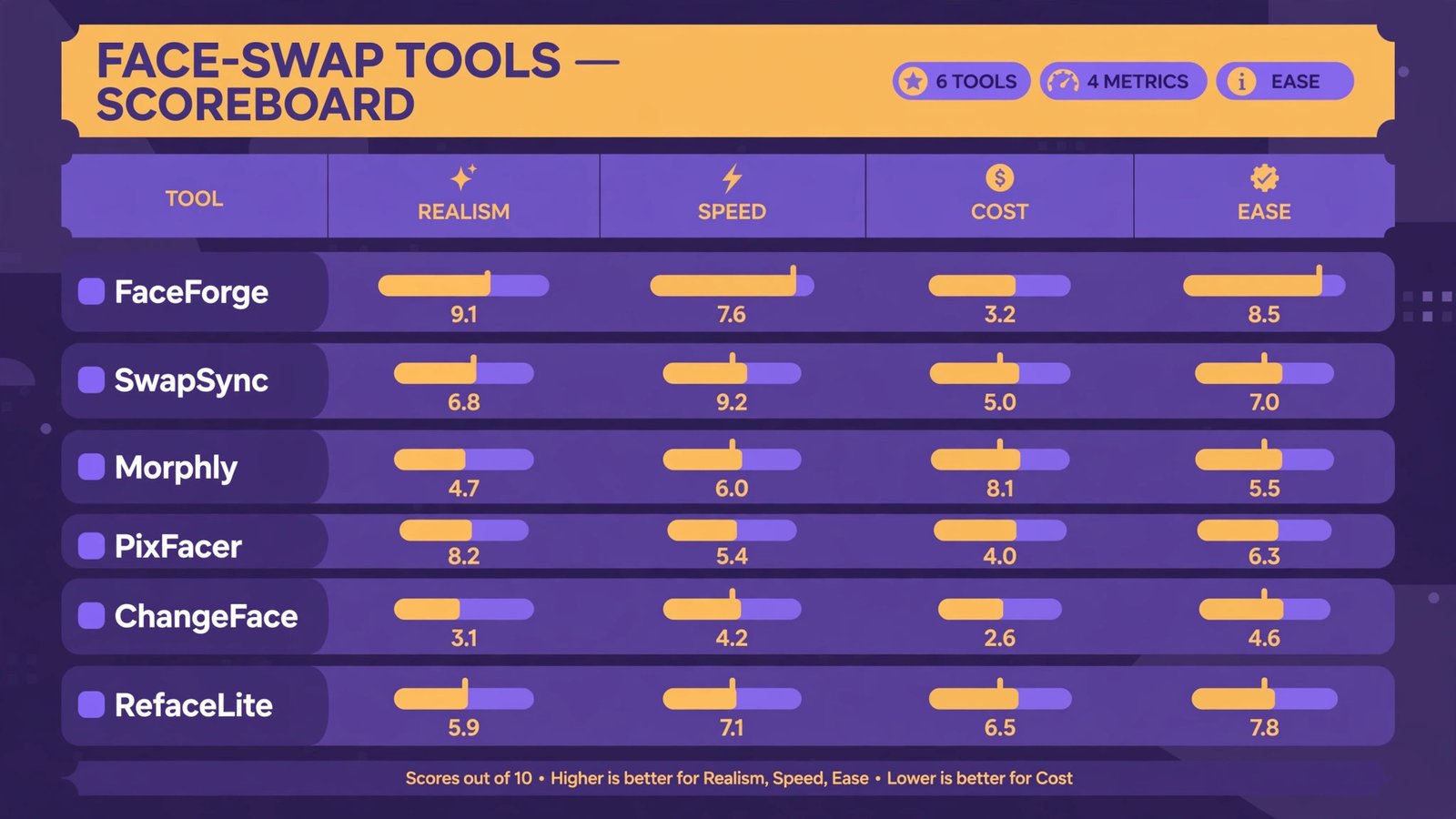
I spent two weeks digging through 2026 reviews, hands-on reports, and pricing pages for six of the most talked-about face-swap tools, comparing what each one actually does, what it costs, and where the line is that you must not cross. Here is the honest comparison.

The ground rules
Before anything else: for this comparison I only considered legitimate, consensual uses: swapping your own face, on footage you have the right to use. That is not just caution, it is the whole point. Face-swap tech in 2026 is good enough that the difference between a fun experiment and harm is entirely about consent. Non-consensual deepfakes, especially sexualized ones, are illegal in a growing number of jurisdictions and banned by every platform that matters. If you take one thing from this article, take this: only swap faces you have explicit permission to use, ideally your own.
What I compared
| Tool | Platform | Price | Free option | Best at |
|---|---|---|---|---|
| Reface | iOS, Android | ~$3.99/mo | Yes, watermarked | Fast phone memes |
| DeepSwap | Web | Credit-based | ~20 credits/mo | Browser-based video swaps |
| FaceFusion | Desktop (Win/Mac/Linux) | Free, open source | Fully free | High-control stills and clips |
| DeepFaceLab | Desktop | Free, open source | Fully free | Pro-grade custom models |
| Magic Hour | Web | Freemium | Yes, limited | All-round creator workflow |
| Akool | Web | Usage-based; commercial from ~$174/seat/mo | Trial credits | Batch and multi-face pro work |
The comparison, tool by tool
Reface: the 30-second meme machine
Start where everyone starts: on your phone. Reface’s free tier hands you a finished swap in under a minute, straight into a trending template. Reviewers consistently report the whole loop (pick template, confirm face, render, share) takes less time than making coffee. The results look great at phone size and fall apart the moment you zoom in: hairlines smudge, glasses confuse it, and side profiles turn waxy.
One thing worth knowing before you upload your face: Reface’s policy allows biometric data to be stored for up to 3 years. For a meme app, that’s a long memory. Fun, fast, disposable: use it for group-chat jokes, not for anything you’d care about in a year.
DeepSwap: the browser workhorse
DeepSwap is the only hosted tool that shows you the price of every single action before you spend it, and refunds credits when a render fails. In 2026 hands-on tests, a 15-second clip held expressions through a head turn and a laugh, which is exactly where cheaper tools break. Multi-face detection (up to 6 faces) worked on a group photo in reviewers’ tests, though it needed a second pass to fix one jawline.
The free allowance (around 20 credits a month) covers about five minutes of video, so this is really a paid tool with a generous demo. For creators doing regular swaps without installing anything, it’s the most honest pricing in the category.
FaceFusion: the free powerhouse that demands a GPU
FaceFusion runs entirely on your own machine, which means no uploads, no subscriptions, and no one else’s servers seeing your face. The trade: you supply the graphics card and the patience. Reviewers report it produces the closest-to-seamless still images in this category, with a visible face mask you can tweak frame by frame and expression restoration that fixes a blink mid-clip. Setup takes an evening; the actual swap takes minutes once it is configured.
If you care about privacy or want real control, this is the answer. If you just want a funny video by lunch, it is not.
DeepFaceLab: the deep end
DeepFaceLab is the tool behind most of the convincing deepfakes you have seen online, and using it feels like it. Training a model takes hours, not minutes, and the workflow assumes you already know your way around video tooling. The output, once trained, is widely considered the most convincing video in this category: stable identity through fast head movement, natural blinking, no wax.
Verdict: a research-grade tool, free and open source, with a learning curve like a cliff. Fascinating, overkill for memes. Also the tool most likely to be misused, which is worth sitting with before you download it.
Magic Hour: the all-rounder
Magic Hour is the pick for the overall workflow: face swap plus a whole AI video toolkit (lip sync, animation, voice) in one browser tab. Reviewers report making a talking-head clip from a single photo in about ten minutes, with lip sync better than expected at this price point. Quality sits a notch below DeepSwap for pure swapping, but nothing else bundles this much in one place. If you want to experiment beyond face swaps, start here; our guides to AI art generators and photo-to-cartoon apps cover adjacent creative territory.
Akool: the pro studio
Akool is built for marketing teams: batch uploads of up to 50 files, automatic multi-face detection, 8K output on top plans, and dubbing tools. Its multi-face mode handles crowded frames (eight faces in one reviewer demo) without manual masking, which none of the consumer tools manage. The commercial license starting around $174 per seat per month puts it firmly in business-software territory. For personal fun it’s overkill; for a localization or ad-testing workflow, it’s the serious option.
One more alternative worth naming: if what you actually want is a synthetic presenter rather than a face swap, tools like Heygen (from ~$29/mo) generate avatar videos from text. Different job, and it sidesteps the consent problem entirely since no real face is involved.
The part you can’t skip: consent and the rules
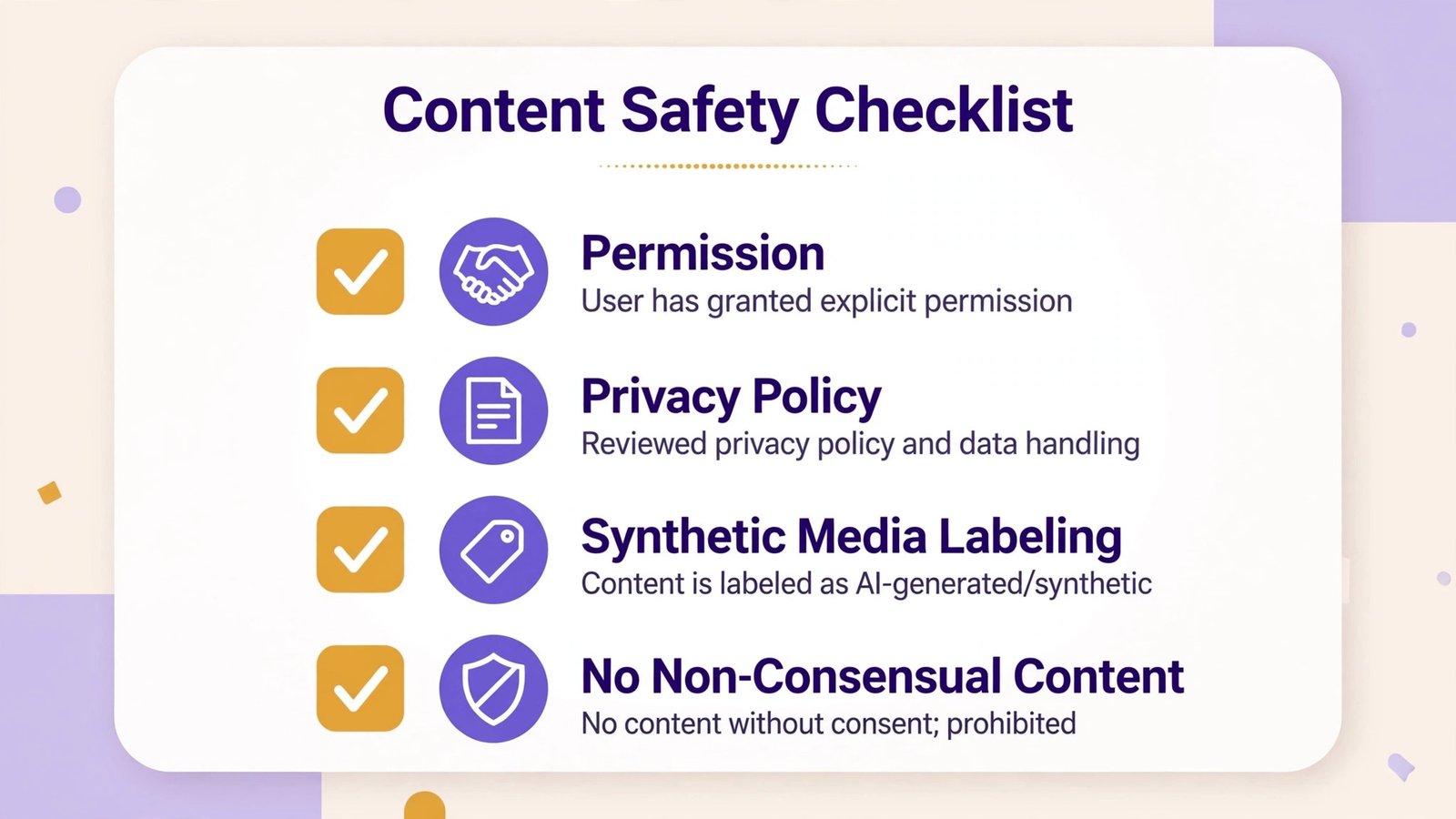
Two weeks of comparing made one thing very clear: the technology has outrun most people’s instincts about it. A few rules that aren’t optional:
- Only swap faces with explicit permission. Yours, or someone who has clearly said yes. “It’s just a joke” is not permission.
- Know what happens to your uploads. Policies vary wildly: some tools delete uploads within weeks, Reface may retain biometric data for up to 3 years, and local open-source tools like FaceFusion never upload anything at all. Read the privacy policy before your face, not after.
- Non-consensual deepfakes are illegal in many places and explicitly banned by app stores and social platforms. Creating sexualized deepfakes of real people without consent can be a criminal offense depending on where you live.
- Label synthetic media. Watermarks exist for a reason. If a tool offers to remove them on the paid tier, think about why you want that before you pay for it.
Our take
After two weeks of comparing, my honest ranking: DeepSwap for the best hosted results per dollar, FaceFusion for anyone who values privacy and control, Reface for pure phone fun, Magic Hour for the all-round creator toolkit, Akool for professional batch work, and DeepFaceLab for the deeply curious with a GPU and a weekend. But the real verdict isn’t about tools. The tech is now good enough that the only thing separating a fun experiment from real harm is your own judgment. Keep it to your own face, keep it labeled, and keep it kind. For lighter creative play that avoids these questions entirely, face-swap apps focused on filters and effects are a safer playground.

- How to Change the Screenshot Save Location on Mac - October 24, 2026
- How to Turn Off Stage Manager on Mac - October 23, 2026
- How to Reset Your Private Space PIN on Android If You Forgot It - October 22, 2026