
You have an app idea, but hiring developers costs a fortune and learning to code takes months. Low-code and no-code platforms exist for exactly this gap: they let you build working software with visual tools, drag-and-drop builders, and pre-built components instead of writing everything from scratch.
The market matured a lot by 2026. These are no longer toys for prototypes: companies run real operations on them. But the platforms are not interchangeable. The right one depends entirely on what you are building and who is building it. This guide organizes the best low-code platforms by the job, so you can skip straight to your shortlist.
Low-Code vs No-Code: The Difference That Matters
No-code targets people who do not write code at all: everything is visual, and when the platform’s widgets run out, so do you. Low-code targets developers and technical teams: visual building accelerated, with code escape hatches for custom logic when the visual layer runs out.
In practice the boundary blurs. Most “no-code” leaders reward technical thinking, and most low-code platforms get used by non-engineers. The more useful question is not which label a tool wears, but what you are building: an internal dashboard, a customer-facing app, or an automated workflow are three different purchases.
Best for Internal Tools: Retool and Appsmith
Retool
Retool is the standard for developer-built internal tools: admin panels, dashboards, and CRUD apps assembled from drag-and-drop components wired to your databases and APIs. Developers like it because they keep full control with JavaScript wherever the visual builder is not enough, and it connects to nearly any data source.
Pricing scales with users and deployment options, so it fits teams that already have technical staff. If your developers spend weeks building internal dashboards by hand, Retool usually pays for itself in the first project.
Appsmith
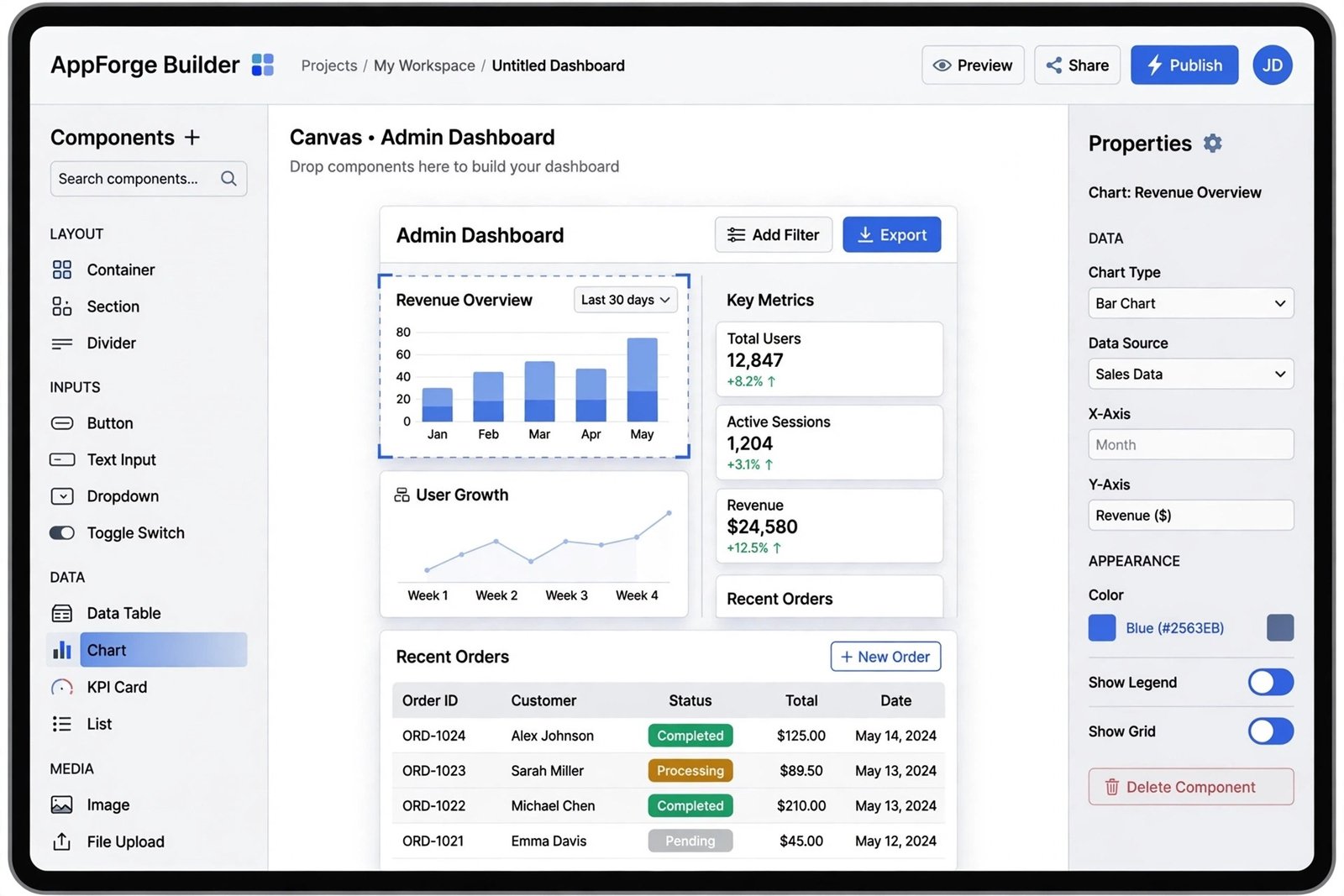
Appsmith is the open-source alternative in this space: full JavaScript extensibility, self-hosting options, and a community plugin ecosystem. Plans start around $15 per user per month for hosted tiers, with the open-source version free to self-host. A strong pick when data residency or budget control matters.
Best for Customer-Facing Web Apps: Bubble and FlutterFlow
Bubble
Bubble lets non-developers build full web applications with real logic: user accounts, payments, databases, and complex workflows, all visual. People have built genuine businesses on it, including funded startups. The tradeoff is a real learning curve: “no code” does not mean “no thinking,” and complex apps demand careful architecture.
Bubble offers a free tier for learning, with paid plans scaling as your app’s usage grows. Best for founders validating a web product without a technical co-founder.
FlutterFlow
FlutterFlow is the equivalent for mobile: visually build iOS and Android apps on Google’s Flutter framework, with the unusual advantage that you can export real code. That export option matters: it means you are not permanently locked in, and a developer can take over the codebase later.
Best for Enterprise Programs: Power Apps, OutSystems, Mendix, Appian
Large organizations choose differently: governance, security certifications, and audit trails matter as much as building speed. These four dominate enterprise shortlists.
Microsoft Power Apps
If your company runs on Microsoft 365, Power Apps is the path of least resistance. It builds apps inside the Microsoft ecosystem with Power Fx formulas and Power Automate flows, starting around $20 per user per month. IT departments like it because it inherits Azure’s security model.
OutSystems
OutSystems builds full-stack, high-scale customer applications with serious lifecycle management: staging environments, versioning, and monitoring baked in. Paid plans start around $36,300 per year, which tells you who it is for: large organizations building mission-critical apps. A free tier exists for evaluation.

Mendix
Mendix, now part of Siemens, suits cross-functional teams mixing developers and business builders, with AI-assisted development and strong collaboration features. Plans start around $998 per month for a single app, with a free tier for trying it out. A natural fit for manufacturing and engineering-adjacent industries.
Appian
Appian leads when the app is really a process: approvals, case management, and complex workflows in regulated industries like banking and government. If your problem is “workflows with compliance requirements” rather than “apps,” start here.
Best for Small Businesses: Zoho Creator, Glide, Softr
Zoho Creator
Zoho Creator builds custom apps that integrate naturally with the rest of the Zoho suite, which many small businesses already use for CRM and email. Plans start around $8 per user per month, making it one of the most accessible starting points. For a broader look at AI tools for small operations, see our AI marketing tools guide.
Glide and Softr
Glide and Softr turn spreadsheets and Airtable bases into working apps: directories, portals, and simple marketplaces. If your “database” is currently a Google Sheet, these two give you an app with almost no learning curve.
Best for Workflow Automation: Zapier, Make, n8n
Sometimes you do not need an app at all: you need your existing apps to talk to each other. Zapier leads on connector breadth with thousands of integrations. Make (formerly Integromat) handles complex multi-step flows at high volume for less money. n8n is the self-hosted option for teams that want full control of their automation infrastructure and data.
Automation tools pair well with AI assistants in daily operations: our trending AI apps roundup covers the other half of that productivity stack.
Pricing and Fit at a Glance
| Platform | Best for | Starting price |
| Retool | Developer-built internal tools | Scales with users |
| Appsmith | Self-hosted internal tools | $15/user/month (OSS free) |
| Bubble | Founder-built web apps | Free tier, paid scales with usage |
| FlutterFlow | Mobile apps with code export | Free tier, paid for publishing |
| Microsoft Power Apps | Microsoft-centric organizations | $20/user/month |
| OutSystems | Large-scale customer apps | ~$36,300/year |
| Mendix | Mixed dev/business teams | ~$998/month per app |
| Appian | Regulated process automation | Quote-based |
| Zoho Creator | Small businesses on Zoho | $8/user/month |
| Zapier / Make / n8n | Workflow automation | Free tiers, paid by volume |
Pricing reflects 2026 vendor pages and industry roundups including AgileTech’s platform guide and Superblocks’ enterprise comparison. Enterprise pricing in particular is quote-driven, so treat listed figures as starting points.
The Honest Limitations
Low-code is not magic, and the marketing oversells it. Three things to know before committing. First, vendor lock-in is real: an app built in a proprietary platform is hard to migrate, so evaluate the export story before you build anything critical. Second, pricing cliffs exist: costs that look trivial at ten users can explode at a hundred, so model your pricing at scale, not at launch. Third, some things still need code: novel algorithms, unusual integrations, and performance-critical systems belong with developers, and a good platform admits that.
If you are technical and weighing whether to learn proper development instead, our DevOps engineer roadmap maps out the traditional path for comparison.
Frequently Asked Questions
Can you build a real business on a no-code platform?
Yes, with caveats. Businesses run on Bubble, Shopify-style stacks, and automation tools every day. The realistic path is validating with no-code, then moving critical systems to custom development once revenue justifies it. FlutterFlow’s code export makes that transition unusually smooth.
Will low-code replace developers?
No. It replaces the boring parts of development: CRUD screens, admin panels, and glue code. Developers move up the stack to architecture, integrations, and the custom logic that platforms cannot express. Teams ship faster with fewer developers, but the developers do not disappear.
What is the cheapest way to start?
Start free. Bubble, FlutterFlow, Appsmith’s open-source version, n8n’s self-hosted tier, and Glide all have genuinely usable free plans. Build your first version at zero cost, and only pay when real users arrive.
Bottom Line
Match the platform to the job: Retool or Appsmith for internal tools, Bubble or FlutterFlow for customer apps, Power Apps or OutSystems for enterprise programs, Zoho Creator for small business, and Zapier or Make when you just need apps to talk to each other. Start on a free tier, model pricing at scale, and check the export story before you commit.

- How to Stop Android Auto-Connecting to Open Wi-Fi Networks - October 24, 2026
- How to Stop iPhone Apps Asking for Ratings and Reviews - October 23, 2026
- How to Turn Off HDR in Windows 11 When Colors Look Washed Out - October 22, 2026