
KMS activation is one of the most misunderstood topics in Windows. It is a legitimate Microsoft technology, but it was built for company IT departments, not for home users hunting for a free Windows license. If you are reading this because someone told you a “KMS server” can activate your personal PC for free, here is the full picture: what KMS really is, why the shortcuts are risky, and the legitimate ways to get Windows activated.
What KMS Activation Really Is
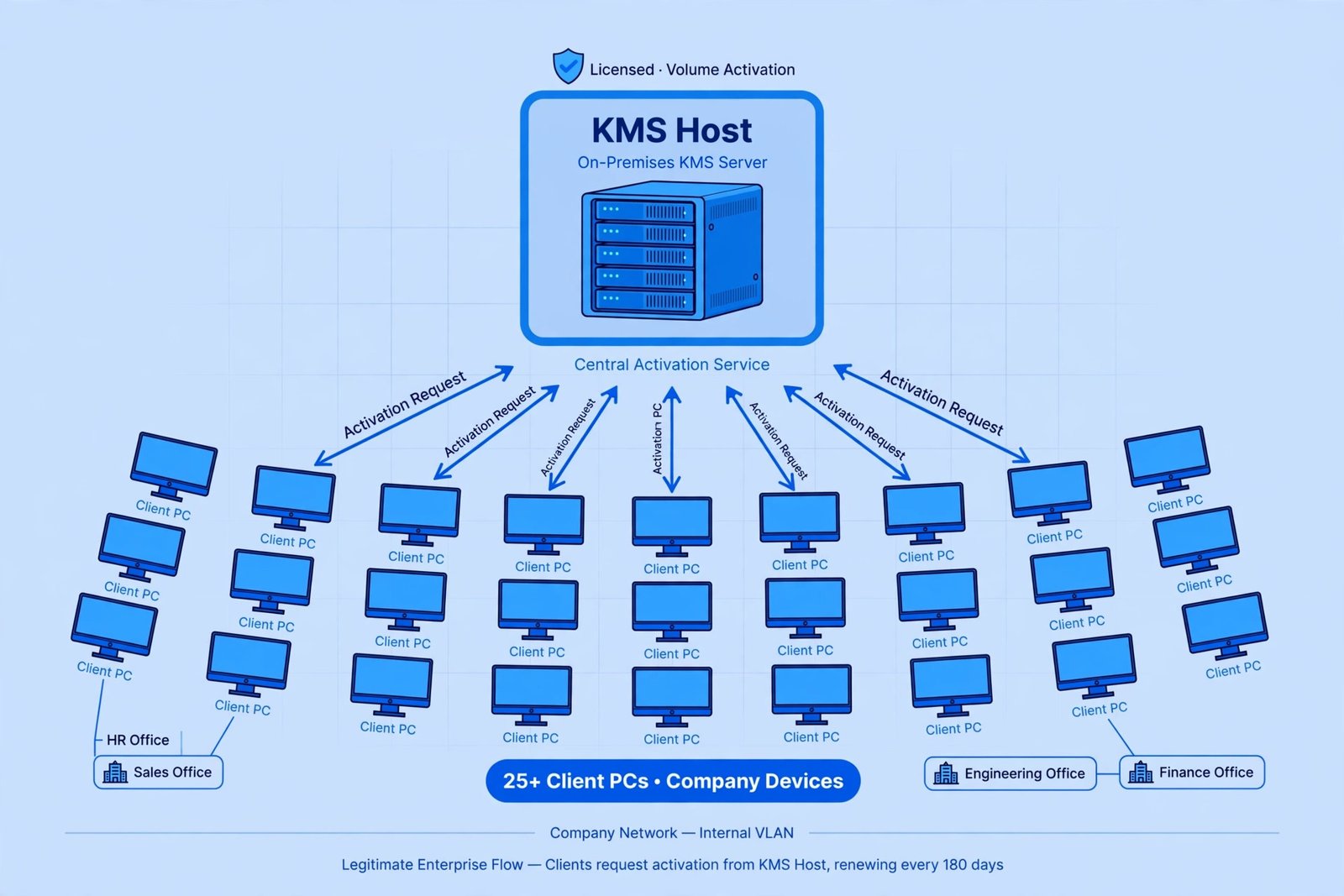
KMS stands for Key Management Service. It is Microsoft’s system for volume licensing: instead of typing a product key into hundreds of office computers one by one, a company sets up a single KMS host server on its own network. Each company PC then activates against that internal server rather than contacting Microsoft directly.
- Built for organizations. KMS is used by medium and large businesses, schools, and nonprofits that hold volume licenses and manage many Windows installations.
- Needs scale to work. A KMS host only starts activating clients once at least 25 Windows PCs (or 5 Windows Servers) have requested activation on the network.
- Activation is temporary by design. KMS clients must renew at least once every 180 days, checking back in with the company server automatically.
- Only certain editions qualify. KMS activates volume-license editions of Windows and Office. A regular retail or OEM copy of Windows 11 Home was never designed to touch a KMS server.
Why KMS Is Not Meant for Your Home PC
If you have one personal computer, KMS solves a problem you do not have. Home users activate Windows with a retail product key or a digital license tied to their Microsoft account, both handled in Settings under System and then Activation. You can check your current status there, or run slmgr /xpr in Command Prompt to see whether Windows reports itself as permanently activated.
There is also a practical reason the “free KMS server” trick keeps breaking. Microsoft closed a widely abused activation loophole in its November 2025 update, and machines relying on unofficial methods started losing activation. In 2026 Microsoft is rolling out TPM-based attestation for KMS hosts, with readiness notices for Windows Server 2025 starting in August, which verifies that a KMS server is genuine untampered hardware before it may hand out activations. Each round of these changes knocks unofficial setups offline again.
The Truth About Unofficial “KMS Activators”
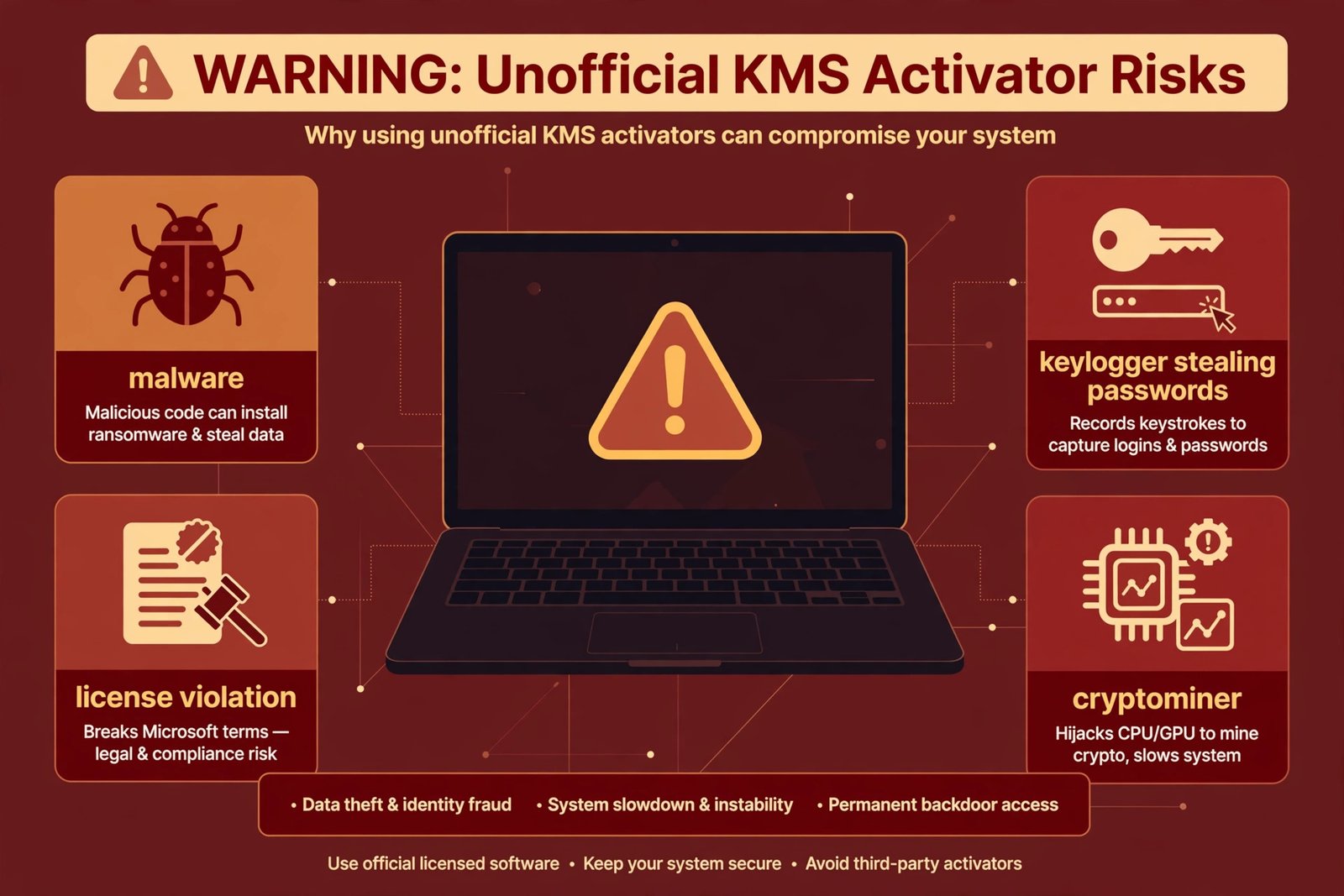
Tools sold as “KMS activators” or “KMS emulators” have nothing to do with Microsoft’s enterprise system. They fake a KMS server on your own PC, or point your PC at a stranger’s server, to trick Windows into thinking it is licensed. Here is what that actually costs you:
- Malware delivery. You are running unsigned code with administrator privileges from an anonymous uploader. These tools are a classic vehicle for cryptominers, keyloggers, session hijackers, and ransomware droppers. Our overview of cybersecurity risks explains how these payloads typically operate.
- It violates the license terms. Microsoft treats unofficial KMS emulation as a terms violation, which means no legitimate support and activation that can vanish with the next update, as the November 2025 patch demonstrated.
- It is unreliable. Fake activations need periodic renewal against servers that disappear, get blocked, or stop working. Genuine activation is permanent and survives updates.
Legitimate Ways to Activate Windows
| Method | Who it is for | How it works |
|---|---|---|
| Retail product key | Home users and small offices | Buy a genuine key from Microsoft or an authorized retailer, enter it in Settings, System, Activation, then Change product key |
| Digital license | Anyone who bought Windows digitally or upgraded a licensed PC | Linked to your Microsoft account and your hardware; reactivates automatically after signing in, even after reinstalling |
| OEM license | Buyers of new PCs | Comes with the computer and activates automatically; no key to type |
| Volume licensing with KMS or Active Directory | Organizations with many PCs | Set up by the company IT team under a volume license agreement; not something an individual sets up at home |
For a single PC, the retail key or digital license route is the entire story. If Windows shows as unactivated after a hardware change, the Activation troubleshooter in Settings can usually reconnect your digital license to your Microsoft account. And if your system is misbehaving in other ways after tinkering, our guide to clearing the cache on Windows 11 is a safe first step before deeper troubleshooting.
Our Take
KMS is genuinely interesting technology, and it is genuinely not for you if you are one person with one PC. The unofficial activator scene offers a temporary fake license in exchange for real security risk, and Microsoft keeps closing the loopholes it depends on. A legitimate license, even a discounted retail key from an authorized seller, is permanent, survives updates, and does not ask you to hand administrator access to strangers. That is the only activation method worth your time.
Curious how Windows handles other background systems? See what Fast Startup in Windows actually does for another feature that is widely misunderstood.

- How to Stop Android Auto-Connecting to Open Wi-Fi Networks - October 24, 2026
- How to Stop iPhone Apps Asking for Ratings and Reviews - October 23, 2026
- How to Turn Off HDR in Windows 11 When Colors Look Washed Out - October 22, 2026