
The CrossFit app scene looks nothing like it did a few years ago. CrossFit changed ownership in 2025, gym software kept consolidating, and a few old favorites quietly faded. If you are trying to pick a training app in 2026, the right answer depends entirely on how you train. Start with your situation below, not with the app store’s top chart.

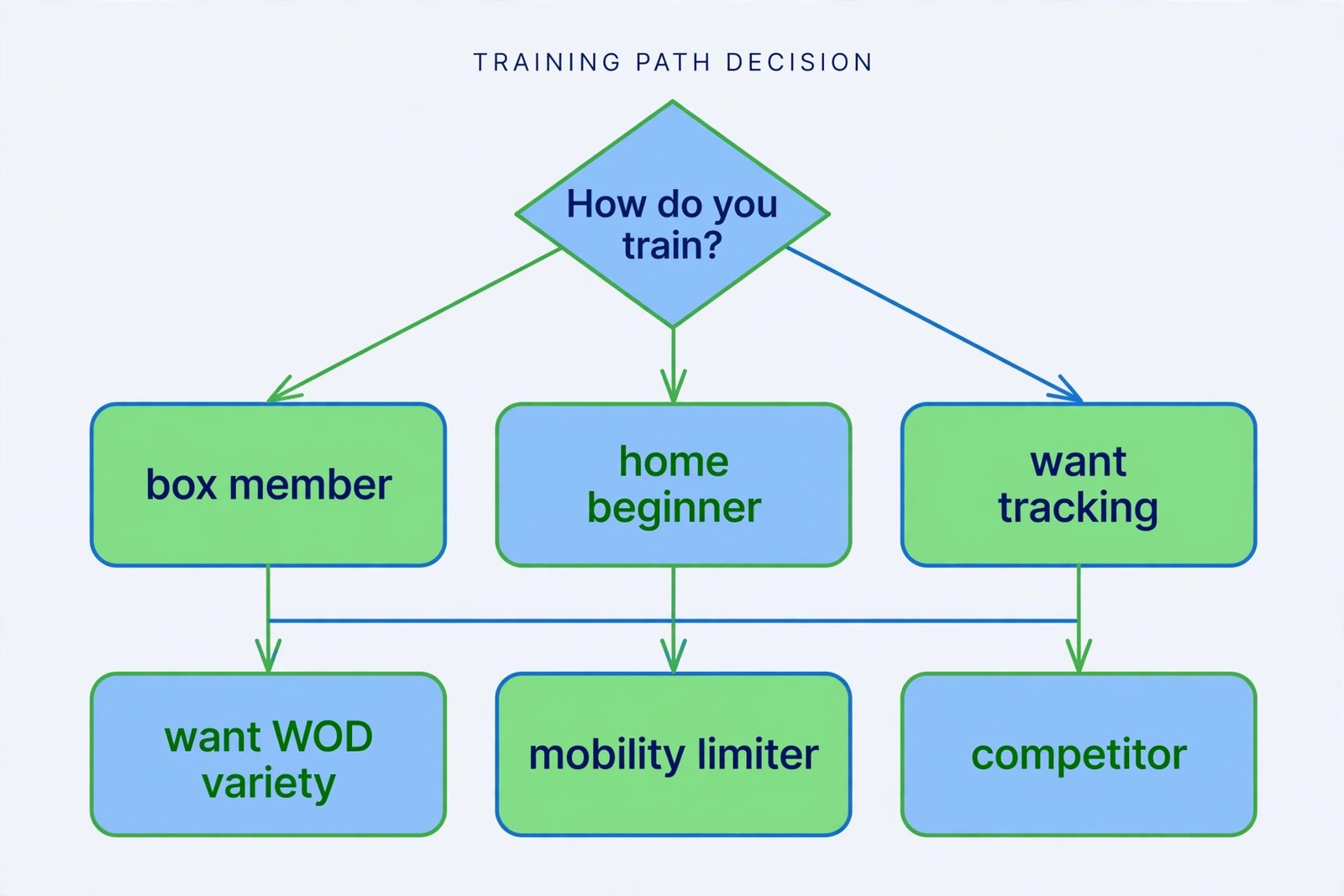
Start here: what kind of CrossFit athlete are you?
- You want one app for programming and deep tracking: Beyond the Whiteboard.
- You train at a box (affiliate gym): whatever your gym uses, usually SugarWOD or Wodify.
- You are starting out, training at home: Street Parking.
- You want daily WOD variety without paying: SmartWOD.
- Mobility is what holds you back: GOWOD.
- You compete and need serious programming: Train Hard.
Best all-rounder: Beyond the Whiteboard
Beyond the Whiteboard (BTWB) remains the most complete CrossFit tracking platform in 2026: strength, metcons, AMRAPs, EMOMs, and benchmark WODs all log with detailed analytics, plus preprogrammed plans you can buy and a social layer for following other athletes. It costs $7.99 per month with a 30-day free trial, on iOS and Android. The interface can feel dense the first week, but if you are the type who likes seeing progress in numbers, nothing else matches it at this price. A simple phone log works too: snapping a photo of the whiteboard and noting your score still beats an app you never open.
If you train at a box: use your gym’s app
This is the easiest decision on the list: install whatever your gym runs. SugarWOD is the most common, with a huge WOD library and fast score logging, and it is free for athletes at member gyms (gyms pay from around $37/month). Wodify is the fuller gym-management platform (billing, class bookings, performance tracking), also free for members. Matching your gym means your scores sync automatically, your coach sees your history, and you never double-enter data. No third-party tracker is worth fighting that.
Best for beginners training at home: Street Parking
Founded by CrossFit Games athletes, Street Parking built its reputation on daily programming that scales from bodyweight-only to full barbell work, which makes it ideal if you are starting CrossFit in a garage or living room. It runs $19 per month, or $180 per year (about $15/month), on iOS and Android, with an unusually supportive community for a fitness app. There is no free trial, so it is a commitment: worth it if daily programming is exactly what you are missing.
Best free WOD variety: SmartWOD
SmartWOD is a WOD generator with timers for AMRAP, EMOM, Tabata, and for-time workouts, plus a library of benchmark and hero WODs. It will not coach you and it will not track long-term progress like BTWB, but for “give me something hard to do today” it is free and genuinely good. Pair it with a notes app or even paper if you want records.

Best for mobility: GOWOD
Most CrossFit plateaus are mobility plateaus: overhead squats, snatches, and kipping all demand range of motion that strength work alone will not build. GOWOD tests your mobility, scores it, and builds personalized daily protocols to fix your weak spots, covering 50+ sports with CrossFit front and center. Premium costs $13.99 per month or $124.99 per year, with a free mobility test to start. If your lifts stall while your conditioning improves, this is the app, not another programming subscription.
Best for competitors: Train Hard
Train Hard is competition-focused programming at $29.99 per month: structured cycles, strength and conditioning work designed for people chasing the leaderboard. It is overkill for general fitness, and that is the point. Only subscribe if you are training for competition; everyone else gets more value from BTWB or their box’s programming.
The picks side by side
| App | Price in 2026 | Platforms | Best for |
|---|---|---|---|
| Beyond the Whiteboard | $7.99/mo, 30-day trial | iOS, Android | All-round tracking + programming |
| SugarWOD / Wodify | Free for gym members | iOS, Android | Box athletes |
| Street Parking | $19/mo or $180/yr | iOS, Android | Beginners at home |
| SmartWOD | Free | iOS, Android | Daily WOD variety |
| GOWOD | $13.99/mo or $124.99/yr | iOS, Android | Mobility work |
| Train Hard | $29.99/mo | iOS, Android | Competitors |
How to choose: three questions
- Do you train at a box? Stop reading and use their app. Done.
- What is actually limiting you? If it is programming, get programming (Street Parking, Train Hard). If it is movement quality, get GOWOD. If it is not knowing whether you are improving, get a tracker (BTWB).
- Will you open it three times a week? The best app is the one you use. A free WOD generator you open daily beats a $30 subscription you ignore. Recovery counts too: walking goals and general wellness habits keep you training, which is why tools like move-to-earn apps and the best mental health apps pair well with any training plan.
Our take
For most people reading this, the answer is Beyond the Whiteboard at $7.99/month: it is the cheapest way to get serious tracking and programming in one place. Box members should save their money and use SugarWOD or Wodify. And if you have never paid for a fitness app before, start with SmartWOD’s free WODs for two weeks: if you train consistently with a free tool, you will know exactly which paid feature is worth buying next.

- How to Fix the Windows 11 Taskbar Auto-Hide Problem - October 24, 2026
- How to Fix a Laptop Camera Not Working in Windows 11 - October 23, 2026
- How to Fix the Brightness Slider Missing in Windows 11 - October 22, 2026