
Let’s be direct about what this guide is and isn’t. WhatsApp monitoring tools exist, and the only legitimate use for them is a parent keeping their own minor child safe. Spying on a partner, a friend, or anyone else’s phone without consent is illegal in most places and can carry serious penalties. If you are a parent, here’s how to think about these tools honestly, and which ones are worth considering in 2026.
Read this first: the rules
- Only your own child’s device. Use monitoring only on a phone you own or are clearly authorized to manage for a minor in your care.
- Tell them. Especially with teenagers, explain what is being monitored and why. Secret surveillance destroys trust faster than any app builds safety.
- Check your local laws. Privacy and communications laws vary by country and state, and device ownership alone doesn’t settle every question.
- Never monitor another adult. Not a partner, not an employee on a personal device, not anyone else. Without valid consent or legal authority, don’t do it.

Start with the free built-in options
Before paying for anything, check what you already have. On Android, Google Family Link is free and handles app approvals, screen time rules, content filters, and location sharing. On iPhone and iPad, Apple Screen Time covers app limits, downtime schedules, communication limits, and purchase controls. For many families, especially with younger kids, these are enough, and they come with no extra account or subscription to manage.
Don’t forget WhatsApp’s own safety tools either. Disappearing messages, the ability to block and report contacts, and granular privacy settings for profile photos and last-seen status are all built in and free. Teaching your child to use block and report is arguably more protective than any monitoring dashboard, because it works even when you’re not watching.
When you need more: the dedicated apps
Bark: best for safety alerts
Bark monitors texts, WhatsApp, and social platforms and sends parents alerts about concerning content like bullying, self-harm, or predatory messages, rather than dumping every message on you. It is the most proportionate choice when you want safety coverage without reading everything your teen writes.
Qustodio: best all-rounder
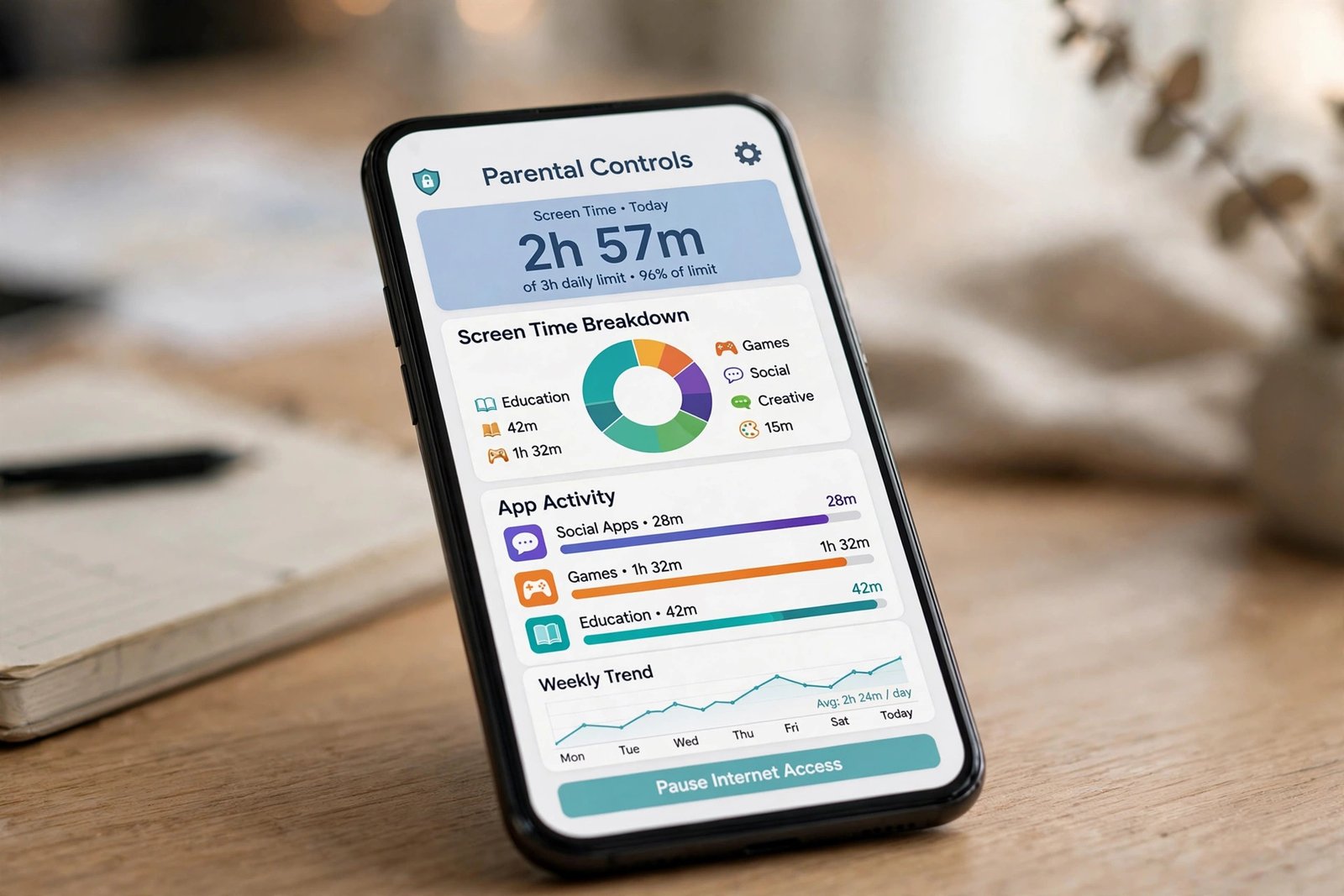
Qustodio combines screen time schedules, web filtering, app controls, activity reports, and location features across Android and iPhone. It is the best pick for most families who want one dashboard for everything. Note that exact monitoring capabilities differ between Android and iPhone, so check compatibility for your child’s device. See also our parental control app guide for the full comparison.
Norton Family: best for web supervision
Strong web filtering, search monitoring, and school-time scheduling, with good support for households managing several children from one dashboard. The mobile experience is less polished than the leaders, but the filtering depth is excellent.
mSpy and Eyezy: deep monitoring, with caveats
These tools offer the broadest visibility: messages across WhatsApp and other apps, call logs, GPS tracking, and more. That depth comes with real downsides: they operate with low visibility on the device, they collect highly sensitive data on third-party servers, and mSpy suffered a data breach in 2024. Treat them as a last resort for specific situations, not a default, and weigh the privacy risk carefully.
What these apps can actually see
It helps to understand the technical reality. WhatsApp messages are end-to-end encrypted, which means nobody can intercept them in transit, not even WhatsApp itself. Monitoring apps work by running on the phone itself, reading what’s on the screen or in the app’s local data. That’s why every legitimate tool requires installation on the child’s device, and why any service claiming to “hack any WhatsApp remotely with just a phone number” is a scam. If remote spying were possible, it would be a crime, not a product.
Red flags in spy-app marketing
- “No installation needed.” Impossible for real monitoring. It’s either a scam or malware.
- “Hack any account with just a number.” A classic scam pitch. Real tools need device access.
- No company name or address. Legitimate parental control companies publish who they are.
- Pressure tactics. Countdown timers and “only 3 licenses left” are sales tricks, not safety features.
Compare your options
| App | Best for | Cost |
|---|---|---|
| Google Family Link | Free Android controls | Free |
| Apple Screen Time | Free iPhone and iPad rules | Free, built in |
| Bark | Safety alerts without full surveillance | Paid subscription |
| Qustodio | All-round family safety | Paid subscription |
| Norton Family | Web filtering depth | Paid subscription |
| mSpy / Eyezy | Deep monitoring, specific cases only | Paid subscription |
The conversation matters more than the app
No monitoring tool replaces trust. The families who get the most from these apps pair them with open conversations, clear rules, and digital literacy, then reduce monitoring as the child shows responsibility. A few conversation starters that work better than an interrogation:
- “What’s the funniest thing in your group chat this week?” opens the door without suspicion.
- “Has anyone ever sent you something that made you uncomfortable?” gives them permission to tell you.
- “If something weird happened online, would you tell me first?” sets the expectation that you’re a safe person to tell.
Review the arrangement regularly, protect the parent dashboard with a strong unique password, and delete stored reports when you cancel a service.
For the technical side, our guides to WhatsApp privacy settings and setting up Screen Time on iPhone walk through the free options step by step. Independent 2026 comparisons from ImpulseC and Cybernews cover the paid apps in more depth, including their privacy trade-offs.

- How to Fix a Laptop Camera Not Working in Windows 11 - October 23, 2026
- How to Fix the Brightness Slider Missing in Windows 11 - October 22, 2026
- How to Stop Phone Link From Opening on Startup in Windows 11 - October 21, 2026