
Checking whether Windows 11 is activated takes about a minute, and it is worth doing before you buy a second-hand PC, before you replace a motherboard, and before you reinstall Windows. A PC can look perfectly normal while its license is missing, tied to the wrong edition, or linked to somebody else’s account. This guide shows you three ways to check: in Settings, with a quick command, and by confirming whether your digital license is linked to your Microsoft account. It also explains what each status message means and what to do about the common error codes.
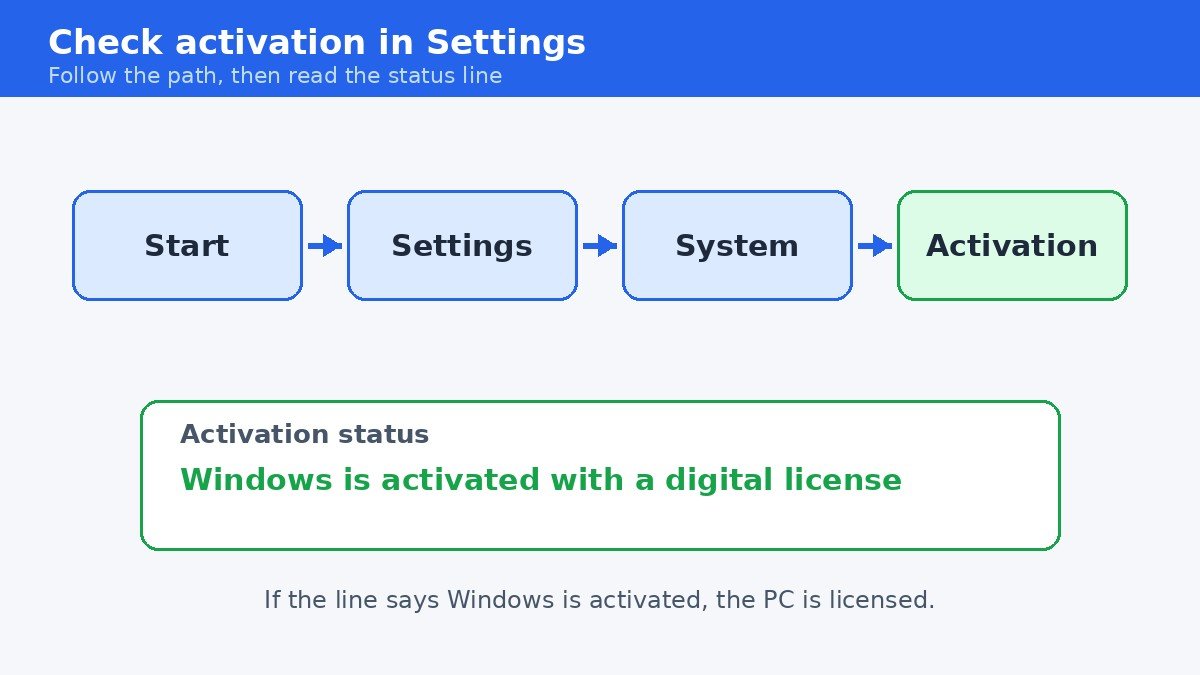
Quick answer: open Start, then Settings, then System, then Activation, and read the line next to Activation status. If it says Windows is activated, with or without a digital license, your copy is licensed. If it says Windows is not activated, note the error code shown underneath it, because that code tells you what went wrong and what to try next.
Method 1: Check your activation status in Settings
Settings is the check Microsoft documents, and it is the one to start with. It needs no administrator rights just to read the status, and it shows your edition as well as your status.
- Select the Start button, then select Settings.
- Select System, then select Activation.
- Read the line next to Activation status, and check the edition shown on the same page.
Shortcut: press Win + R, type ms-settings:activation, and press Enter. That opens the same Activation page directly.
What each activation status message means
Microsoft lists four possible messages on the Activation page. Three of them mean you are activated. The difference between them is whether your license is a digital license and whether that license is linked to your Microsoft account, and that difference matters the day you change hardware.
| Activation status message | What it means | What to do |
|---|---|---|
| Windows is activated | Your copy is licensed. No Microsoft account is linked. | Link your Microsoft account so you can reactivate after a hardware change. |
| Windows is activated with a digital license | Licensed through a digital license tied to this PC. No account linked yet. | Select Add an account on the Activation page and sign in. |
| Windows is activated with a digital license linked to your Microsoft account | Licensed, and the license is attached to your account. This is the best result. | Nothing. You are set for a hardware change or a reinstall. |
| Windows is not activated | No valid license was found, or activation failed. | Note the error code and work through the table below. |
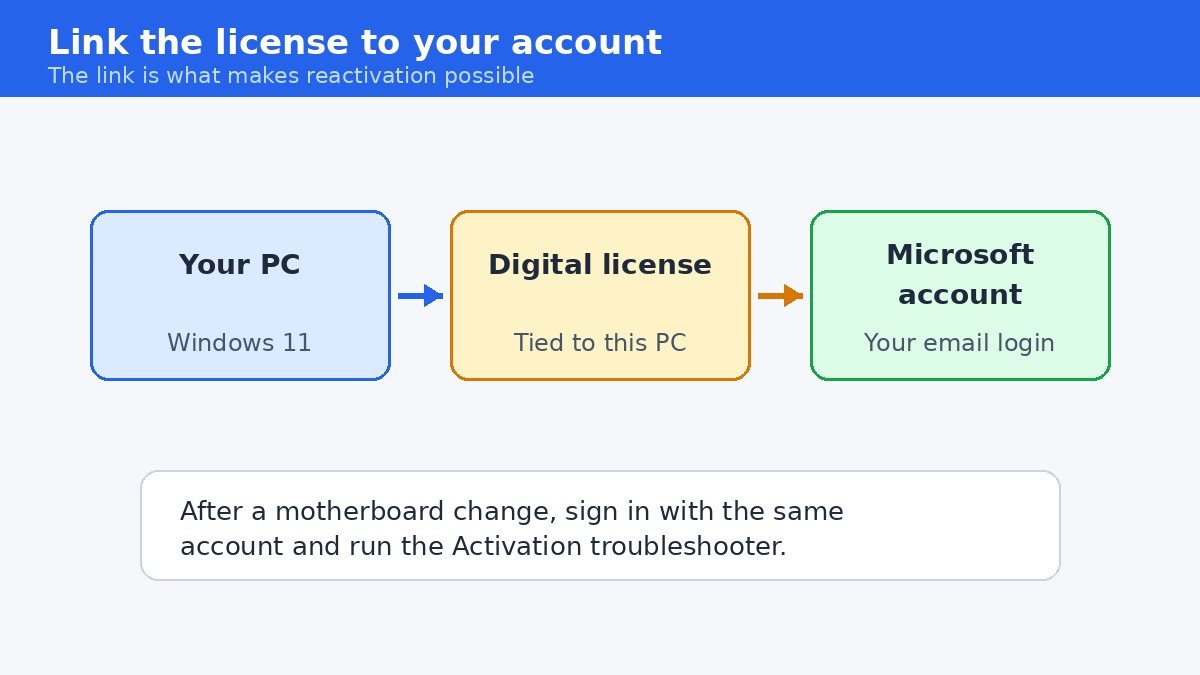
Check the edition on the same page, too. Your license has to match the edition installed on the PC, so if the page says Windows 11 Home but you paid for Pro, that mismatch is itself a problem to chase down. A digital license is tied to the hardware of the PC, and linking it to your Microsoft account is what lets you reactivate Windows with the Activation troubleshooter after a significant hardware change.
Method 2: Confirm it with slmgr /xpr in Command Prompt
The Settings page is the main check, but a second opinion is useful when you are buying a used PC or when Settings and reality seem to disagree. Windows includes a licensing tool called slmgr.vbs, and Microsoft documents its options on Microsoft Learn. Two of those options only read information, so they need no administrator rights.
- Open Command Prompt or PowerShell. You can find either one by typing its name in the search box on the taskbar.
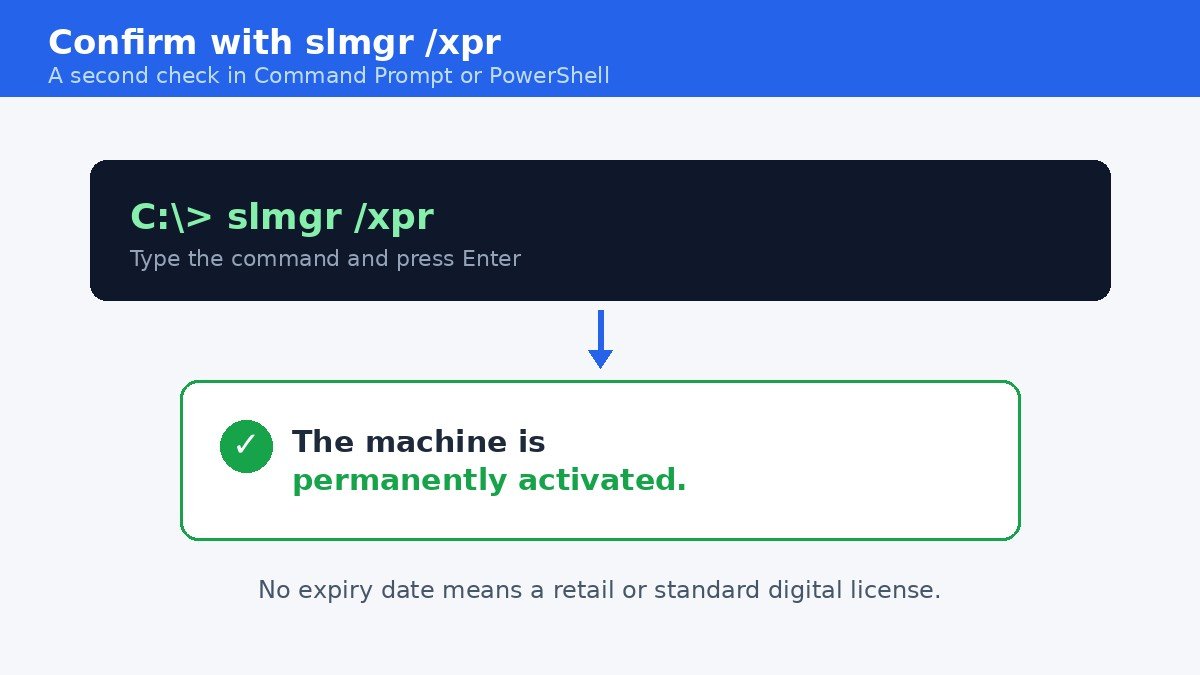
- Type slmgr /xpr and press Enter.
- Read the small dialog that appears, then select OK to close it.
On a PC with a retail or standard digital license, the dialog reports that the machine is permanently activated. That is the result you want to see. If the dialog shows an expiry date instead, the PC is using volume activation through a company KMS server. That is normal on a work PC, but it is a warning sign on a PC being sold to you as a home machine, because that activation depends on the seller’s company network.
For a little more detail, run slmgr /dli in the same window. Microsoft describes this option as displaying license information for the installed edition, and the dialog lists the edition name, a partial product key, and a license status line. If that line says Licensed, Windows is activated. If you prefer the result printed as text in the console instead of a dialog box, run it through the console host: cscript //nologo %windir%\system32\slmgr.vbs /xpr. One caution: these commands report the state of the license, not whether the copy of Windows is genuine, so the refurbished PC checks below also look at where the license came from.
Method 3: Check whether your digital license is linked to your Microsoft account
This third check answers a different question from the first two. Methods 1 and 2 tell you whether this PC is activated right now. This one tells you whether you will be able to get it activated again after a motherboard replacement or a clean reinstall, and that is the check most people skip until it is too late.
- Go back to Settings, then System, then Activation.
- Look at the status line. If it already says Windows is activated with a digital license linked to your Microsoft account, you are done. The link is in place.
- If it says Windows is activated with a digital license with no mention of your account, select Add an account on the same page, enter your Microsoft account and password, and select Sign in.
- Return to the Activation page and confirm the status line now mentions your Microsoft account.
Before you add the account, confirm you are signed in as an administrator with a Microsoft account. Select Start, then Settings, then Accounts, then Your info. Under your name you should see Administrator, and above it an email address. Use the same account everywhere: the troubleshooter can only find a license linked to the account you sign in with.
If Windows is not activated: read the error code first
When the Activation page says Windows is not activated, it also shows an error message and usually an error code underneath. Do not start with a random fix. The code is the diagnosis, and Microsoft publishes the meaning of each one, so match your code to the table below before you change anything. Each cause needs a different next step.
Before you look up the code, run the Activation troubleshooter, which is the first step Microsoft recommends for Windows 11. On the Activation page, select Troubleshoot and let it run. It can detect a digital license for a different edition, and it can reactivate Windows after a hardware change when your account is linked. If the troubleshooter cannot fix it, check whether the error code has changed, because Microsoft notes that the code sometimes changes after the troubleshooter runs. Always look up the new code, not the old one.
| Error code | What it means | What to do next |
|---|---|---|
| 0xC004F211, 0xC004F213 | Hardware changed, or no product key found on the device. Common after a motherboard replacement. | Enter the key used before the change, or run Troubleshoot signed in with the linked account. |
| 0x803F7001, 0x800704CF | No valid Windows 11 license could be found for this device. | Select Change product key and enter a valid 25-character key, or select Go to Microsoft Store to buy a digital license. |
| 0xC004C003 | The key entered is not valid. Keys are unique to one device, and a key used on multiple devices is marked not valid. | Provide a different key unique to this PC. If a seller supplied the key, contact the seller. A blocked key cannot be repaired on the PC. |
| 0xC004F212, 0xC004F210, 0xC004F034 | The key does not match the edition or version of Windows installed on this device. | Enter a key matching the installed edition and version, or reinstall the edition your digital license covers. |
| 0xC004FC03 | No internet connection, or a firewall is blocking online activation. | Check the connection and firewall, then try again. Phone activation via SLUI 04 is also possible, except on Windows 11 Pro EDU and Pro for Workstations, which must activate online. |
| 0xC004C008, 0xC004C770, 0x803FA071 | The key has already been used on another device, or on more devices than the license terms allow. | Buy a product key for each device. One key covers one PC. |
Every code in this table comes from Microsoft’s own list of Windows activation errors, and the next steps follow Microsoft’s published guidance for each one. If your code is not in the table, check the full list on Microsoft Support. For the full list, see Microsoft’s guide to Windows activation errors. Note that 0xC004C003 and the already-in-use codes cannot be fixed by retrying activation or reinstalling Windows: the key itself is the problem, and the only fix is a different, valid key. Codes that point to the activation server being temporarily unavailable, such as 0x8007267C, mean you should wait: Windows activates itself when the service returns.
Buying a second-hand or refurbished PC: the five-minute check
A refurbished or second-hand PC is where an activation check earns its keep. Microsoft’s guidance says the refurbisher, not Microsoft, must provide the product key, which is on the Certificate of Authenticity attached to the device or included with its packaging. Run through this list before you pay, while you can still walk away.
- Open Settings, System, Activation, and read the status line. It should say Windows is activated, and the edition should match what the seller advertised.
- Run slmgr /xpr. A permanent activation result is what you want. An expiry date means the PC is running volume activation that belongs to a company, not to you.
- Ask where the license came from. A genuine refurbished PC has a Certificate of Authenticity with a 25-character key, or a digital license from the refurbisher. A seller who cannot explain where the license came from is a reason to stop.
- Check for the “Activate Windows” watermark in the bottom-right corner of the desktop. It means the PC is not properly activated, whatever the seller says.
- Ask the seller to reset the PC to factory settings in front of you, then check the status again.
If you already bought the PC and found an activation problem, start with the error code table above, then contact the seller or the refurbisher. For a new PC that shows an activation error the first time you turn it on, contact the device manufacturer. Do not buy a cheap key from a marketplace listing to paper over the problem: keys sold far below the normal price are often volume keys or keys already used on other machines.
Before you change hardware or reinstall Windows
The time to check activation is before the change, not after it. If you are replacing a motherboard, confirm first that the status line says your digital license is linked to your Microsoft account, using Method 3 above. That link is what lets the Activation troubleshooter find your license after the hardware changes. If you are reinstalling the same edition of Windows 11 on the same device, you do not need to enter a product key: during setup select “I don’t have a product key”, and Windows activates online after installation once you sign in with the linked Microsoft account. If you are planning a full reset, our guide to factory resetting Windows 11 walks through the reset itself. Write down the edition and the status message before you change anything, and take a photo of the Activation page with your phone.
A warning about KMS tools and cheap keys
Sooner or later, someone searching for activation help runs into KMS activator tools and websites selling keys for a few dollars. KMS, or Key Management Service, is a volume activation method for organisations, and tools that imitate a KMS server on a home PC are not a legitimate way to activate Windows. They also tend to come bundled with malware, and the activation stops working when the tool is removed or detected. Cheap marketplace keys carry the same risk: many are volume keys or keys already used on other machines, and the error codes above, especially 0xC004C003 and 0xC004C008, are often how those keys end up. Our explainer on Windows KMS activation, what it is, and why it is not for home PCs covers the background in detail. The short version is simple: a license comes from Microsoft, from the PC maker, or from an authorised retailer, and anything else is a risk you are taking with your own machine.
Frequently asked questions
Does checking activation change anything on my PC?
No. Reading the Activation page and running slmgr /xpr or slmgr /dli only displays information. None of these steps activates, deactivates, or changes your license. The only step that changes anything is selecting Add an account, which links your license to your Microsoft account, and that is a change you want. For more detail on how activation works, see the Activate Windows support page.
Activation is one of those things you only think about when it breaks, and the fix is almost always easier before it breaks than after. The whole check takes a minute in Settings, another minute with slmgr, and a minute more to confirm your license is linked to your account. Do those three checks now, while everything is working.

- How to Check If Windows 11 Is Activated (3 Ways) - November 24, 2026
- How to Manually Update Microsoft Defender Definitions in Windows 11 (3 Ways) - November 23, 2026
- How to Turn Off Sound Recognition on iPhone - November 22, 2026