
To turn off the Mac startup sound, open System Settings, go to Sound, and switch off Play sound on startup. That is the whole fix on any modern Mac, and it takes effect on the next boot. No Terminal command, no extra app, and no restart is needed just to save the setting. If the toggle is missing on an older Mac, the Terminal fallback below covers that case.
Turn off the chime in Sound settings
- Click the Apple menu in the top left corner and choose System Settings.
- Click Sound in the sidebar. If you do not see it, type startup into the search box at the top of System Settings.
- Find Play sound on startup, listed under Sound Effects on current macOS versions.
- Switch it off and close System Settings.
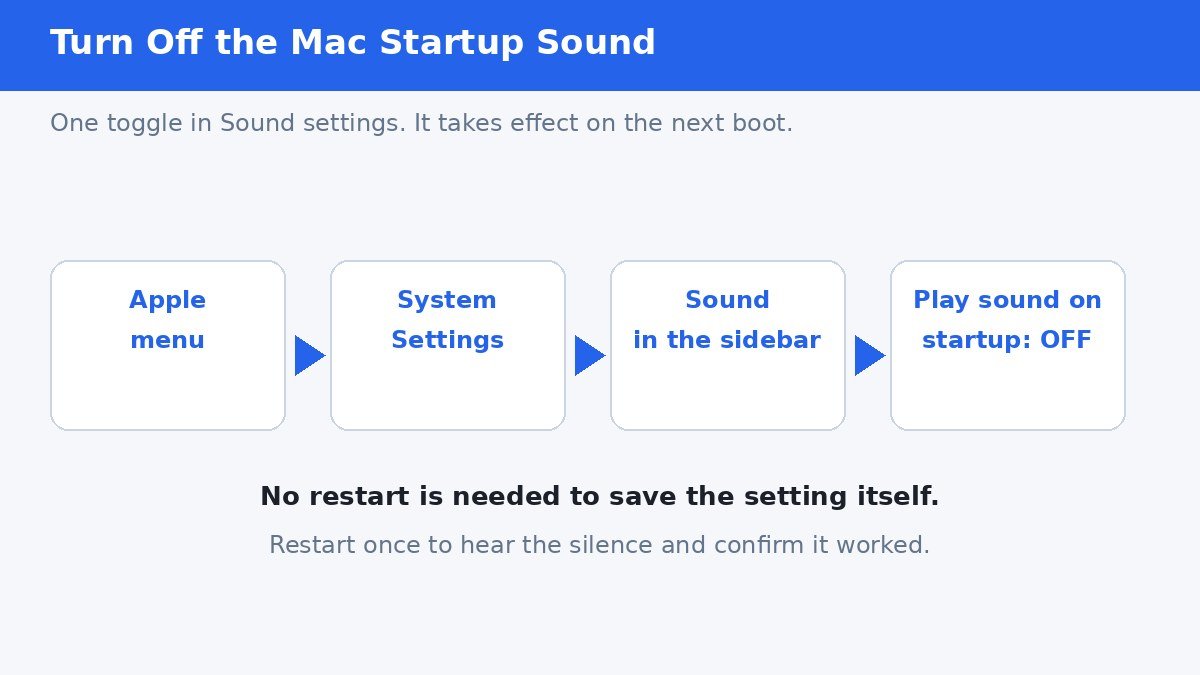
The setting belongs to the Mac itself, so it applies whichever user account boots the machine. On macOS Big Sur and later, including the current macOS 27 line, the toggle sits in this same Sound pane, so the steps above hold across recent versions.
Confirm it worked
Restart the Mac once and listen. A silent boot confirms the change. If the chime returns after a major macOS upgrade, check the toggle first, since system updates occasionally reset sound preferences. The toggle is always the first place to look before trying anything more involved.
Silencing the chime changes nothing else about startup. The Mac still runs its hardware checks in silence, so a quiet boot is not a sign that anything was skipped.
What if the toggle is missing
Macs running macOS Catalina or earlier have no Play sound on startup toggle, because Apple only added it in Big Sur. On those machines, a Terminal command sets the same silence in firmware memory.
- Open Terminal from Applications, then Utilities.
- Type sudo nvram StartupMute=%01 exactly as shown, then press Enter.
- Enter your administrator password when asked. Nothing appears on screen as you type, which is normal.
- Restart the Mac to confirm the silence.
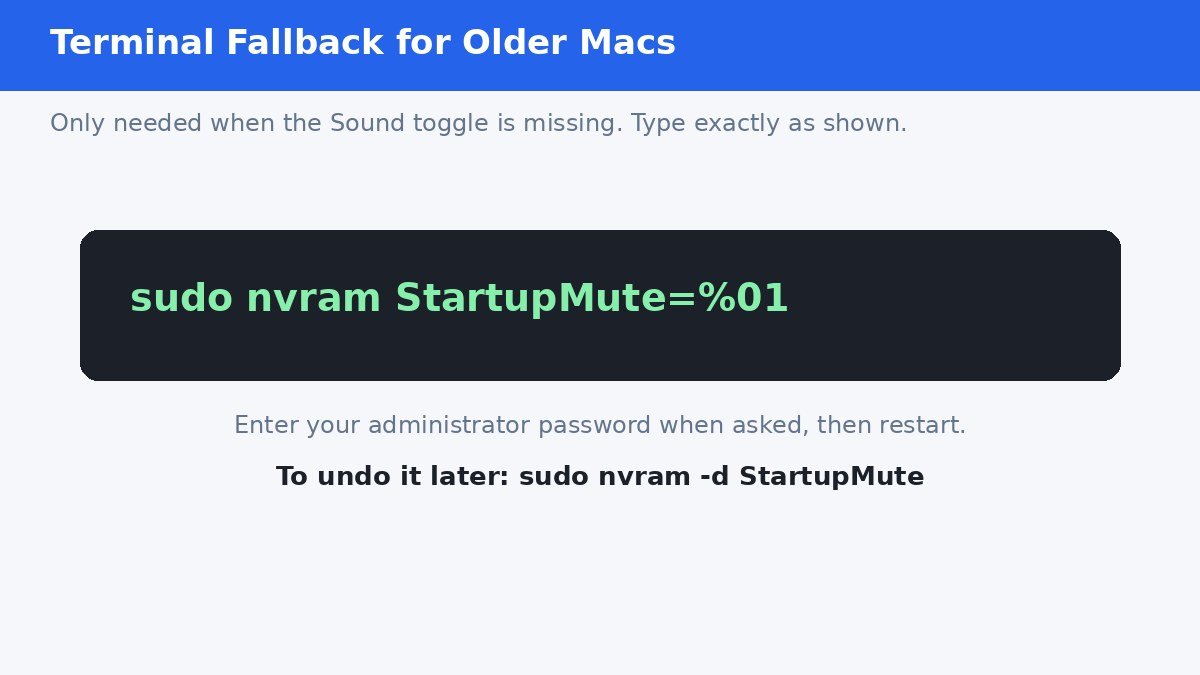
To undo it later, run sudo nvram -d StartupMute and restart. Prefer the Sound settings toggle whenever it exists, since it is the supported method and survives updates more reliably. Avoid old third-party chime tools from the pre-Big Sur era, which are no longer needed and may not work on current hardware.
A short history of the chime
Many people search for this setting on a Mac that never chimed in the first place. Apple removed the startup chime from Macs introduced in 2016, then brought it back with macOS Big Sur in 2020, this time with an off switch. So a Mac from the 2016 to 2020 era simply boots silently, and there is nothing to turn off.
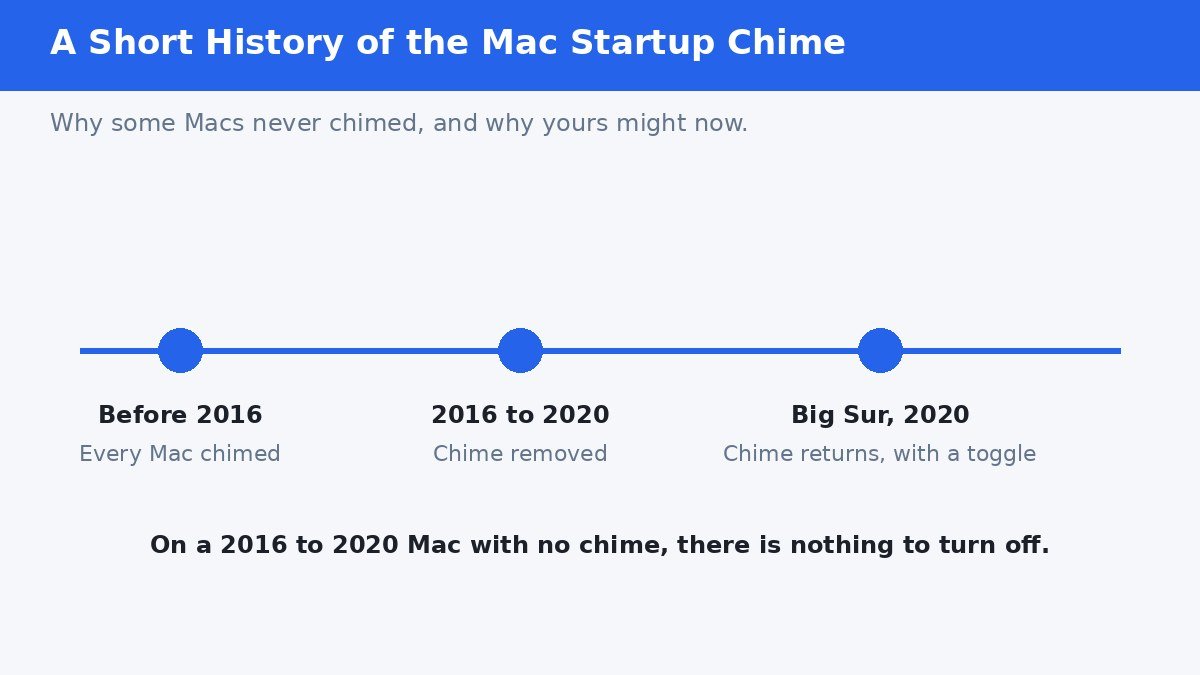
| Your Mac | What to expect |
|---|---|
| Before 2016 | Chimes on boot; use the Terminal command, since no toggle exists |
| 2016 to 2020 | No chime at all; nothing to turn off |
| Big Sur (2020) and later | Chimes by default; switch off Play sound on startup in Sound settings |
Muting is not the same as the toggle
On older Macs, turning the volume down before shutdown used to silence the next boot, because the chime followed the system volume. That trick is unreliable on modern Macs and has to be repeated every time. The Play sound on startup toggle is the permanent fix: set it once, and every boot stays quiet until you switch it back on.
One more distinction is worth making. If the sound you hear at startup is a notification or an app opening, rather than the single chime at power-on, the Sound toggle will not stop it. Check System Settings, General, Login Items for apps set to open at login, and silence those separately.
The startup chime is a small thing, but in a quiet room or a late-night house it is the difference between a polite machine and an announcement. One toggle ends it for good, and turning it back on is just as easy whenever you want the classic sound back.
## Verification notes (for the publisher, not the article) – Fact verification: System Settings, Sound, Play sound on startup toggle confirmed against current macOS guides dated 2026, including the Sound Effects placement and the per-machine scope. Terminal fallback sudo nvram StartupMute=%01 and its reversal sudo nvram -d StartupMute confirmed. Chime history (removed from 2016 Macs, restored with a toggle in Big Sur 2020) confirmed. macOS 27 is treated as the current line and the toggle placement is stated as holding across recent versions; the article does not claim a macOS 27-specific settings reorganization, since no verified source showed the pane moving. – Link counts: 0 outbound, 0 internal. No verifiable authoritative link target was available verbatim and no internal targets could be verified without contacting WordPress, so no links were forced. – No em dashes. No first-person testing claims.
- How to Turn Off the Mac Startup Sound (Startup Chime) - November 1, 2026
- How to Turn Off Edge Panels on Your Samsung Galaxy Phone - October 31, 2026
- How to Stop Your Samsung Galaxy From Suggesting Apps in the Share Menu - October 30, 2026