
The blurry, dreamlike photos filling your feed look effortless. Getting the look in 2026 takes a little detective work, because most tutorials are quietly wrong: Meta shut down third-party AR effects in January 2025, so any guide telling you to download a creator’s blur filter is describing a feature that no longer exists. Here is what is actually left, and the three paths that still get you the aesthetic.
The short version: three steps
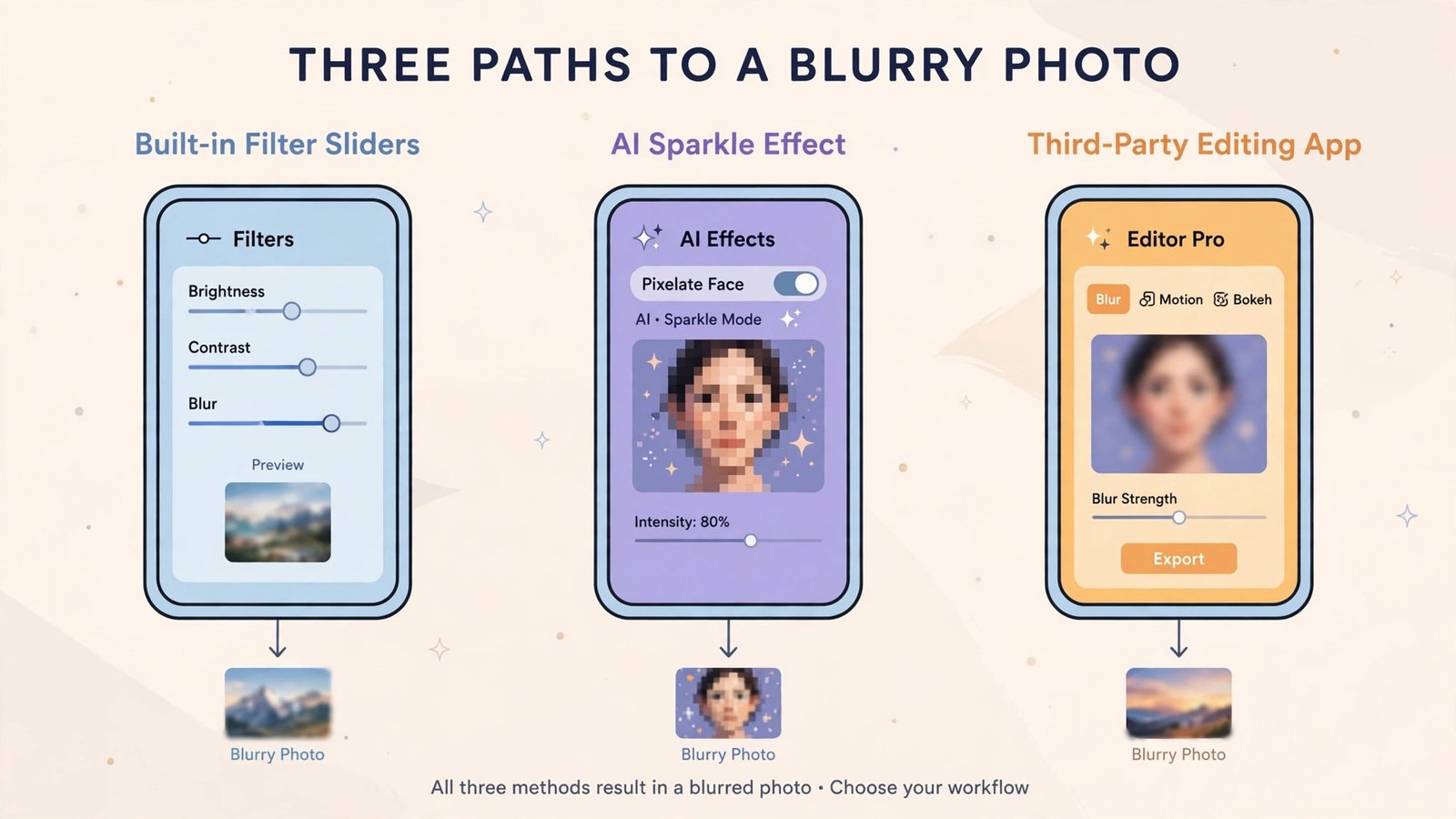
- For a photo post: use Instagram’s built-in editor. The classic filters plus the tilt-shift style blur around your focal point are still there.
- For a Story: open the Effects tray and try Meta’s own AI effects, including the Pixel effect that blurs or pixelates anything you describe in words.
- For the full dreamy look: edit in Prequel, VSCO, or CapCut first, then upload to Instagram. The best blurry photos on the platform were never made inside it.
What’s inside your options
Once you know the three kinds of “filter” Instagram has in 2026, the confusion disappears. Here is the tour.
Path 1: Instagram’s built-in effects that survived
The classic photo filters (Clarendon, Juno, Gingham, Lark, and the rest) are alive and unchanged. You apply them on the editing screen after tapping Next, and tapping a filter twice reveals a strength slider from 0 to 100, so you can dial the effect from subtle to heavy. The editor’s tilt-shift style blur is also still there: it fakes a shallow depth of field, throwing everything except your focal point softly out of focus. Meta’s own AR camera effects remain in the Stories and Reels effects tray as well. What is gone is everything built by outside creators, which was most of the named blur filters old tutorials reference (this 2026 filter guide lays out exactly what survived).
Path 2: the new AI Pixel effect
In September 2026 Instagram launched the Pixel effect, and it is the closest thing to the old blur filters. Open a Story, find it in the Effects menu, and type a plain-language prompt describing what to blur, like “the person on the right.” Meta AI pixelates just that part of the image. Instagram marketed it for soft-launching relationships, but the genuinely useful cases are privacy: a child’s face, a stranger caught in the background, a license plate.
Basic creation is free; heavier users may need Meta One Core at $7.99 a month for more restyles. Note the rollout is gradual: if you do not see it, update the app and check again in a few weeks. Instagram also added 30-plus AI effects in July 2026 powered by its Muse Image model, so the Effects tray is worth revisiting even if you looked earlier this year.
Path 3: third-party apps that do blur better
For the soft, hazy, film-like blur that defines the aesthetic, dedicated editors still win. Prequel’s bokeh and dream presets are built for exactly this look. VSCO pairs grain with soft focus for the nostalgic film feel. CapCut handles blur for video, which matters because the aesthetic has moved heavily into Reels. Edit first, then upload: Instagram compresses everything anyway, so starting from a well-blurred original keeps the dreaminess intact. For more playful photo transformations, see our best photo to cartoon apps, and if a favorite old photo needs rescue first, here is how to restore old damaged photos.
The honest takeaway
The era of the one-tap creator blur filter ended on January 14, 2025, when Meta closed its Spark AR platform. It is not coming back, and any tutorial still telling you to download Spark AR Studio is about two years out of date. The aesthetic itself moved on: built-in filters and tilt-shift for quick posts, the AI Pixel effect for selective blur in Stories, and Prequel, VSCO, or CapCut when you want the full dreamy treatment. Pick the path that matches where you are posting, and you will get the look without chasing dead filters.
Frequently asked questions
Why did my favorite blurry filter disappear?
Meta shut down the Spark AR platform on January 14, 2025, and removed all third-party AR effects from Instagram, Facebook, and Messenger. Only Meta’s own effects remain.
Is the Pixel effect free?
Everyday creation is free. Meta says heavy users may need a Meta AI subscription; Meta One Core costs $7.99 a month and covers more Story restyles.
Can I get the blurry look on video too?
Yes. Use CapCut’s blur effects before uploading, or try Instagram’s own AI video effects in the Reels camera.

- How to Fix Windows 11 Clock Showing the Wrong Time - October 23, 2026
- How to Fix File Explorer Slow to Open in Windows 11 - October 22, 2026
- How to Fix a Printer Showing Offline in Windows 11 - October 21, 2026