
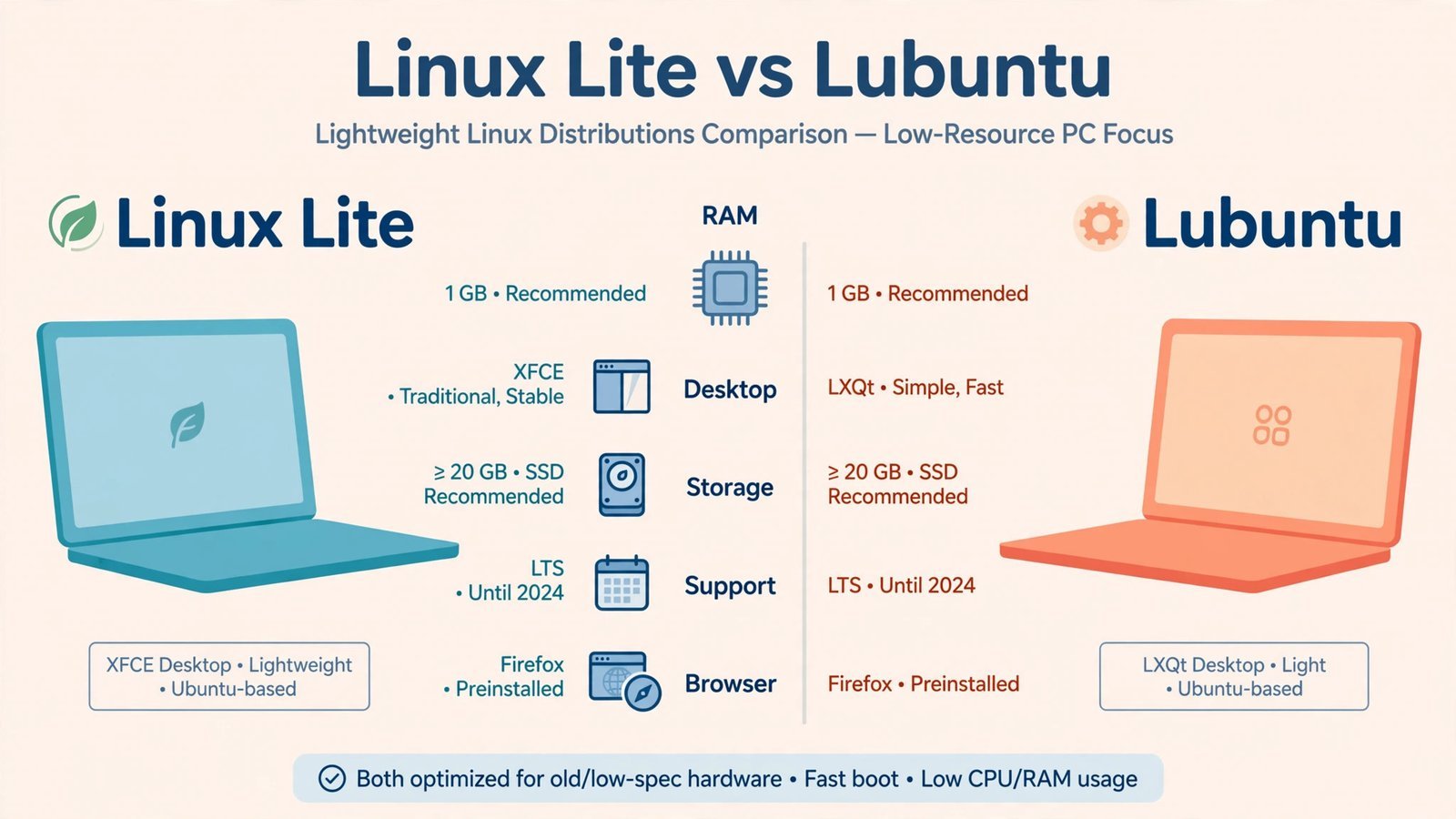
Linux Lite 8.0 and Lubuntu 26.04 LTS are the two closest rivals in lightweight Linux right now: both built on Ubuntu 26.04, both aimed at Windows refugees with aging hardware, both free. The spec table below shows how similar they look on paper, and the rest of this article is about where they actually differ. My lean: there is no photo finish here. One of these is the better desktop for almost everyone, and the other wins exactly one kind of machine.
Linux Lite 8.0 vs Lubuntu 26.04 LTS: the spec sheet
| Spec | Linux Lite 8.0 | Lubuntu 26.04 LTS |
|---|---|---|
| Released | June 2026 | April 2026 |
| Base | Ubuntu 26.04 LTS | Ubuntu 26.04 LTS |
| Desktop environment | Xfce 4.20 (GTK-based) | LXQt 2.3 (Qt 6-based) |
| Minimum practical RAM | 4 GB recommended | 2 GB comfortable, 1 GB usable |
| ISO size | ~2.8 GB | ~2.7 GB |
| Release model | Fixed, follows Ubuntu LTS cycle | Fixed LTS, 3-year support (until April 2029) |
| Default browser | Firefox (switched from Chrome in 8.0) | Firefox (Snap package) |
| Installer | Calamares | Calamares |
| Software sources | Ubuntu repos, DEB-first, no Snap/Flatpak by default | Ubuntu repos + Snap + Discover app store |
Notice how much is identical: same Ubuntu 26.04 foundation, same Calamares installer, same ~3 GB download. The fight is entirely in the desktop layer and the philosophy around it. That’s where the dimensions below come in.
Performance on 2 GB of RAM
This is the dimension that matters most for old laptops, and it’s the clearest win in the duel. LXQt is simply lighter than Xfce. On a 2 GB machine, Lubuntu idles with noticeably more headroom, enough that a browser with a few tabs stays responsive instead of swapping to disk. Linux Lite’s Xfce 4.20 desktop is no pig, but the project’s own guidance asks for 4 GB, and on 2 GB you feel the difference the moment you open a second application.
To be fair, neither is the right answer below about 1 GB of RAM, that’s antiX territory. But in the 1–2 GB band where most struggling 2009–2012 laptops live, Lubuntu is the only one of the two that stays comfortable.
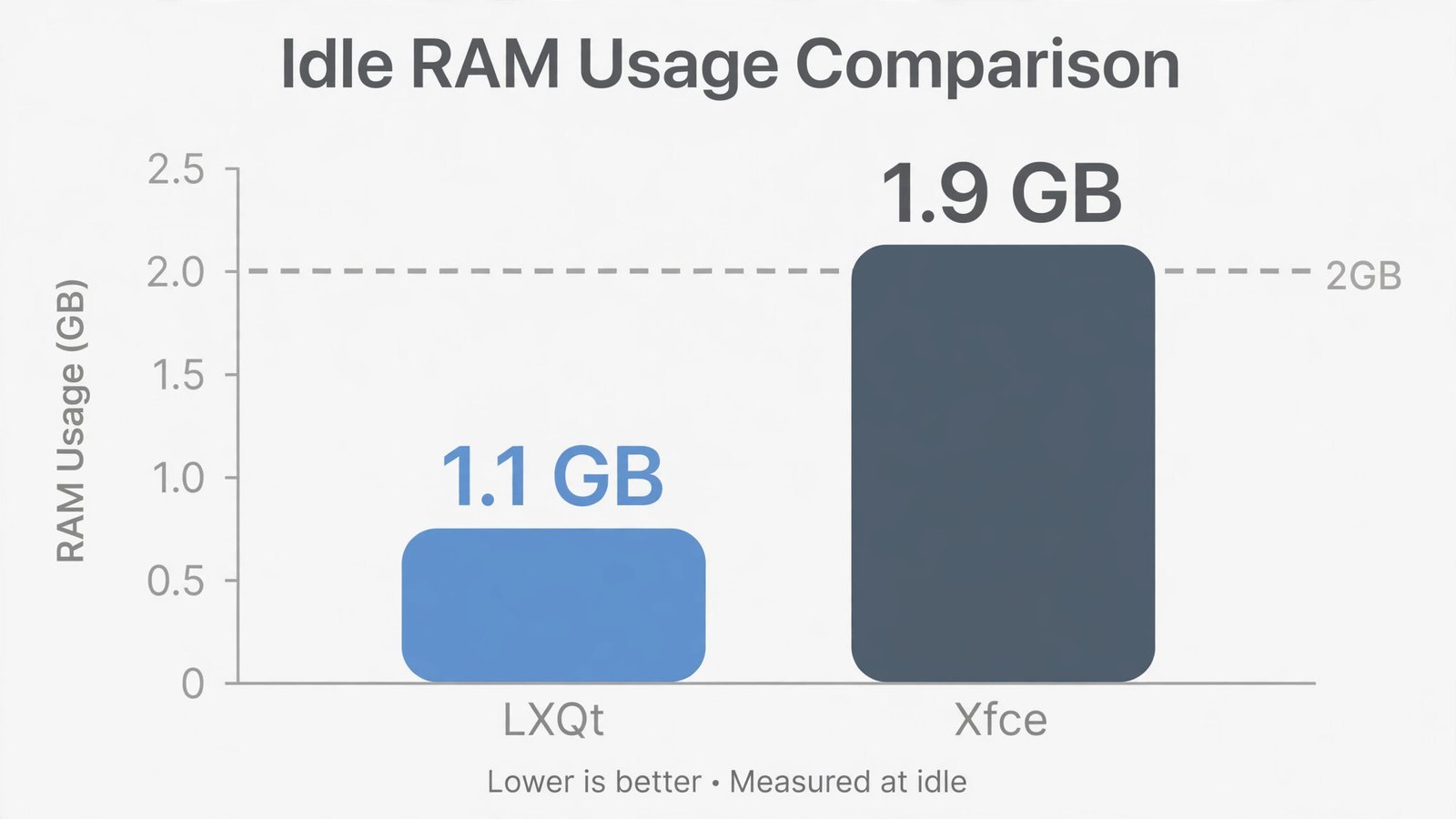
Dimension winner: Lubuntu. LXQt’s lower footprint is the whole point of this distro, and it shows exactly where it counts.
Ease of install and first-day setup
Both use the Calamares installer, so the installation clicks are near-identical. The difference is what happens after first boot. Linux Lite boots into its Lite Welcome app, a guided checklist that walks you through installing updates, adding drivers, and setting up backups. Its in-house Lite Tweaks, Lite Software, and Lite Upgrade tools give beginners big friendly buttons for jobs that would otherwise mean a terminal. The documentation is written for people who have never seen Linux before, and it shows.

Lubuntu gives you a clean, fast desktop and trusts you to know what to do next. That’s fine if you’re comfortable, but a first-timer staring at a bare LXQt panel has to go find answers themselves. Lubuntu’s docs are accurate; Linux Lite’s docs are welcoming.
Dimension winner: Linux Lite. Onboarding is a feature, and Lite treats it like one.
Hardware and driver support
Here’s the honest truth: both distros sit on Ubuntu 26.04, so the drivers are the same. Your Wi-Fi card doesn’t care which desktop you picked. The difference is the tooling around it. Linux Lite ships its own driver helpers and maintains a repository of optional custom kernels for stubborn hardware, plus its Lite Upgrade tool now handles in-place upgrades from the 7.x series, a genuinely useful feature Lubuntu’s upgrade path can’t match for smoothness.
One caveat: Linux Lite’s installer advises disabling Secure Boot for the smoothest experience, while Lubuntu handles it without complaint. Minor, but worth knowing if your machine is UEFI-only.
Dimension winner: Linux Lite, narrowly. Same drivers underneath, better hand-holding on top.
Software availability
Both draw from Ubuntu’s enormous repositories, so 95% of what you’d install is available on both. The split is packaging philosophy. Lubuntu ships Discover plus Snap support out of the box, Firefox itself arrives as a Snap, so the app selection is maximal with zero configuration. Linux Lite deliberately ships without Snap or Flatpak, keeping everything as traditional DEB packages: faster app launches, no duplicate runtimes eating your disk, but a smaller selection of the newest apps.
Which is better depends on your feelings about Snaps. If you just want the app to exist and install with one click, Lubuntu’s breadth wins. If you’ve read the complaints about Snap startup times and want a system that stays lean, Linux Lite’s restraint is a feature, not a gap.
Dimension winner: Lubuntu for out-of-the-box breadth, with the honest footnote that Snap skeptics will prefer Linux Lite’s approach.
The verdict: which one for your machine
- The 2 GB netbook or 2009–2011 laptop: Lubuntu 26.04 LTS. It’s the only one of the two built for this little RAM, and it stays out of the way.
- The 4 GB laptop and a first-time Linux user: Linux Lite 8.0. The Welcome app, the hand-holding tools, and the familiar layout are worth the extra RAM.
- The “it just needs a browser” machine: Either works, but honestly, consider ChromeOS Flex instead. If the whole job is the web, a browser-first OS beats a general-purpose one.
Also consider: MX Linux 25.3 if you want Debian stability with excellent system tools and don’t mind a slightly less beginner-polished first day; antiX if the machine has under 1 GB of RAM or a 32-bit CPU; and Zorin OS 18.1 Lite if the priority is a Windows-like feel on modest hardware. If you’re new to Linux entirely, our beginner’s distro guide covers all five beginner picks side by side, and our desktop environment guide explains what Xfce and LXQt actually are.
Read next: the full old-laptop revival ladder, cleanup to ChromeOS Flex to Linux, in order.

- How to Fix Windows 11 Search Not Finding Files - October 24, 2026
- How to Fix Windows 11 Clock Showing the Wrong Time - October 23, 2026
- How to Fix File Explorer Slow to Open in Windows 11 - October 22, 2026