If you’re running a business and still managing sales manually, you’re losing money and time every single day. A POS software system fixes this problem immediately. It handles sales tracking, inventory management, customer data, and reporting all in one place. Let me show you exactly why this matters and how it transforms your business.
What Is POS Software and Why It Matters
POS stands for Point of Sale. It’s the system that processes transactions when a customer buys something from you. Modern POS software does far more than just ring up sales. It’s your business control center.
Think of it this way. Without POS software, you’re managing sales on paper, spreadsheets, or a basic cash register. You can’t see what’s selling. You don’t know inventory levels in real time. You can’t track customer patterns. You spend hours on manual bookkeeping that a computer could do in seconds.
POS software changes all of this. It automates the work that wastes your time and gives you the data you actually need to run your business better.
Top Benefits of POS Software for Your Business
1. Faster and More Accurate Transactions
Customers want quick checkouts. Long lines frustrate them and they might not come back.
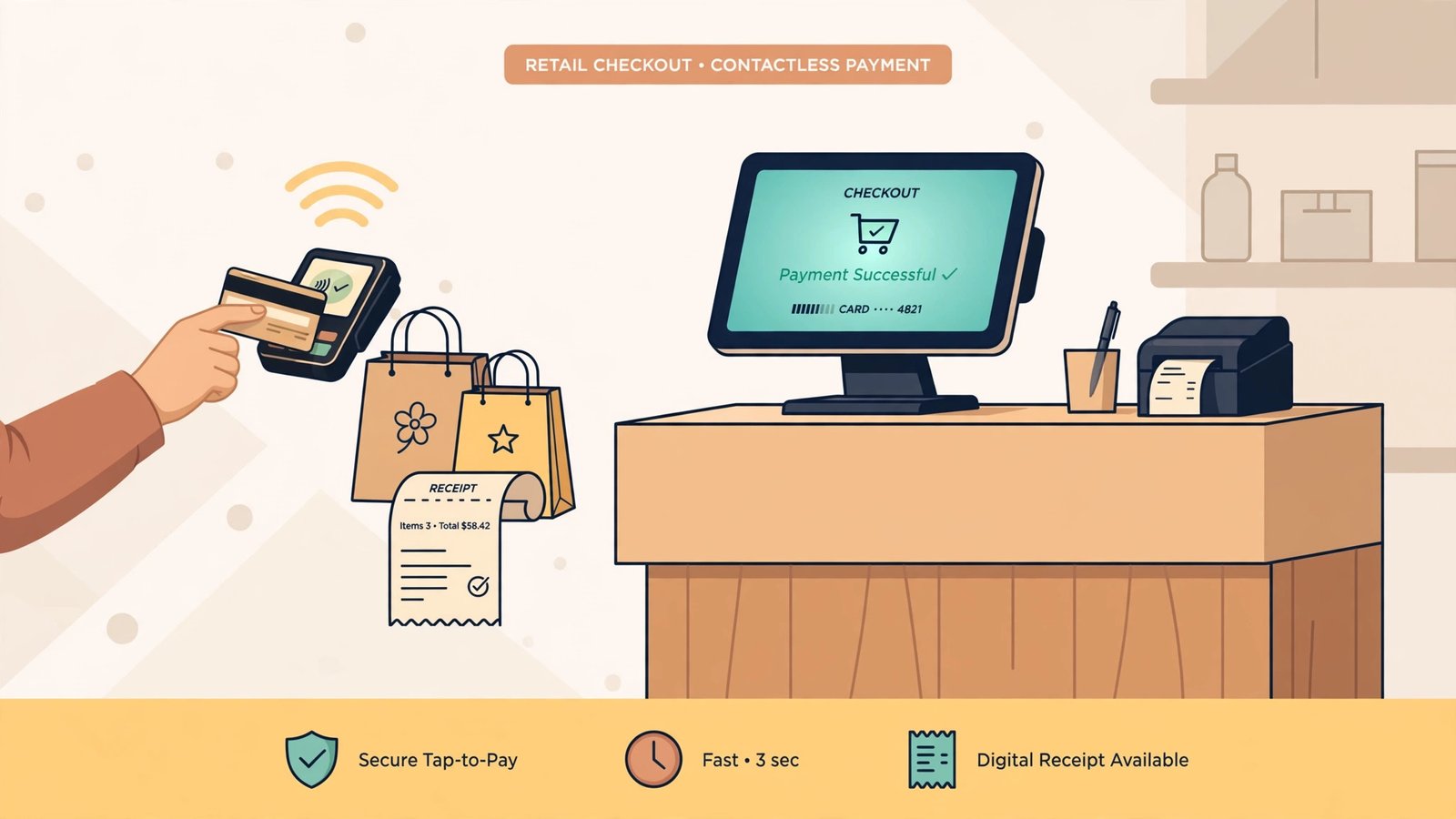
POS software processes transactions in seconds. Barcode scanning works instantly. Payment processing happens smoothly whether customers pay cash, card, or digital wallet. There are no manual entry errors that delay the sale.
The accuracy matters too. When an employee manually enters a price or quantity, mistakes happen. POS software pulls the correct price from your database every time. You don’t overcharge or undercharge customers.
This speed and accuracy directly increases customer satisfaction. People remember good experiences and return to businesses that respect their time.
2. Real-Time Inventory Management
Running out of stock is painful. You lose sales. Customers get frustrated. They might buy from competitors instead.
Keeping too much inventory is equally bad. Money sits in unsold products. Storage costs money. Products expire or become outdated.
POS software solves this problem with real-time tracking. Every sale automatically updates your inventory levels instantly. You always know exactly what you have in stock.
You can set automatic alerts that notify you when items run low. You’ll reorder before you run out, not after. Some POS systems even integrate with suppliers, making reordering automatic.
This means fewer stockouts, less wasted money on excess inventory, and happier customers who find what they want when they shop.
3. Better Sales Reporting and Business Insights
Without data, you’re making business decisions on guesses. With POS software, you have facts.
POS systems track every single transaction. They tell you:
- Which products sell best
- Which sell worst
- When your busiest times are
- How much revenue you made today, this week, this month
- Which payment methods customers prefer
- Customer buying patterns
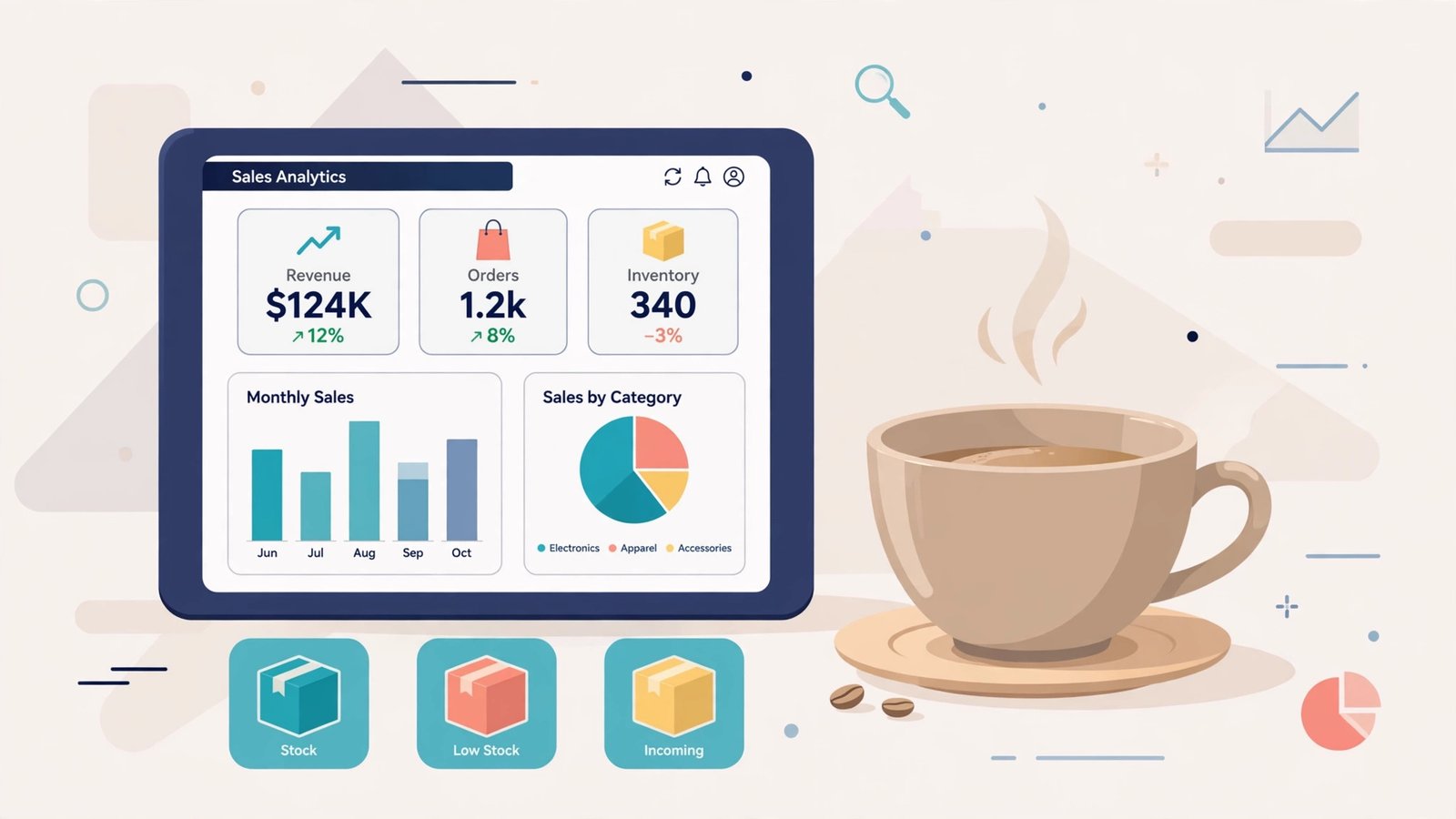
You can access these reports instantly through dashboards. Some systems let you see sales data on your phone while you’re away from the store.
This information changes how you run the business. You stock more of what sells. You put slow sellers on sale to move them. You schedule more staff during busy hours. You understand what customers actually want, not what you think they want.
Many business owners are shocked when they see real sales data for the first time. It often contradicts their assumptions about their own business.
4. Reduced Human Error and Theft
Manual processes invite mistakes. Employees miscount cash. They ring up wrong amounts. They forget to log sales. Numbers never match up at the end of the day.
POS software eliminates most of these errors. Everything is tracked digitally. The system knows exactly what was sold and for how much.
Theft also becomes obvious. A POS system records every transaction and every employee. If someone is pocketing cash without ringing it up, the inventory won’t match sales. The system flags this problem immediately.
You see exactly who made each sale. You can review transactions and spot unusual patterns. This accountability alone reduces theft significantly.
The reduced error rate also means your financial records are trustworthy. Tax time becomes easier. You know exactly what you actually earned.
5. Improved Customer Experience
POS software helps you understand and serve customers better.
The system stores customer information when they make purchases. You can see their purchase history, preferences, and spending patterns. This helps you recommend products they’ll actually want.
Some POS systems have built-in loyalty programs. Customers earn points with each purchase. They get rewards. They feel valued. They return more often.
Faster checkout speeds improve the experience immediately. Nobody likes waiting in line.
When customers see that you have their information and can recommend exactly what they need, they feel like you know them. This builds loyalty that keeps them coming back.
6. Simplified Financial Management
At the end of each day, you need to know how much money you made. With manual systems, this takes forever and often has errors.
POS software does this automatically. It reconciles cash and card payments. It balances your register instantly. You see a clear picture of your financial position every single day.
This makes tax preparation much easier. Your accountant has clean, accurate records to work with. You spend less money on accounting fees because there’s less manual work involved.
You can generate income statements, profit and loss reports, and other financial documents instantly. You understand your business finances in real time instead of waiting until tax season.
7. Better Employee Management
POS software tracks which employee made each sale. This serves multiple purposes.
You can see who your top performers are. You can recognize and reward them. You can also identify employees who need training.
Time tracking features show when employees clock in and out. Breaks are monitored. Hours match payroll accurately. Disputes about hours worked disappear because the system has the proof.
You can set up access controls so different employees can only perform certain functions. A cashier might ring up sales but not approve refunds. A manager might have more authority. This protects against fraud and misuse.
Training employees becomes more effective because you have specific data about their performance. You’re not guessing. You know exactly what they’re good at and where they need help.
8. Increased Business Growth
When you have accurate data and automated processes, growth becomes possible.
You can expand to multiple locations knowing that your systems work across all of them. You can manage inventory across stores. You can track which locations perform best.
You have the time to focus on growing the business instead of being buried in daily operations. When POS software handles transactions, inventory, and reporting, you can work on strategy.
You can make confident decisions about new products, new locations, or new services based on actual data about what customers want.
Many business owners find that POS software pays for itself within months through reduced errors, less theft, and better inventory management. Then it becomes pure profit as your business grows more efficiently.
How to Choose the Right POS Software for Your Business
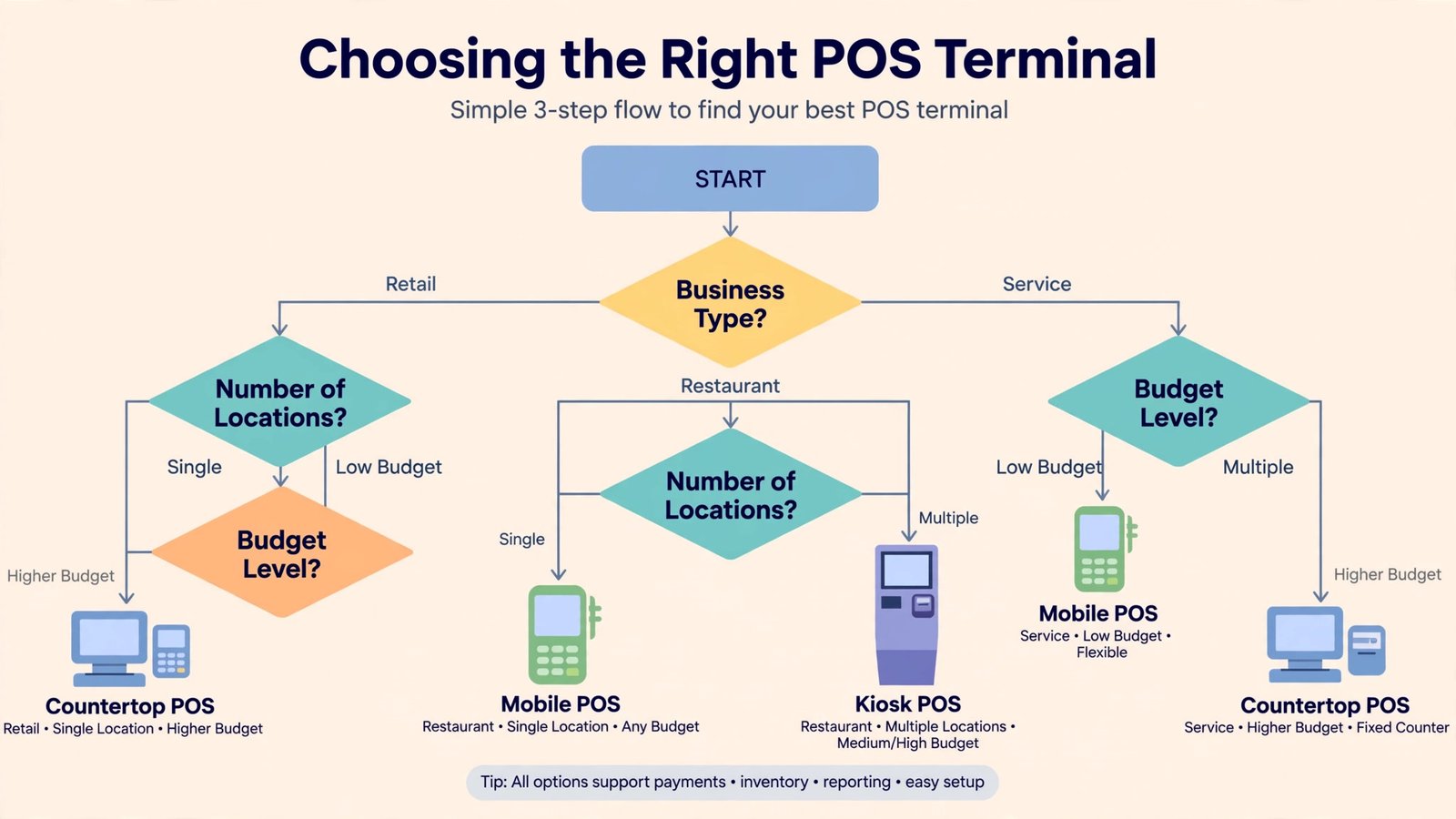
Not all POS systems are the same. You need one that fits your specific business type and size.
Consider Your Business Type
A restaurant needs different features than a retail store. A salon needs different features than a grocery store.
Restaurant POS systems need order management, kitchen display systems, and table management. Retail systems need inventory tracking across departments. Salon systems need appointment scheduling.
Make sure the software you choose handles your specific business needs.
Look at Integration Capabilities
Your POS system shouldn’t work alone. It needs to connect with accounting software, email marketing platforms, and inventory management systems.
Many businesses use multiple tools. Your POS should integrate with the tools you already use so data flows automatically instead of requiring manual entry.
Check for Scalability
Can the system grow with your business? If you start with one location and want to expand to five locations next year, will your POS handle that?
Make sure your chosen system can scale to your future plans, not just your current needs.
Evaluate Customer Support
POS software should be reliable, but problems happen. When they do, you need quick support.
Check what support options are available. Is there phone support? Email support? Live chat? How fast do they typically respond?
Read reviews and ask vendors about their support reputation. A cheap system with terrible support might cost you far more in lost business when it fails.
Real Examples of POS Software Benefits
Small Retail Store
Maria owns a clothing boutique with two employees. Before POS software, she manually tracked inventory on spreadsheets. She never knew exactly what she had in stock. She’d order too much of unpopular items and run out of bestsellers.
After installing POS software, inventory updated automatically with each sale. She could see in real time what was selling. She reduced excess inventory by 40% in the first three months. She saved money that she reinvested in more popular items.
Her checkout lines got shorter because the system scanned items quickly. Customers noticed and appreciated it. She started recognizing repeat customers and could make personal recommendations based on their purchase history. Sales increased 25% in the first year.
Coffee Shop Owner
James runs a busy coffee shop. Before POS, he managed everything manually. He couldn’t identify his best-selling items accurately. He scheduled staff based on guesses, not data.
With POS software, he could see that Tuesday and Thursday mornings were his busiest times and Saturday afternoons were slow. He adjusted staffing accordingly. He reduced labor costs while improving service during peak hours.
Sales reports showed that his most profitable item was the breakfast sandwich, not the coffee he assumed was his main product. He increased sandwich promotion and production. Profit margins improved significantly.
Multi-Location Restaurant
David owns three restaurants across the city. Before POS software, managing each location separately was chaotic. He couldn’t compare performance easily. Each manager used different systems.
After implementing a unified POS system, he could see all three locations’ data on one dashboard. He identified that one location consistently underperformed. He investigated and found the manager wasn’t following procedures. He provided training. Performance improved.
He could also see which menu items sold best across all locations and which performed differently at each location. He optimized each menu based on local preferences. Waste decreased. Profitability increased.
POS Software and Payment Processing
Modern POS systems handle payment processing directly. This is important to understand.
When a customer pays with a card, the POS system secures that transaction. It protects card information through encryption. It processes the payment and confirms it instantly.
This is more secure than older manual card readers. Your customer data is protected. You’re compliant with payment industry standards.
Processing is also faster. Transactions complete in seconds. Customers see confirmation instantly. There’s no waiting for approval.
Different POS systems offer different payment processing options. Some include processing fees in their pricing. Others partner with payment processors separately. Understand the full cost before choosing a system.
Common Challenges and How POS Software Helps
Challenge: Staff Dishonesty
Even with good people, inventory shrinkage happens. Employees sometimes pocket cash without ringing it up. They give friends discounts without recording them properly.
POS software creates accountability. Every transaction is recorded. Every employee is tracked. Discrepancies between inventory and sales become obvious.
This doesn’t make staff feel mistrusted if implemented properly. Most employees appreciate that their work is accurately tracked. The dishonest ones usually leave for another job.
Challenge: Pricing Mistakes
Manual pricing leads to errors. Items ring up at the wrong price. Customers get charged incorrectly. Staff apply discounts inconsistently.
POS software maintains one true price list. Everyone sees the same prices. Discounts are controlled and tracked. Pricing errors become rare.
Challenge: Running Out of Stock
When you don’t know inventory levels, you run out of popular items or overstock unpopular ones.
Real-time inventory prevents this. You always see stock levels. You can set reorder points automatically. You don’t run out because you know when to order before inventory reaches zero.
Challenge: Poor Financial Visibility
Without daily financial reports, you don’t know if you’re actually making money.
POS software shows you daily, weekly, and monthly financial summaries. You see exactly how much you made and what your costs are. You can spot problems quickly and adjust operations before they become serious issues.
Mobile POS Systems
Not all POS systems are traditional desktop registers at the counter. Mobile POS systems use tablets or smartphones.
These systems work everywhere. You can take payment at a customer’s table in a restaurant. You can process sales on the trade show floor. You can serve customers outside your main location.
Mobile systems are usually less expensive than traditional POS registers. They’re quick to set up. They integrate with inventory and customer management.
The tradeoff is that you depend on internet connectivity. If your connection fails, you lose the ability to process transactions. Most modern mobile POS systems have offline modes that sync data when connection returns.
For many businesses, especially newer ones, mobile POS is a great starting point.
Cloud-Based vs. On-Premise POS Systems
Cloud POS systems store data online. You access them through the internet.
Advantages include automatic backups, easy access from anywhere, automatic updates, and lower upfront costs. You don’t need to buy expensive hardware.
On-premise systems store data on your local computers and servers. You maintain the hardware.
Advantages include faster processing if your internet is slow, ability to work offline more easily, and potentially lower long-term costs if you keep the system for many years.
Most new businesses choose cloud-based systems. They’re simpler, require less technical knowledge, and scale more easily. Established businesses with existing IT infrastructure might choose on-premise systems.
Implementation Costs and Return on Investment
POS software costs money. You should understand what you’re investing and expect to get back.
Typical Costs
Cloud-based systems usually cost $50 to $300 per month depending on features. Some charge per register or per location.
Hardware costs $300 to $2000 depending on what you buy. A basic tablet system is cheaper than a full register setup.
Setup and training costs $500 to $2000 depending on system complexity.
Return on Investment
Most small businesses see return on investment within 3 to 12 months. The money comes from:
- Reduced theft (typically 10 to 30% inventory shrinkage reduction)
- Reduced labor through automation (2 to 5 hours weekly)
- Reduced inventory holding costs through better management (20 to 40% reduction)
- Increased sales from better customer service (5 to 15% increase)
Do the math for your business. If you reduce theft by $100 weekly, that’s $5200 yearly. If you reduce labor waste by 3 hours weekly at $15 per hour, that’s $2340 yearly. These alone could pay for an entire system in months.
Security Considerations
When you use POS software, you’re collecting and storing customer payment information. Security matters.
Good POS systems use encryption for data transmission. They comply with PCI DSS (Payment Card Industry Data Security Standard). They get regular security updates.
You should also have good practices like requiring strong passwords, limiting employee access to sensitive data, and regularly updating software.
Choose reputable POS vendors who take security seriously. Check reviews about security incidents. Ask potential vendors about their security certifications and practices.
Training Your Team
The best POS system in the world won’t help if your team doesn’t know how to use it.
Most vendors provide initial training. This is included with your purchase. Make sure you understand exactly what training is provided.
Plan for ongoing support. Create internal documentation showing your specific processes. Have one person be the point person for POS questions.
The first month using new POS software is slower as your team learns. This is normal. By month two or three, they’ll be faster than they were with the old system.
Looking for the Future
POS technology keeps advancing. Modern systems increasingly include:
- Artificial intelligence that predicts inventory needs
- Advanced analytics that identify customer buying patterns automatically
- Integration with e-commerce platforms for seamless online/offline operations
- Contactless payment options for safety and convenience
When you choose a POS system, consider whether it can evolve with these technologies. Can it integrate with new tools and features easily? Can it scale to new channels?
Conclusion
POS software is no longer optional for modern businesses. It’s a core tool that enables you to operate efficiently, serve customers well, and make better decisions.
The benefits are concrete. You’ll reduce errors, cut theft, manage inventory better, and understand your business through real data. Your customers will experience faster service and better treatment. Your employees will have clear accountability and support.
The initial investment is modest compared to the returns. Most businesses recoup their investment within months and then enjoy improved profitability for years.
If you’re still managing business manually or with outdated systems, the time to upgrade is now. Choose a system that fits your business type, provides good support, and can grow with you. Train your team properly. Give it a fair chance. Within months, you’ll wonder how you ever ran your business without it.
Frequently Asked Questions
What is the cheapest POS software option?
Mobile POS systems are typically the least expensive. You can start with basic systems for $30 to $50 monthly plus the cost of a tablet (which you might already own). However, cheapest often means fewer features. Choose based on what your business actually needs, not just price.
How long does it take to implement POS software?
Basic implementations take 1 to 2 weeks. More complex setups with multiple locations and integrations might take 4 to 8 weeks. Most of the time is spent on setup, configuration, and training rather than actual software installation.
Can I keep using my old cash register?
Modern POS systems replace traditional cash registers, but you can use older registers temporarily during transition. However, you’ll lose the benefits of automation. Most businesses complete the transition fully within 1 to 2 months.
What happens if the internet goes down?
Cloud-based POS systems usually have offline modes. You can continue processing sales during outages. Data syncs back to the cloud when connection returns. This is one reason modern cloud systems are better than older on-premise systems for reliability.
Is POS software complicated to learn?
Modern POS systems are designed for simplicity. Most employees learn basic functions in a few hours. Advanced features take longer to master, but basic operations like ringing up sales, accepting payments, and processing returns are straightforward. Older systems were more complicated, but today’s software is user-friendly.
- How to Reset Your Spotify Password: Guide for 2026 - January 9, 2026
- Fix Roblox Error Code 523: Guide to Solving Connection Problems - January 9, 2026
- How to Delete Your Google Account Permanently - January 9, 2026