
Describe what you want in plain English and get working code back, that’s what AI code generators do. They autocomplete functions, scaffold entire features, and explain bugs, right inside your editor. Here’s what they are, how to run your first real task with one, and the limits you need to respect.
What Are AI Code Generators?
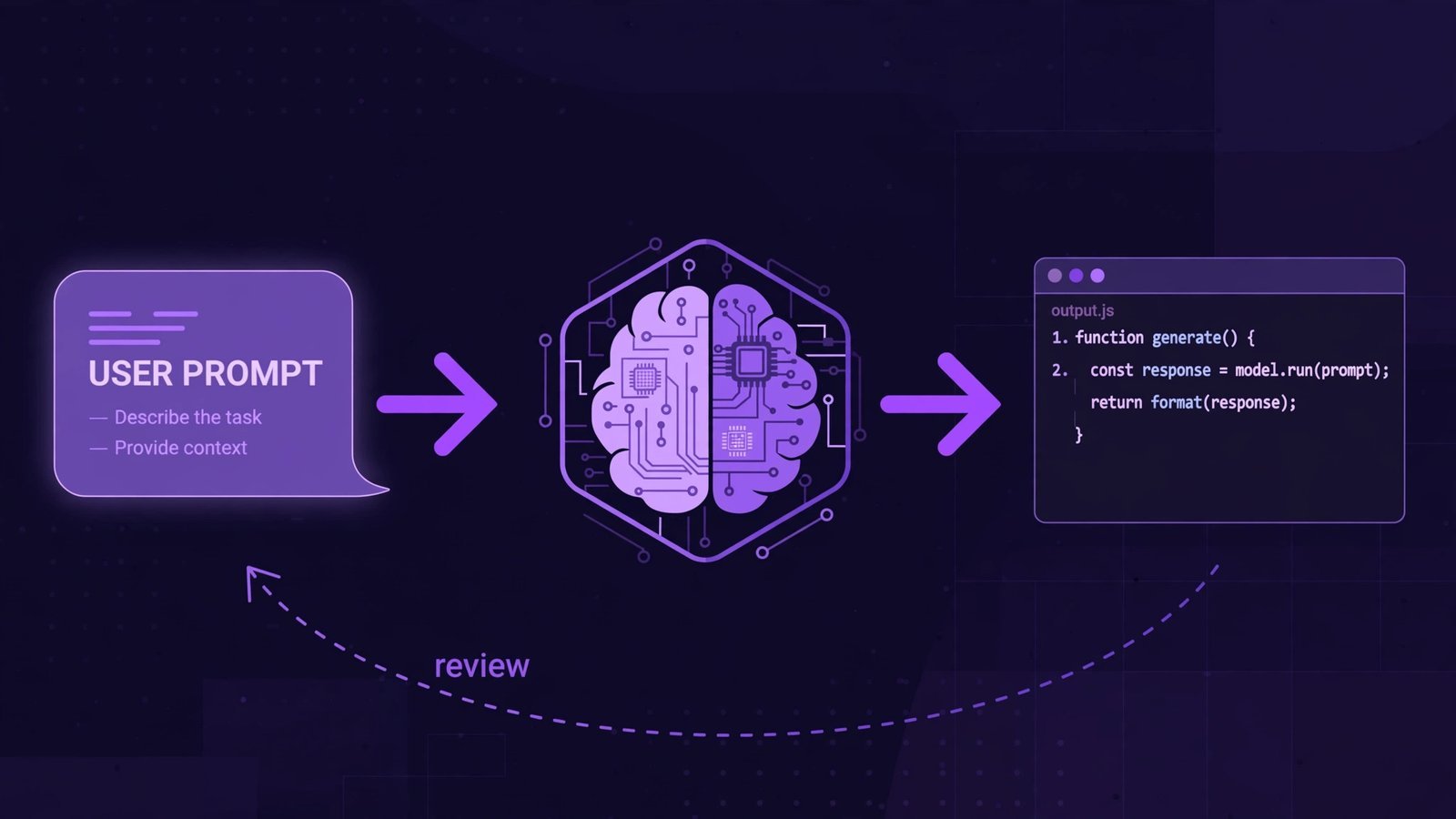
AI code generators are tools powered by large language models trained on vast amounts of code. You describe what you need in natural language, or just start typing, and they predict and write the code for you, with awareness of the files around it. A learner building a to-do app can ask for “the JavaScript that saves list items to localStorage” and get a working snippet in seconds; a professional can have a whole API route scaffolded, tests included, then refine it.
The two names you’ll hear most in 2026 are GitHub Copilot (an assistant that plugs into the editor you already use, VS Code, JetBrains, Neovim, and more) and Cursor (an AI-first editor with deeper multi-file agents). They overlap heavily; the walkthrough below uses Copilot because it meets you in VS Code with the least setup.
How to Use an AI Code Generator
Let’s do a genuine first task: you’ll have Copilot write a Python function that reads a CSV of sales data and totals revenue per month. (Walked through with the current Copilot extension, October 2026.)
- Install VS Code and open it.
- Open the Extensions sidebar (Ctrl+Shift+X), search for GitHub Copilot, and install it along with GitHub Copilot Chat.
- Sign in with your GitHub account when prompted and start the free tier or a trial.
- Create a new file called
sales.py. - Open Copilot Chat from the sidebar and type: “Write a Python function that reads a CSV of sales data and returns total revenue per month.”
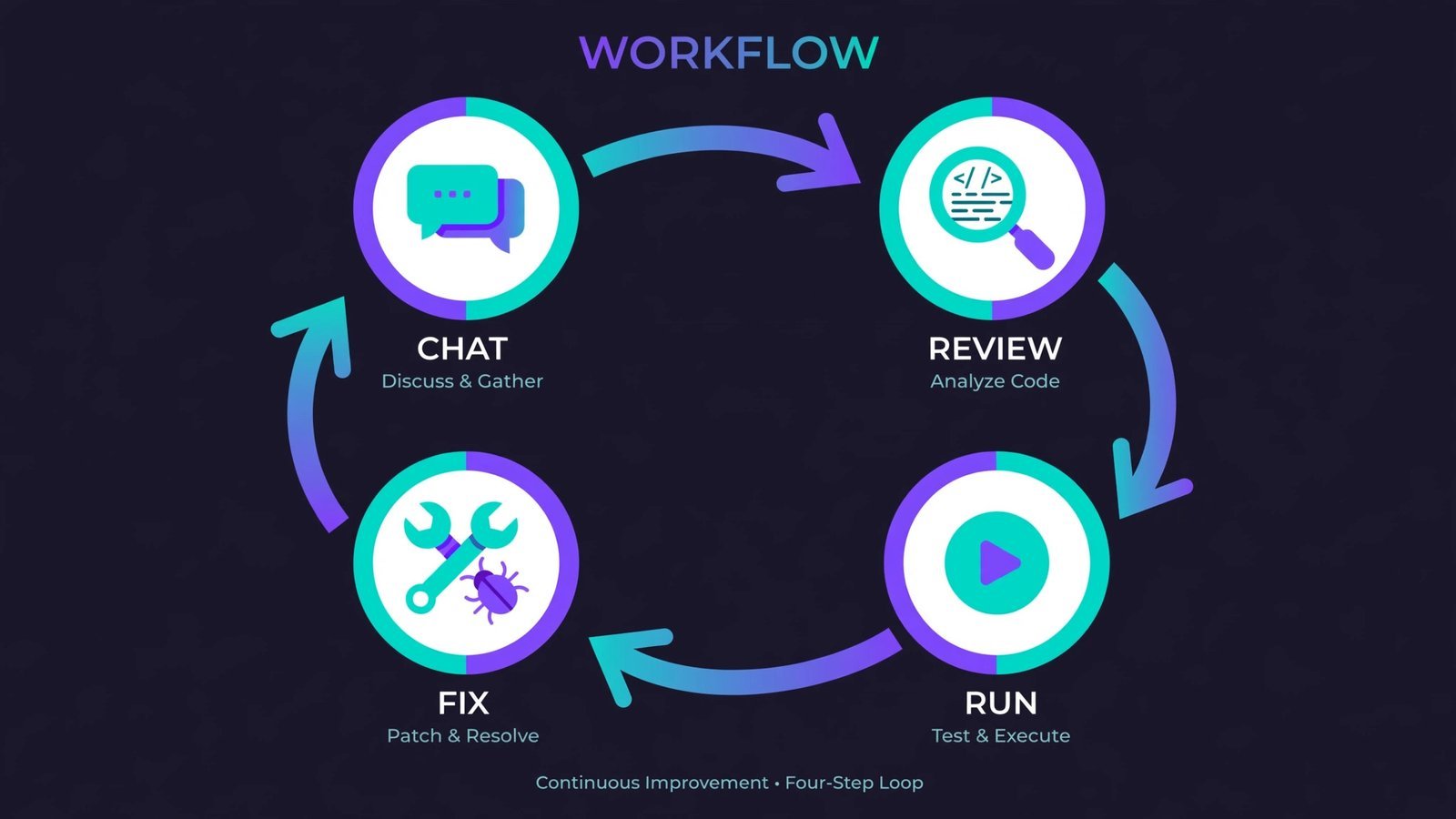
- Review the code it inserts, read it line by line, don’t just accept it.
- Run it against a real CSV. When something breaks, paste the error back into chat and ask it to fix it.
That last step is the whole skill: the generator drafts, you direct. Ask for changes in plain language (“now handle missing values”) and it rewrites. Press Tab to accept inline suggestions as you type, and use chat when you want to discuss or reshape larger chunks.
What the Output Looks Like
For the prompt above, expect something shaped like this, a complete, runnable function with spots you’ll adapt to your actual data:
import csv
from collections import defaultdict

def monthly_revenue(csv_path):
 """Return total revenue per month from a sales CSV."""
 totals = defaultdict(float)
 with open(csv_path, newline='') as f:
 reader = csv.DictReader(f)
 for row in reader:
 # YOUR-DATE-COLUMN: replace with your real column name,
 # e.g. row["order_date"][:7] takes "2026-03-14" - "2026-03"
 month = row["YOUR-DATE-COLUMN"][:7]
 # YOUR-AMOUNT-COLUMN: replace with your real column name,
 # e.g. "total_price"
 totals[month] += float(row["YOUR-AMOUNT-COLUMN"])
 return dict(totals)

# Example use:
# print(monthly_revenue("sales.csv"))
# Expected: {"2026-01": 12450.0, "2026-02": 9870.5...}
The placeholders in angle brackets are yours to fill, the generator can’t know your column names. That’s normal: generated code is a starting draft shaped around your specifics, not a finished product.
Warning: Never paste secrets into a code generator, no API keys, passwords, or private customer data in prompts. Treat the chat box like a public forum.
Verdict: Who Should Use Them, and the Limits
Who benefits: beginners learning faster by reading generated code alongside their own; professionals burning through boilerplate, tests, and refactors; solo builders shipping side projects. Who should skip: anyone who can’t yet read the language being generated, if you can’t spot a wrong answer, you can’t use the tool safely, and anyone writing security-critical or regulated code without a proper review process.
The limits are the trust engine, so here they are straight: models hallucinate APIs that don’t exist, so verify unfamiliar functions against the official docs. Generated code can carry security flaws, so review it like a junior developer’s pull request, because that’s what it is. Licensing of training data remains a live debate, so check your employer’s policy before using these tools on proprietary code. Used with those guardrails, they’re the most practical productivity tool programming has had in decades.
Want more AI in your workflow? See our best AI tools for students, the trending AI apps worth using, and Chrome extensions for web developers.
Read next: How to become a DevOps engineer, where AI-assisted coding fits into a real engineering career.

- How to Fix the Windows 11 Taskbar Auto-Hide Problem - October 24, 2026
- How to Fix a Laptop Camera Not Working in Windows 11 - October 23, 2026
- How to Fix the Brightness Slider Missing in Windows 11 - October 22, 2026