
Let us save you some time: there is no consumer software product called “Venc” that you activate with a key or a crack. If you landed here looking for a Venc activator or license key, what you found online is either a misunderstanding of a technical term or a download you should stay away from. Here is what the name actually means and what to do instead.
The Short Answer
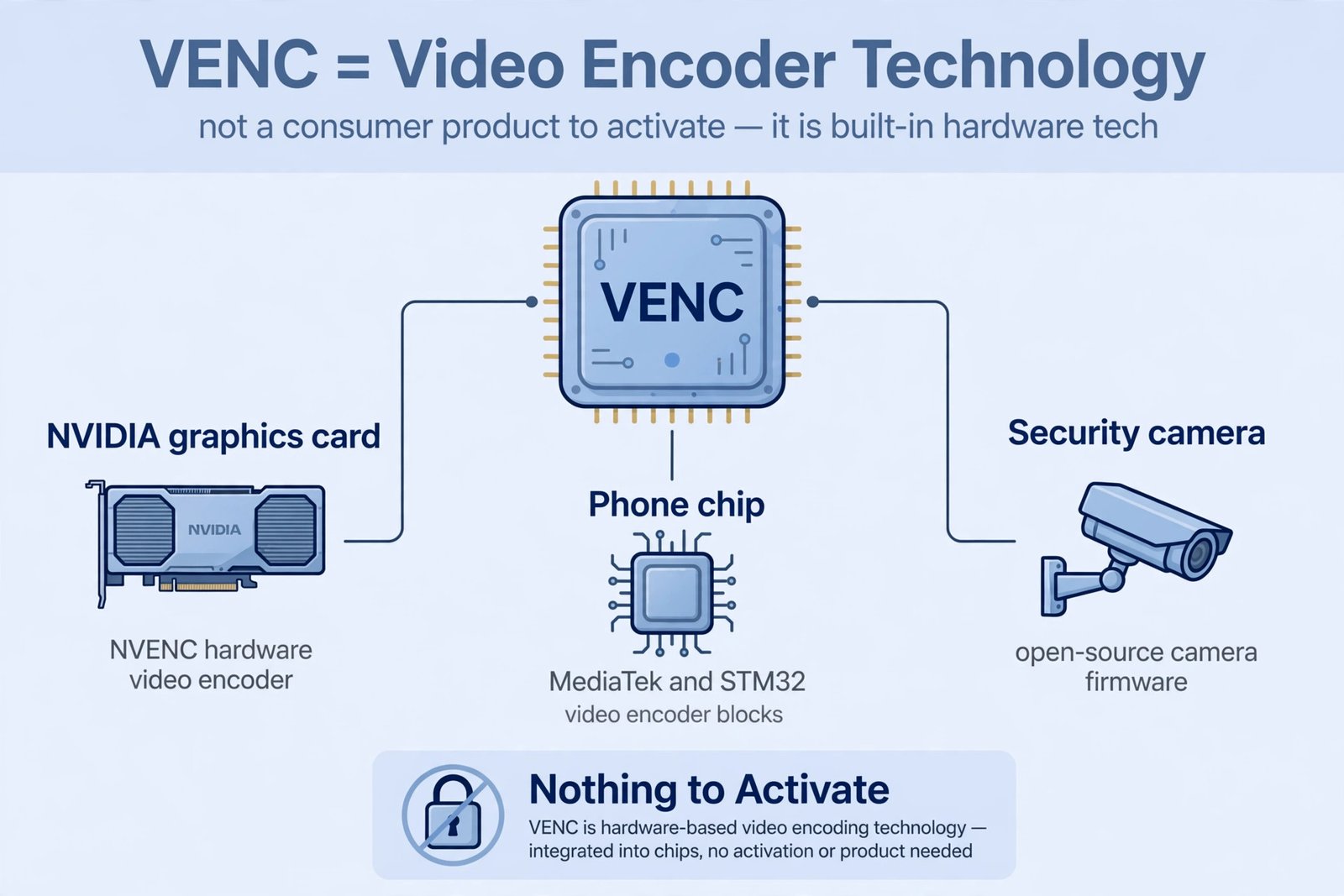
“Venc” is not an app, a Windows tool, or a piece of software with an activation screen. In the tech world, VENC is shorthand for a video encoder, the hardware or software block inside chips and graphics cards that compresses video. You cannot buy a license key for it, and any website offering a “Venc activator download” is not selling you anything real.
What “Venc” Actually Refers To
Engineers use the term VENC in a few specific places, none of which involve activation:
- NVENC, the hardware video encoder built into NVIDIA graphics cards. It handles video encoding for streaming and recording. It is part of the GPU driver, and there is nothing to activate.
- VENC driver blocks in phone and microcontroller chips, such as MediaTek and STM32 parts. These are pieces of silicon and open-source Linux driver code, not products you install.
- vENC, a free virtual simulation app from the University of Washington used for research and training. It does not collect data in its basic version and has no license key or activation step.
- A typo for VNC, the remote-desktop technology (Virtual Network Computing). Some people search “venc” when they mean VNC server setup, which is a different topic entirely.
Why “Venc Activator” Downloads Are a Trap
Because “Venc” is a vague term with no real product behind it, it is perfect bait for shady download sites. Pages promising a “Venc activator,” “Venc license key generator,” or “Venc premium unlocked” typically deliver one of three things: bundled adware, a fake installer that harvests your details, or malware dressed up as a cracking tool. There is no legitimate company behind any of them, so there is nobody to complain to when your PC starts misbehaving.
This is the same playbook used by fake activators for real products. If a site offers you a free unlock for software you never paid for, assume the download is the product, and you are the target. Our guide to the advantages and disadvantages of cybersecurity explains how these schemes typically work. Before downloading anything unfamiliar, it is worth learning how to tell whether a website is trustworthy.
How Legitimate Software Activation Actually Works
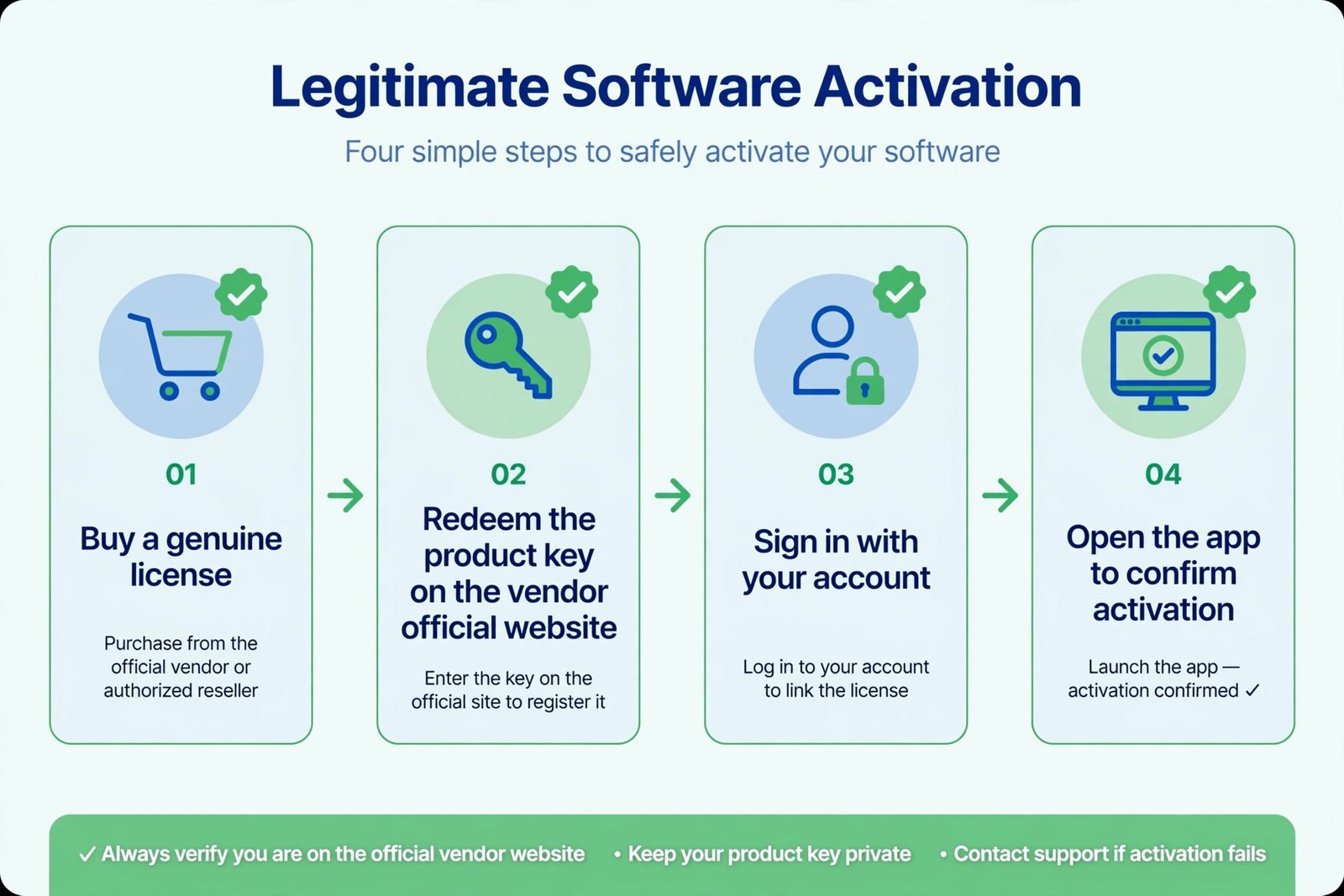
Real software activation follows the same pattern no matter the vendor. If you ever need to activate a genuine product, these are the only steps you should follow:
- Buy or obtain the software from the official source. The vendor’s own website, an authorized retailer, or the app store for your platform. The license is what you are paying for, not the download, which is usually free.
- Redeem your key on the vendor’s official site. Most companies give you a redemption page where you enter a 25-character key and tie it to your account. Never enter a product key on a third-party site.
- Sign in inside the app. Modern software, from Microsoft 365 to Adobe Creative Cloud, activates when you sign in with the account that holds the license. No key entry needed on the device itself.
- Confirm the license in the app’s account page. Genuine activation shows your plan name and account. If an app asks you to run a separate “activator” tool, that is not legitimate software behavior.
What to Do Instead
Figure out which of these matches your situation:
- You want NVIDIA’s video encoder features. Install the official NVIDIA driver through the NVIDIA App. NVENC works automatically; there is no separate activation.
- You want remote desktop access (VNC). Use an established product like RealVNC, TightVNC, or the VNC tools built into your operating system, downloaded from their official sites.
- You installed something called “Venc” and now see pop-ups. Uninstall it from Settings, run a full scan with Windows Security, and check our guide on removing unwanted programs from Windows 11 to clean up leftovers.
- You were told to activate some paid software. Find the exact product name on the vendor’s official website, buy the license there, and follow the redemption steps above. If you cannot find an official vendor page for the product, treat that as a red flag.
Our Take
Guides that promise “how to activate Venc” with download links are not helping you; they are ranking for a keyword and hoping you click. The honest answer is that there is nothing to activate, and the safest move is to close those tabs. If you need real functionality like video encoding or remote access, the legitimate tools are free or cheap and take minutes to set up properly.
Quick Questions
Is Venc a virus?
Venc itself is not a virus; it is mostly a technical term for video encoder hardware. But programs distributed under the name “Venc” by unofficial download sites should be treated as suspicious until proven otherwise.
I already ran a “Venc activator” I downloaded. What now?
Uninstall it immediately, run a full scan with Windows Security or your antivirus of choice, and change passwords for any accounts you used on that PC afterward. Fake activators are a common delivery method for credential stealers.

- How to Fix Windows 11 Search Not Finding Files - October 24, 2026
- How to Fix Windows 11 Clock Showing the Wrong Time - October 23, 2026
- How to Fix File Explorer Slow to Open in Windows 11 - October 22, 2026