
You connect your VPN and a streaming site greets you with “proxy detected,” or the VPN will not connect at all on office or school Wi-Fi. VPN blocks come in two flavors, and each needs a different fix. Here is how they work and what actually gets around them in 2026.
The two kinds of VPN blocks
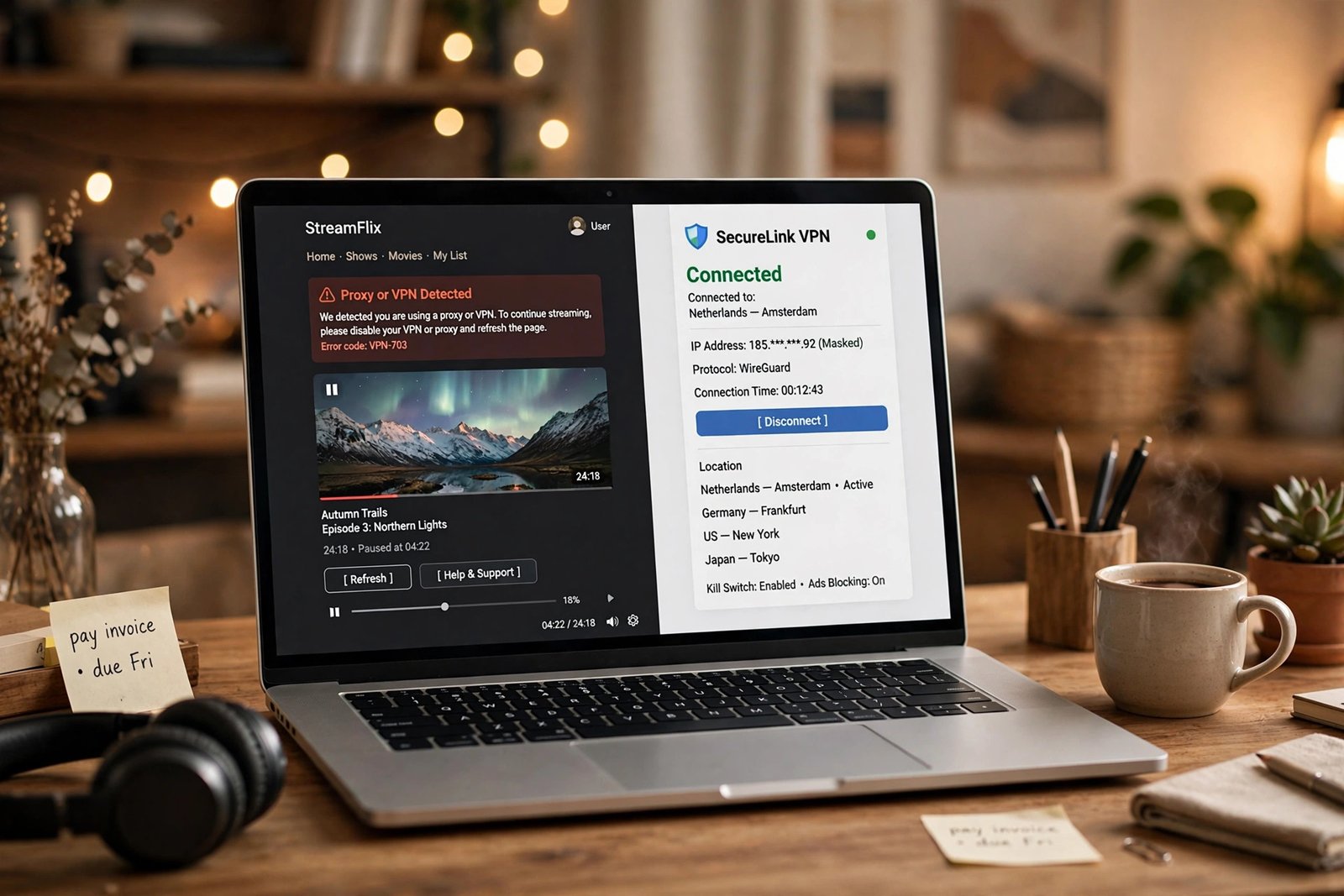
First, network firewalls. Schools, offices, and some public Wi-Fi networks detect the signature of VPN traffic and block it, or they block the ports and protocols VPNs use. Second, service IP blacklists. Streaming sites like Netflix look up your IP address in databases of known VPN ranges. If your VPN’s IP is on the list, you get the proxy error even though your VPN is connected just fine.
Knowing which one you face saves time. If the VPN cannot connect at all, it is a firewall. If it connects but a site complains, it is an IP blacklist.
Method 1: Turn on obfuscation
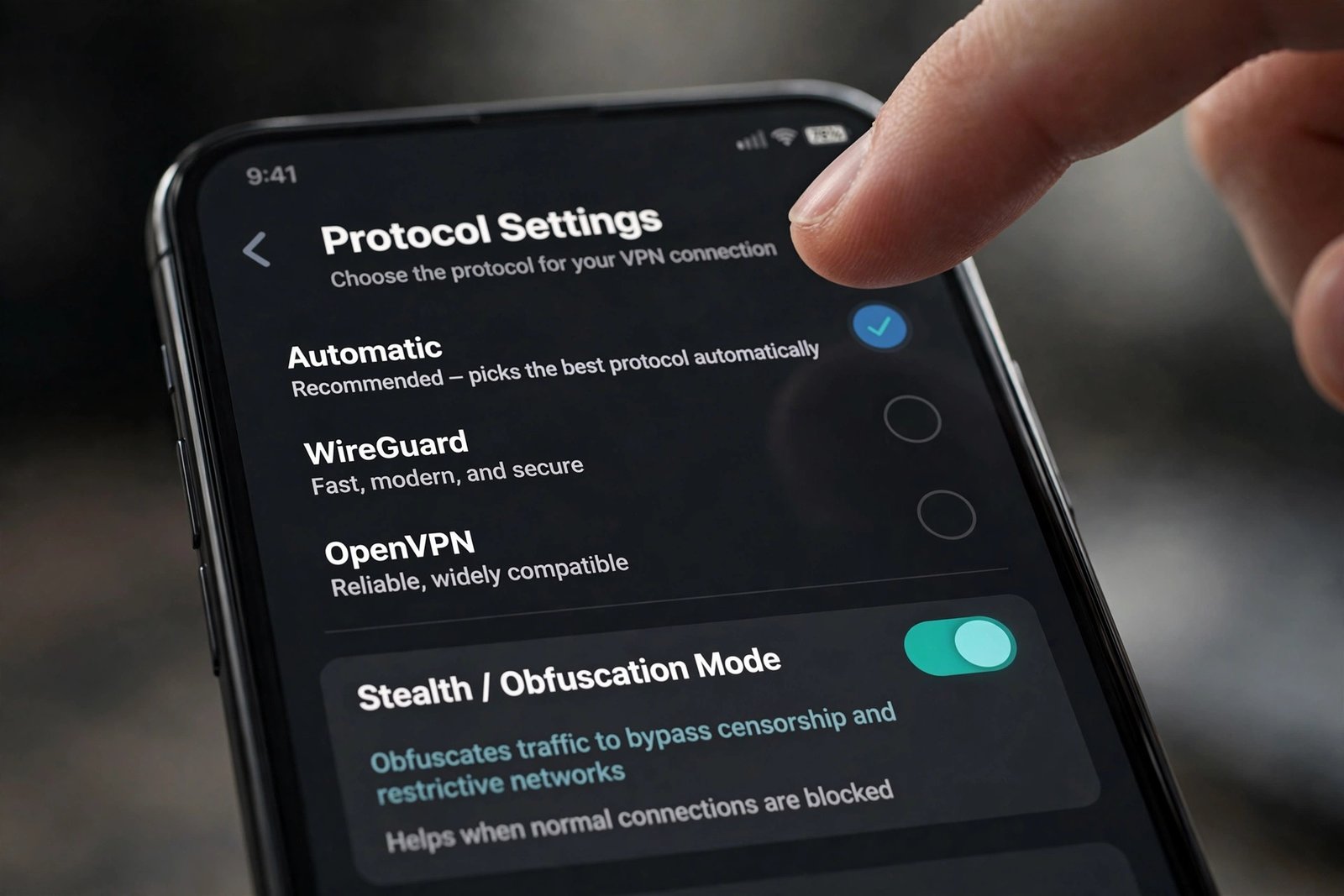
Obfuscation disguises VPN traffic so it looks like ordinary HTTPS browsing. On networks that block VPNs by signature, this is the fix that works most often. Different providers call it different names: NordVPN calls it NordWhisper, Proton VPN calls it Stealth, Surfshark calls it Camouflage Mode, and ExpressVPN-style obfuscated servers do the same job.
- Open your VPN app and go to Settings, Protocol or Security.
- Switch the protocol to the obfuscated option, such as Stealth, NordWhisper, or Camouflage Mode.
- Reconnect. On filtered networks this is often the difference between a dead connection and a working one.
Proton VPN’s free plan includes its Stealth protocol, so you can try obfuscation without paying anything. Gizmodo’s VPN blocker guide confirms which free plans include obfuscation.
Method 2: Switch servers, or get a dedicated IP
When Netflix shows a proxy error, the IP address itself is the problem. Netflix flags IPs that too many VPN users share, so the simplest fix is switching to another server in the same country. Providers like CyberGhost label servers optimized for streaming, which removes the guesswork.
If you keep getting flagged, consider a dedicated IP address. It is assigned only to you, so it never gets blacklisted because of someone else’s traffic. NordVPN and ExpressVPN both sell dedicated IP add-ons.
Method 3: Change protocol and port
Some networks block specific VPN protocols rather than all VPN traffic. In your VPN’s protocol settings, try OpenVPN in TCP mode on port 443, the same port used by secure websites. Firewalls rarely block port 443 because doing so would break most of the web. WireGuard-based options and ExpressVPN’s Lightway protocol are also harder to fingerprint than older defaults.
Method 4: Clear cookies and check DNS leaks
Sometimes the VPN is fine and the giveaway is in your browser. Stored cookies can reveal your real location from a previous session, so clear your browsing data and reload. Also check that your VPN is not leaking DNS requests, which happens when a VPN fails to mask where your DNS queries go. Most VPN apps have a built-in DNS leak protection toggle; make sure it is on.
Method 5: Try Smart DNS for streaming
Smart DNS reroutes only your DNS queries, not all your traffic. Some streaming blocks check the DNS path rather than the full connection, and Smart DNS can slip through those. It is faster than a VPN since nothing is encrypted, but it also provides no privacy, so treat it as a streaming tool, not a security tool.
Which method for which block
| Problem | Try first | Then try |
|---|---|---|
| VPN will not connect on school or office Wi-Fi | Obfuscation (Stealth, NordWhisper, Camouflage) | OpenVPN TCP on port 443, or mobile data |
| Netflix proxy or VPN error | Switch servers | Dedicated IP, clear cookies, Smart DNS |
| Website still flags you after connecting | Clear cookies and enable DNS leak protection | Try a different browser session |
A honest note: “undetectable” has limits
Obfuscation hides VPN traffic from network filters, and it works well on filtered Wi-Fi and in censored countries. But no VPN is invisible to websites. VPN IP addresses belong to known hosting ranges that lookup databases flag, so a site that checks carefully can always tell you are on a VPN. The goal is practical: get past the block in front of you, not become invisible to the internet. VPNMentor has a longer guide to making a VPN undetectable with the same caveat.
Stay on the right side of the rules
Bypassing a school or workplace network policy can cost a student device privileges or an employee much more, so think before you connect. VPNs are restricted or outright banned in some countries, and breaking the law is never worth a streaming catalog. This guide is for understanding and legitimate use: protecting privacy on public networks and accessing services you pay for. Check your local laws and the network’s policy before you proceed.
Before changing VPN settings, rule out basic connection trouble: resetting network settings in Windows 11 fixes more VPN failures than people expect. If you only need to reach a blocked chat app rather than full VPN coverage, a Telegram proxy is a lighter option. On phones, also see fixing ERR_NAME_NOT_RESOLVED on Android for DNS-related errors.

- How to Stop Samsung Galaxy Apps Running in the Background - November 4, 2026
- How to Turn Off Bixby Voice Wake-Up on Samsung Galaxy - November 3, 2026
- How to Turn Off Notification Reminders on a Samsung Galaxy Phone - November 2, 2026