
Ask “what’s the best free music notation software” and everyone shouts one name: MuseScore. It’s a good shout, but it’s not the whole answer. If you’re a student with a laptop, the free champion really is MuseScore Studio. If you’re chasing professional-looking engraving without paying, Dorico SE is the sharper tool. And if you’re a teacher with a classroom full of Chromebooks, neither of them is the right pick. Here’s how the free options actually compare, dimension by dimension.
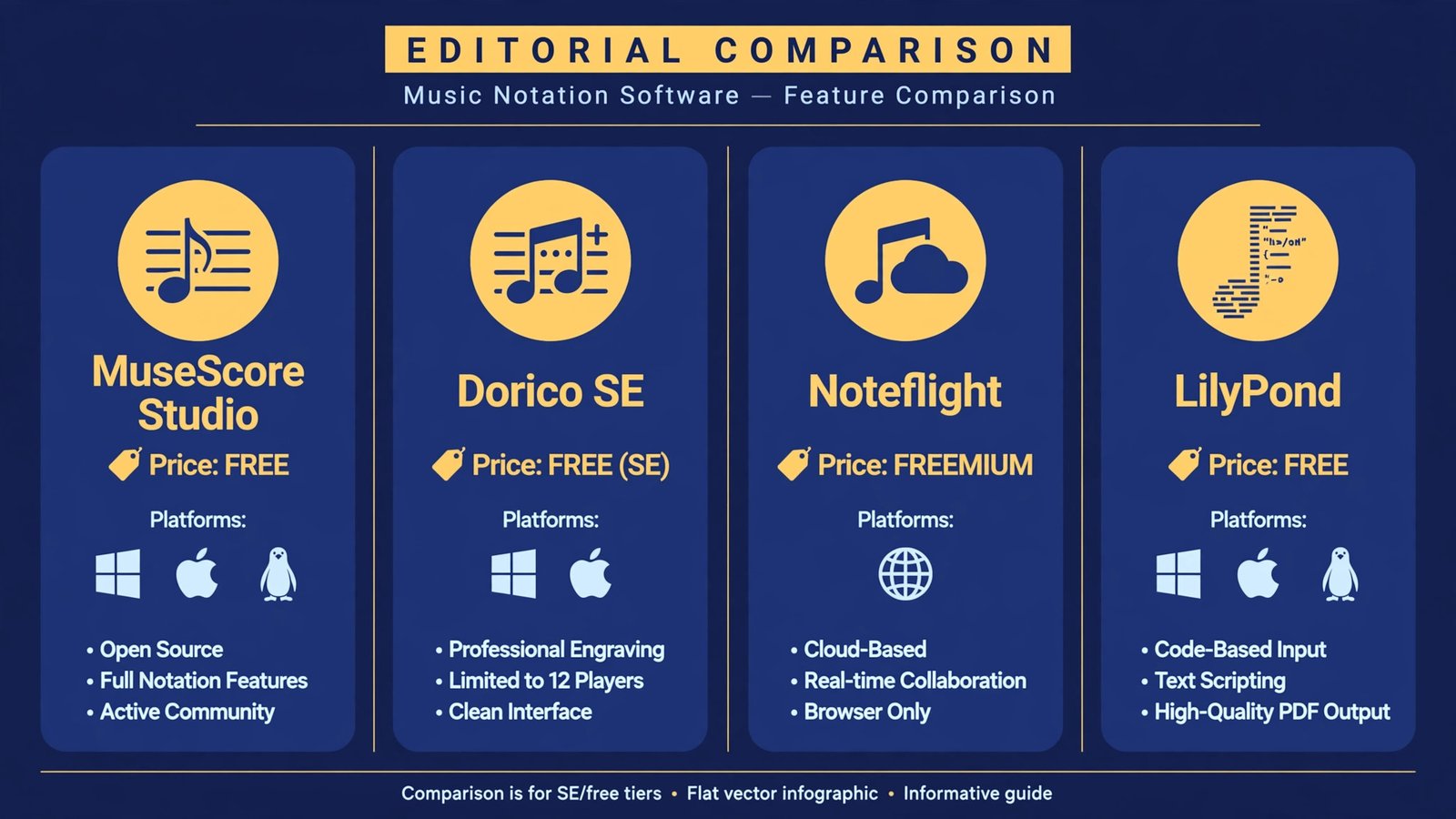
| Software | Price in 2026 | Free-tier limits | Platforms | Standout strength |
|---|---|---|---|---|
| MuseScore Studio 4.7 | Free, open source | None: unlimited staves, full features | Windows, macOS, Linux, mobile | Best all-rounder with great playback |
| Dorico SE 6 | Free (Elements $99.99, Pro $579.99) | Up to 8 players | Windows, macOS | Best-looking notation, pro engraving engine |
| Noteflight | Free tier; Premium about $49/year | Limited scores and instruments | Any browser | Collaboration and classroom use |
| LilyPond | Free, open source | None | Any (text-based) | Beautiful output for code-minded engravers |
Price, availability, and the free-tier catch
Free doesn’t always mean the same thing. MuseScore Studio and LilyPond are genuinely free and open source: every feature, no account walls, no score limits. Dorico SE is a free tier of a paid family, capped at eight players, which is plenty for songs, duets, and small ensembles but not for an orchestra. Noteflight’s free tier is a trial-shaped sandbox: enough to learn the ropes, but serious work pushes you toward Premium.
Availability matters too. MuseScore runs on basically everything, including Linux, which no other serious notation tool does for free. Dorico SE needs a real desktop. Noteflight needs nothing but a browser, which is why schools love it: nothing to install, nothing for IT to approve. LilyPond runs anywhere you can run a text editor, because that’s all it is.
Dimension winner: MuseScore. Unlimited staves, every feature included, every platform covered, zero dollars. No other free option gives you this much without a catch.
Notation quality and engraving
This is where the duel gets interesting. MuseScore 4’s engraving overhaul brought it close to commercial quality: spacing, slurs, ties, and beaming all look professional, and version 4.7 added finer control over chord brackets, text lines, and system dividers. For most musicians, the output is more than good enough to hand to players.
But Dorico’s layout engine is simply in a different league. It was built from scratch by the team behind Sibelius’s early years, and it shows: collision avoidance, automatic part layout, and optical spacing that rarely needs manual fixes. Even the free SE edition uses the same engine. If your goal is a score that looks like it came from a publishing house, Dorico SE gets you closest for free, though the eight-player cap keeps large ensembles out of reach.
LilyPond deserves an honorable mention here: its output is famously beautiful, the kind of typeset quality that made it a favorite of academic publishers. The catch is the workflow. You write music as code in a text editor, then compile it. For programmers it’s elegant; for everyone else it’s a wall.
Dimension winner: Dorico SE. Same engine as the $580 pro version, free, and the prettiest output of the bunch.
Playback and sounds
A score that sounds good while you write is worth real money in saved time. MuseScore wins this dimension outright thanks to Muse Sounds, its free high-quality sound library: orchestral playback that genuinely sounds like instruments instead of a 1990s keyboard. You install it through the free Muse Hub utility, and it transforms the writing experience.
Dorico SE’s built-in sounds are serviceable but clearly a teaser for the paid libraries. Noteflight’s browser playback is fine for checking notes but thin for anything expressive. LilyPond doesn’t do playback at all in any meaningful sense: it’s an engraving tool, not a studio.
Dimension winner: MuseScore. Free orchestral-quality playback is the single biggest reason beginners fall in love with it.
Ease of learning
Noteflight is the easiest notation tool here to start using: open the site, click notes onto a staff, hear them play. There’s no install, the interface is unintimidating, and students can be writing in minutes. That’s a genuine pedagogical advantage, not just convenience.
MuseScore’s redesigned interface (new score wizard, Instruments panel, Properties panel) is far friendlier than the old versions, but it’s still a full desktop application with a learning curve. Dorico’s workflow is powerful but opinionated: its modes for writing, engraving, and playing confuse newcomers who just want to click notes in. LilyPond is the steepest climb by far.
Dimension winner: Noteflight. Nothing else gets a total beginner from zero to a finished melody this fast.
Collaboration and platforms
Noteflight was built for this: real-time collaboration in the browser, a marketplace for buying and selling arrangements, and easy embedding for school sites. If your workflow involves a teacher reviewing student work or a band sharing charts, the web-native approach wins.
MuseScore’s answer is its massive online score-sharing community, which is better for discovering music than for collaborating on it. Dorico SE is a solitary desktop experience. LilyPond, oddly, collaborates well in a programmer’s sense: plain-text files version-control beautifully with git, which is exactly how some engraving teams work.
Dimension winner: Noteflight. The only free option where “send me the link” is the whole workflow.
Guitar and tab workflows
Worth calling out separately because guitarists have different needs: tablature, chord diagrams, capo handling. MuseScore 4.7 made real investments here: guitar dives on tablature, capo transposition modes that show sounding and played pitches, fretboard diagrams, and chord symbols that survive key changes. It’s the most guitarist-friendly free notation tool by a clear margin.
Dorico handles guitar competently but without the same tab-first attention. Noteflight is workable for simple charts. LilyPond can produce gorgeous guitar notation if you can stomach the code.
Dimension winner: MuseScore. The 4.7 guitar updates show a project listening to its largest user base.
The verdict: match the tool to the musician
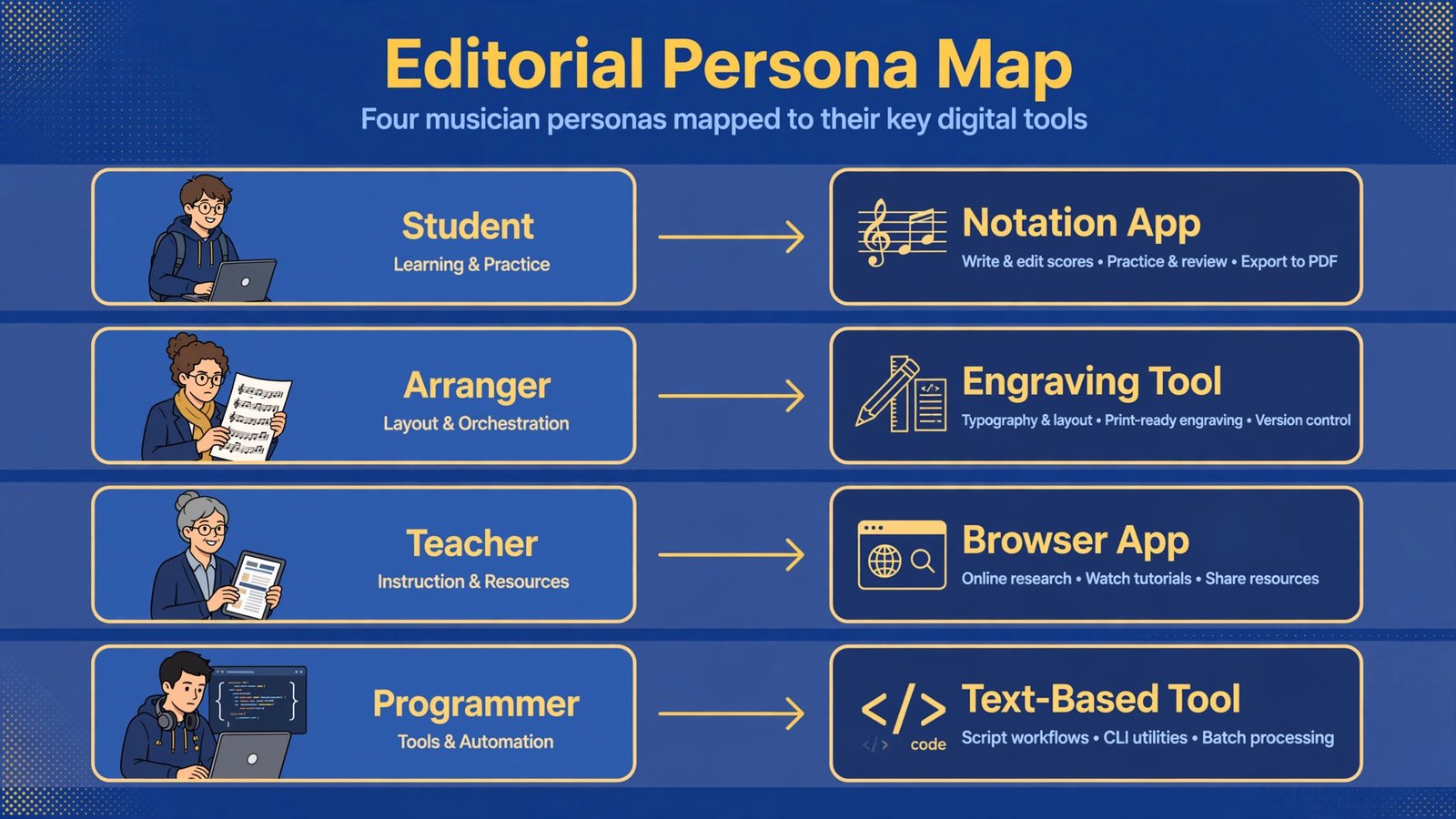
- The student or hobbyist with a laptop: MuseScore Studio. Unlimited, free forever, great sounds, and it runs on your Linux machine too. This is the default answer and it deserves to be.
- The aspiring engraver or arranger: Dorico SE. You get the industry’s best layout engine for free; the eight-player cap only bites when you outgrow small ensembles, and by then you’ll know whether Elements is worth it.
- The teacher or the Chromebook user: Noteflight. Nothing to install, collaboration built in, and students can start in minutes. Budget for Premium if the free tier’s limits get in the way.
- The code-minded perfectionist: LilyPond. Beautiful output, total control, and a workflow only a programmer could love. Not for beginners, but unmatched in its niche.
One honest caveat: free tools have rougher edges than the paid suites. MuseScore’s interface still isn’t as refined as Dorico’s, and community support, while enthusiastic, isn’t a support hotline. But for $0, the gap between these tools and software costing hundreds is smaller than it has ever been. Start with MuseScore, switch dimensions when your needs change, and spend the money you saved on an instrument instead.
Writing music on the go? Audio editors for Android cover the recording side, and if you’re producing rather than notating, podcast recording software overlaps more than you’d think. Once your mixes are done, a sound equalizer for Windows 11 can clean up playback on the cheap speakers most of us actually use.
For the record: MuseScore Studio remains free and open source under the GPL, and Steinberg’s official edition comparison confirms Dorico SE’s free tier and player limits.

- How to Stop Android Auto-Connecting to Open Wi-Fi Networks - October 24, 2026
- How to Stop iPhone Apps Asking for Ratings and Reviews - October 23, 2026
- How to Turn Off HDR in Windows 11 When Colors Look Washed Out - October 22, 2026