
ChatGPT is the default AI assistant for most small businesses, but it is no longer the only serious option. In 2026, every major tech company ships a capable alternative, and several of them are better fits for specific businesses. The right choice usually has less to do with which model is “smartest” and more to do with where your team already works.
This guide compares the best ChatGPT alternatives for small business use: what each one is genuinely good at, what it costs, and how to pick without overthinking it.
The One Rule: Follow Your Ecosystem
Here is the shortcut that experienced consultants give every small business. If your team lives in Microsoft 365, start with Copilot: it is already inside Word, Excel, Outlook, and Teams. If you run on Google Workspace, start with Gemini: it sits inside Gmail, Docs, and Sheets. The AI that lives where you already work will get used ten times more than a slightly better tool that requires opening another tab.
Only look beyond your ecosystem if you have a specific need it does not serve well, like long-document analysis or cited research. That is where the alternatives below earn their place.
The Best ChatGPT Alternatives for Small Business
Claude: Best for Writing and Long Documents
Claude, from Anthropic, is the writer’s AI. It produces cleaner first drafts than most competitors, handles very long documents without losing track, and reasons carefully through complex material. Small businesses use it for proposals, contracts review, policy documents, and customer communications that need a careful tone.
Claude Pro costs around $17 per month billed annually or $20 monthly. If a big part of your week is reading and writing long documents, Claude is worth adding alongside whatever lives in your ecosystem.
Gemini: Best for Google Workspace Teams
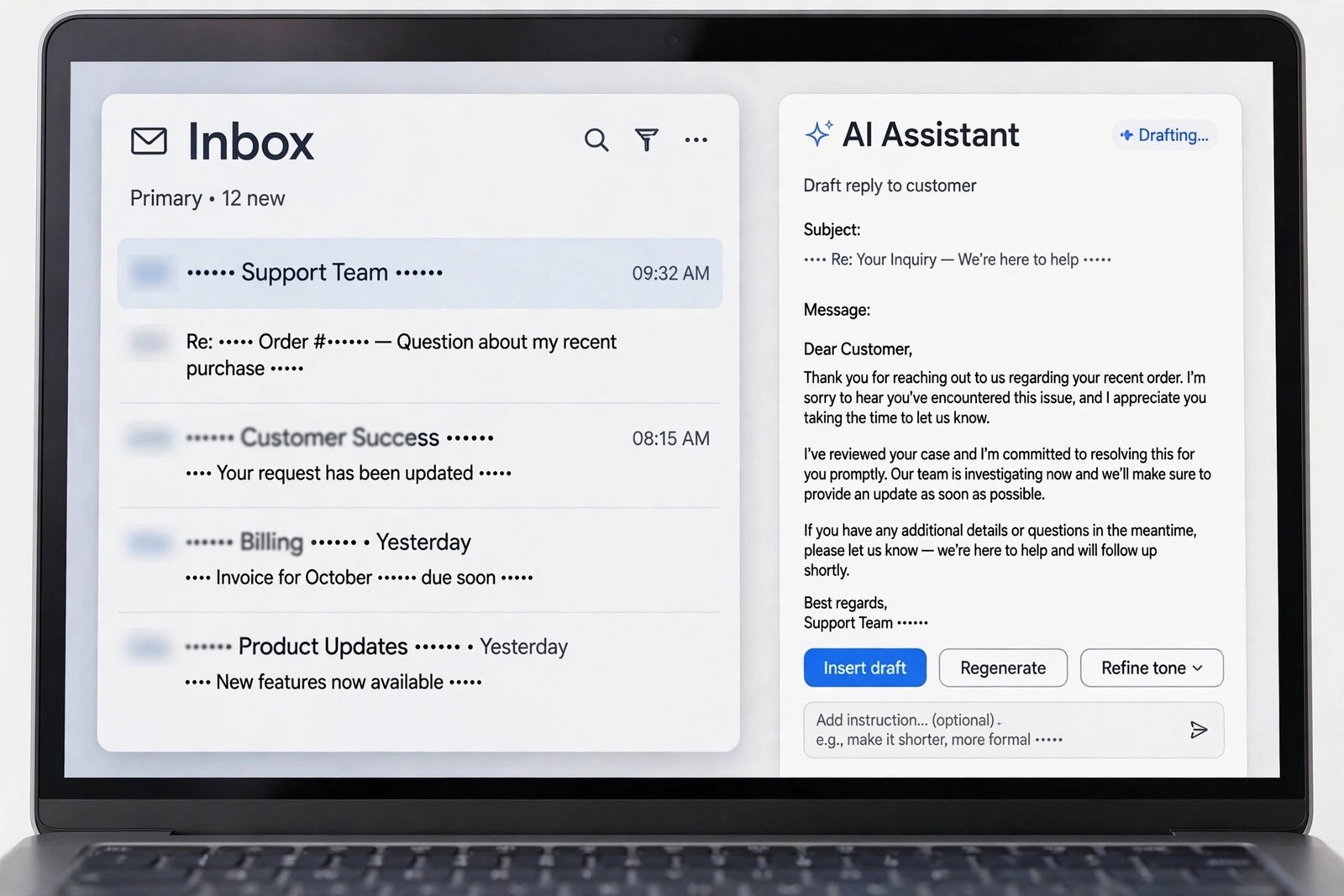
Gemini is Google’s AI, and its strength is integration. It drafts emails in Gmail, builds formulas in Sheets, summarizes Docs, and pulls in real-time information from the web. The free tier is the most capable free AI chat available in 2026, and Google AI Pro at $19.99 per month adds higher limits plus image and video generation and extra storage.
For a small business already paying for Google Workspace, Gemini is the path of least resistance. There is nothing to install and nothing new to learn: it appears where the work already happens.
Microsoft Copilot: Best for Microsoft 365 Teams
Copilot embeds AI directly into Word, Excel, PowerPoint, Outlook, and Teams. It summarizes email threads, drafts documents from prompts, analyzes spreadsheets, and recaps meetings you missed. For a team standardized on Microsoft 365, it delivers value without adding new apps, new logins, or new security questions.
Business pricing lands around $20 to $30 per user per month depending on plan and seat count. The free tier exists for casual use, but businesses should use paid plans for anything involving client data, for reasons covered below.
Perplexity: Best for Research With Sources
Perplexity answers questions with numbered citations linked to original sources, which makes it the best choice when you need to verify claims: competitor research, supplier vetting, regulatory questions, market sizing. Its Deep Research feature generates structured multi-source briefs on demand.
Perplexity Pro costs around $17 per month billed annually. Use it when the answer matters enough that you need to check where it came from.
Grok: Best for Real-Time Information

Grok, from xAI, leans into real-time search, voice interaction, and media generation with a conversational style. It suits businesses that want current information explored conversationally, like tracking industry news or brainstorming social content around trending topics. For marketing specifically, our AI marketing tools roundup goes deeper on content-focused options.
DeepSeek: Best Budget Option for Technical Teams
DeepSeek offers strong reasoning and coding performance with very low API pricing, and its chat tier is generous. It is the pragmatic pick for technical small businesses that want capable AI without per-seat subscription costs, especially for developers and data work.
Meta AI: Best If You Live in Meta’s Apps
Meta AI is built into WhatsApp, Instagram, and Facebook, which makes it the zero-friction option for businesses that already run customer conversations there. It handles quick questions, draft replies, and brainstorming without leaving the chat app. It is a convenience tool rather than a deep-work tool.
Pricing at a Glance
| Tool | Paid plan | Free tier | Pick it when |
| Claude Pro | ~$17-$20/month | Yes, limited | Writing and long documents dominate |
| Google AI Pro (Gemini) | $19.99/month | Yes, generous | You run on Google Workspace |
| Microsoft Copilot | ~$20-$30/user/month | Yes, limited | You run on Microsoft 365 |
| Perplexity Pro | ~$17/month annual | Yes, limited | You need cited research |
| ChatGPT Plus | $20/month ($8 Go tier) | Yes, limited | You want the most versatile single tool |
| DeepSeek | Low-cost API | Yes, generous | Technical team, tight budget |
| Meta AI | Free | Fully free | Customer chats live in WhatsApp/Instagram |
Prices were verified against vendor pages in early October 2026, including the DEV Community’s price-checked AI tools list and AgileTech’s 2026 alternatives comparison. Always confirm current pricing before buying, since AI plans change frequently.
The Privacy Rule: Never Put Client Data in a Free Tier
This matters more than which tool you pick. Free AI tiers from every major vendor may use your inputs for training. That is acceptable for brainstorming blog topics. It is not acceptable for client records, financial data, employee information, or anything confidential.
The rule is simple: use a paid business-tier account for anything involving real business data. Business tiers come with data controls and commitments that free tiers do not. Make this a written policy, not a suggestion, because one employee pasting a client spreadsheet into a free chatbot is all it takes.
How to Actually Choose (Without a Month of Demos)
- Start with your ecosystem. Microsoft 365 shop? Try Copilot. Google Workspace? Try Gemini. Give it two weeks of real work.
- Add one specialist for your biggest pain. Long documents: Claude. Cited research: Perplexity. That is enough for most small businesses.
- Give it real tasks, not test prompts. Draft a follow-up to an actual customer. Summarize a real email thread. You will know within days whether it earns its place.
- Stop comparing and start using. The tool matters far less than the habit. Pick one, keep it open next to your work, and iterate.
Frequently Asked Questions
Is Claude better than ChatGPT for business?
For long-form writing and complex documents, yes, Claude’s first drafts tend to be more carefully structured. For general versatility, plugins, and voice features, ChatGPT still leads. Many businesses use both: one in their ecosystem, Claude for writing.
What is the best free ChatGPT alternative?
Google Gemini has the most capable free tier in 2026, with solid chat, Workspace integration, and image generation at no cost. Fine for experimenting and light work, but move to a paid business tier before handling sensitive data.
How many AI tools should a small business pay for?
Two is the sweet spot for most: the AI inside your existing ecosystem plus one specialist. More than that usually means subscription sprawl, where tools overlap and nobody masters any of them. For a broader view of what’s worth paying for, our trending AI apps guide covers the wider landscape, and free SEO tools can stretch a small marketing budget further.
Bottom Line
Pick the AI that lives where you already work, add Claude or Perplexity if you have a specialist need, and keep client data on paid tiers only. That decision takes an afternoon, and it beats another month of comparison articles.

- How to Change the Screenshot Save Location on Mac - October 24, 2026
- How to Turn Off Stage Manager on Mac - October 23, 2026
- How to Reset Your Private Space PIN on Android If You Forgot It - October 22, 2026