Best Football Games for Android: Your Guide to Top Mobile Soccer Games

If you’re looking for the best football games for Android, you need options that actually work well on your phone, don’t drain your battery in an hour, and keep you entertained for more than a week.

I’m going to show you the genuinely best choices available right now. These aren’t just popular—they’re actually good games that deliver what they promise.

What Makes a Great Football Game for Android?

Before jumping into specific games, let’s talk about what separates decent football games from great ones.

A quality mobile football game needs:

Performance and optimization. The game runs smoothly without constant lag or crashes. It doesn’t require the latest flagship phone to enjoy.

Fair monetization. You can play and progress without spending money, or at least without feeling forced to spend constantly.

Real gameplay mechanics. It actually feels like you’re playing football, not just tapping buttons mindlessly.

Regular updates. The developer adds content, fixes bugs, and listens to player feedback.

Offline capability or reliable online. You’re not stuck staring at loading screens.

Most popular games fail at least one of these. The ones I’m sharing don’t.

Top Football Games for Android Worth Your Time

1. Efootball 2024

Efootball is the realistic option. It’s the mobile version of the console game, built by Konami.

What it does well:

You get real player likenesses, accurate team stats, and actual football tactics. If you play the console version, the gameplay translates directly. The graphics are legitimately impressive for a mobile game.

The catch:

The game is free, but player cards require microtransactions. You can still play and win without spending money, but you’ll face teams with expensive players. The online servers can lag during peak hours.

Who should play this:

Anyone who wants authentic football experience on mobile. If you follow real leagues and care about actual player ratings and team strategy, this is it.

Storage and requirements:

Around 2.5GB download. Works on Android 9.0 and up. Needs decent RAM (4GB minimum runs okay, 6GB is better).

2. Dream League Soccer 2024

Dream League Soccer is the most downloaded football game on Android for good reason. It’s accessible, fun, and doesn’t feel like a second job.

What makes it stand out:

You build your own team from scratch. The gameplay is fast. Matches take 5-10 minutes, so you can play during breaks. The game respects your time. Graphics are clean without being demanding. You can customize uniforms, stadiums, and everything about your team.

Monetization reality:

You’ll earn enough in-game currency through playing to progress steadily. Premium currency exists but isn’t forced on you. Most players spend zero money and still enjoy the game fully.

The learning curve:

Easy. You pick it up immediately. Matches against AI help you learn before facing real players. This makes it perfect if you’re new to mobile football games.

What you’re downloading:

Around 1.5GB. Works on Android 5.0 and up. Runs fine even on older phones with 2GB RAM.

3. Football Manager 2024 Mobile

This game is for people who love building and managing. It’s less about playing matches and more about strategy.

How it works:

You’re the manager. You pick tactics, handle transfers, develop player careers, and make decisions that affect your club. The actual matches play out automatically based on your setup. It’s more watching than playing.

See also  Board Games for Teenagers: A Complete Guide to Finding Games They'll Actually Play

Why people love it:

The depth is real. Thousands of real players. Accurate team data. Real league structures. If you enjoy the chess aspect of football more than the action, this is it.

Performance and size:

Around 1GB. Works on Android 6.0 and up. Very light on processing power because matches are text-based simulations.

Time investment:

You need patience. Some people play for hundreds of hours because there’s always another season, another team to manage. Others get bored after weeks.

4. FIFA Mobile

EA Sports’ FIFA Mobile offers official player licenses and team authenticity.

Key features:

Real player cards with actual stats. Licensed teams and players from major leagues. Squad building mechanics that feel rewarding. Events that change seasonally.

The honest take:

The monetization is aggressive compared to competitors. You’ll see premium currency pushing regularly. The game is still playable free, but you’ll need patience. Matchmaking can feel unbalanced.

Technical side:

Around 3GB. Requires Android 9.0 and up. Needs 4GB RAM minimum.

Best for:

Collectors who want official licenses. If authenticity matters to you and you don’t mind cosmetic spending, this works.

5. PES Mobile (eFootball Lite)

Konami’s lightweight version of Efootball. It’s designed for older phones and weak internet connections.

The advantage:

Much smaller download (around 600MB). Runs on nearly any Android phone from the last seven years. Still has solid gameplay despite the smaller footprint.

How it differs from full Efootball:

Fewer features overall. Less visual polish. But the core football gameplay is there. It’s genuinely functional.

Who needs this:

Anyone with limited storage, older devices, or inconsistent internet. The game works offline for some modes. Perfect if your phone has 2GB RAM.

Best Football Games for Android

GameDownload SizeMinimum AndroidBest ForMonetizationOffline Play
Efootball 20242.5GB9.0Realistic graphics and tacticsAggressiveLimited
Dream League Soccer1.5GB5.0Accessibility and funGentleFull
Football Manager 20241GB6.0Deep strategyFairFull
FIFA Mobile3GB9.0Official licensesVery aggressiveLimited
PES Mobile600MB6.0Older phonesModeratePartial

How to Choose the Right Game for You

Ask yourself three questions:

How much time do you have?

Quick matches (5-10 minutes) suit Dream League Soccer or Efootball. Long-term management suits Football Manager. Weekend players should pick something that doesn’t require daily attention.

Do you care about realistic players and teams?

Yes: Choose Efootball or FIFA Mobile.

No: Dream League Soccer lets you create your own universe.

What’s your phone situation?

Old phone or limited storage: PES Mobile or Dream League Soccer.

Newer phone with space: Any option works.

Tips for Getting the Most Out of Your Football Game

Start with the Right Game

Download one that matches your device specs. Playing a laggy game is miserable. Check your Android version before installing. Your phone storage should have at least 500MB free after installation.

Learn the Basics First

Play against AI before competing online. Most games teach you through tutorials. Actually watch them instead of skipping. You’ll avoid frustration and bad habits.

Don’t Chase Spending

These games earn money by making you feel like spending helps. It helps, but isn’t necessary. Set a personal rule: zero in-app purchases, or maximum five dollars per month if you want cosmetics.

See also  Best Play to Earn Crypto Games: A Genuine Guide to Making Real Money Gaming in 2026

Join a Community

Most games have active Reddit communities and Discord servers. Players share tips, discuss updates, and help new players. This extends your enjoyment significantly.

Update Regularly

New patches improve performance and add features. Auto-updates are fine. Just make sure you have WiFi available.

Play During Good Conditions

Online matches lag less during off-peak hours. Avoid playing during evening peak times in your region if you want smooth gameplay.

Common Problems and Solutions

Game crashes on startup

Clear your cache. Go to Settings > Apps > [Game Name] > Storage > Clear Cache. Restart your phone. Update to the latest Android version.

Matches lag constantly

Close background apps. Lower graphics settings. Switch from 4G to WiFi. If lag continues, the game may not be optimized for your device.

Can’t download the game

Check you have enough storage. Clear some space if needed. Try downloading over WiFi instead of mobile data. If it’s still stuck, restart your phone and try again.

Progression feels too slow

This is by design. Play daily for small rewards rather than binging. Join squad events that offer bonus rewards. Watch ad videos for extra currency when available.

Matchmaking seems unfair

New players usually face easier opponents initially. As you rank up, competition increases. This is normal. Improve your team tactics rather than just player stats.

Key Features Explained

Squad Building

You collect players and arrange them on the field. Formation matters. Position matters. Chemistry between players matters. It’s not just about expensive players beating cheap ones.

Daily Rewards

Log in and claim rewards. These stack over time. Skipping a day loses that day’s reward. The game encourages consistent play without forcing it.

Division Rivals and Seasons

Competitive modes where you face real players. You earn rewards based on performance. Each season resets, so everyone starts fresh periodically.

Special Events

Games release temporary events with unique rewards. These change weekly or monthly. Newer events usually have better rewards than old ones.

Chemistry and Formations

Players perform better with teammates from their actual team or league. Formation affects how players interact. A 4-3-3 plays differently than a 5-2-3.

Storage and Performance Optimization

If your phone feels slow:

Delete unused apps first. Most people have 10+ apps they never touch. Removing these creates space and improves overall performance.

Use lower graphics settings in games. Every football game has options for visual quality. Lower settings make games run smoother and use less battery.

Clear cache monthly. Go to Settings > Storage > Cache and clear it. This removes temporary files without deleting your progress.

Close background apps before playing. Music apps, browsers, and messaging apps use resources. Close them when playing competitively.

Update your Android system. Newer Android versions run games more efficiently. Update when available (ideally over WiFi).

Should You Spend Real Money?

Short answer: No, you don’t need to.

Every game on this list is fully playable without spending money. Spending accelerates progress or unlocks cosmetics. It doesn’t change whether you can have fun.

See also  Best NES Emulators: Guide to Playing Classic Games on Modern Devices

When spending makes sense:

Only if you’ve played free for at least two weeks and genuinely enjoy the game. Spend only on cosmetics (uniforms, badges) not power. Never spend more than you’d spend on a movie ticket.

Red flags for spending:

If the game constantly nags you. If progress feels impossible without paying. If you feel pressured. These are signs to move to a different game.

Updates and Content

Football games release seasonal updates. New players join games. Teams change names or home grounds. Graphics improve. Balance patches adjust gameplay.

When to update:

Always update. Developers fix bugs and add content. Old versions sometimes can’t connect to online servers.

Storage impact:

Updates usually add 100-300MB. Make sure you have space before updating. Update over WiFi to avoid mobile data charges.

FAQ

H3 Can I Play These Games Offline?

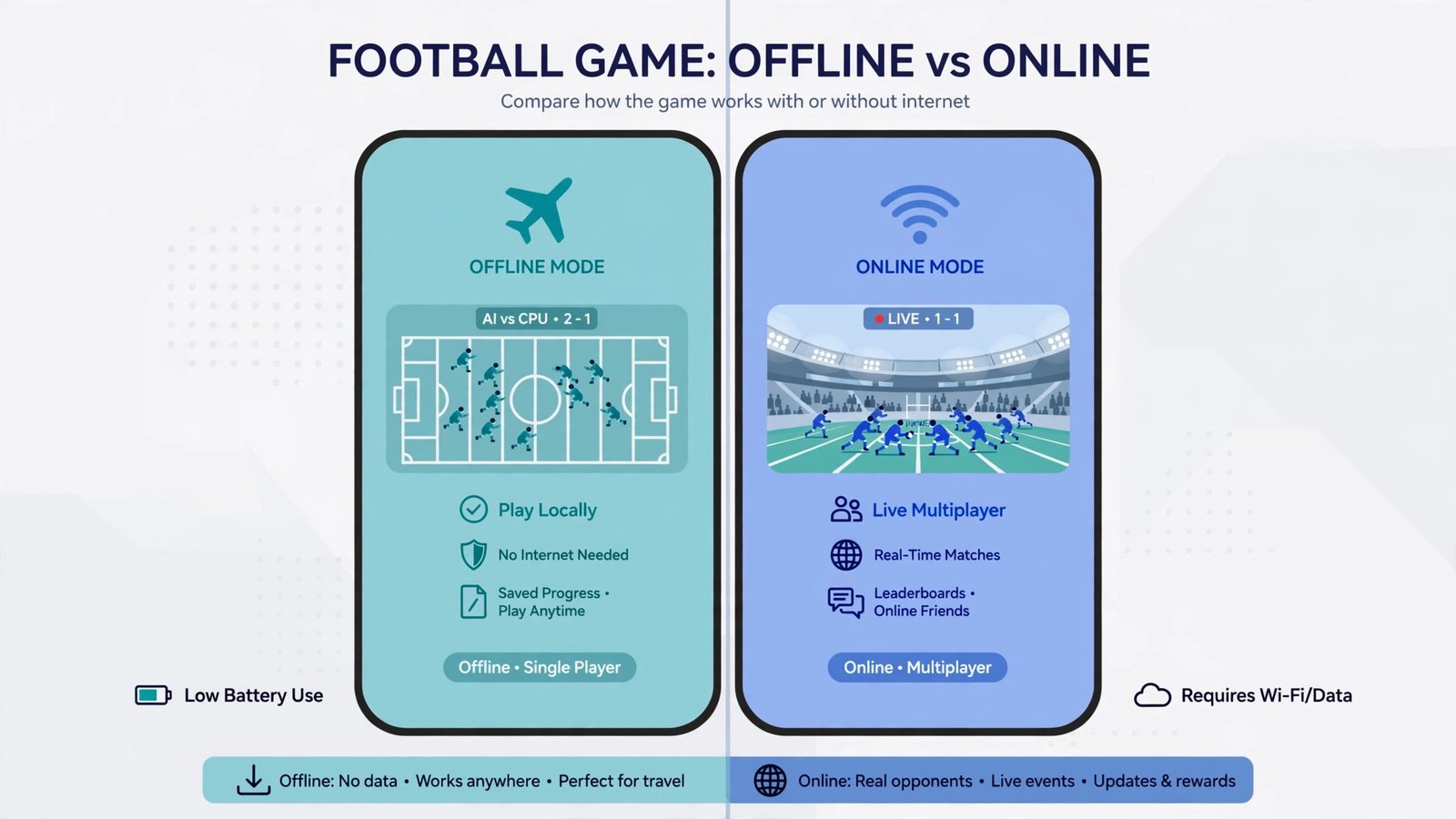
Dream League Soccer and Football Manager 2024 have full offline modes. You can play single-player campaigns without internet. Efootball, FIFA Mobile, and PES Mobile require internet for online features but have some offline options. Check the specific game’s offline features before buying storage space.

H3 Which Game Is Best for Complete Beginners?

Dream League Soccer is easiest to learn. The tutorial teaches basics clearly. Matches are quick. Progression feels rewarding. Start here if you’ve never played mobile football games before.

H3 Do These Games Work on Tablets?

Yes, all of them work on Android tablets. Some actually play better on larger screens. Graphics look sharper. Controls are easier to manage. If you have an Android tablet, these games are excellent choices.

How Often Do Developers Update These Games?

Most update monthly. Some add weekly content. Efootball and FIFA Mobile update frequently because they’re licensed sports games that reflect real-world changes. Dream League Soccer and Football Manager also update regularly but less frequently than licensed games.

Which Game Drains Battery the Least?

Dream League Soccer and Football Manager 2024 are lighter on battery. PES Mobile uses minimal power. Efootball 2024 and FIFA Mobile demand more because of graphics. If battery life matters, choose Dream League Soccer or Football Manager.

Conclusion

The best football game for Android depends on what you want.

Want quick matches and fun building: Dream League Soccer.

Want realistic player stats and graphics: Efootball 2024.

Want deep strategy and management: Football Manager 2024.

Want official licenses: FIFA Mobile.

Want to run on any phone: PES Mobile.

Download one game, play it for free for a week, and decide. Each has a two-week free trial basically built in. If you don’t enjoy it after two weeks, delete it and try another.

Don’t worry about optimization or specifications too much. Just match your phone’s capacity to the game size. Have at least 500MB free. Close background apps while playing. You’ll be fine.

Football games are meant to be fun. They’re not work. If a game feels like a chore, it’s the wrong choice. Switch until you find one that makes you want to open it daily.

Start with your device’s current state. Pick a game that matches it. Install it. Play. Enjoy.

Pradeep S.
Scroll to Top