
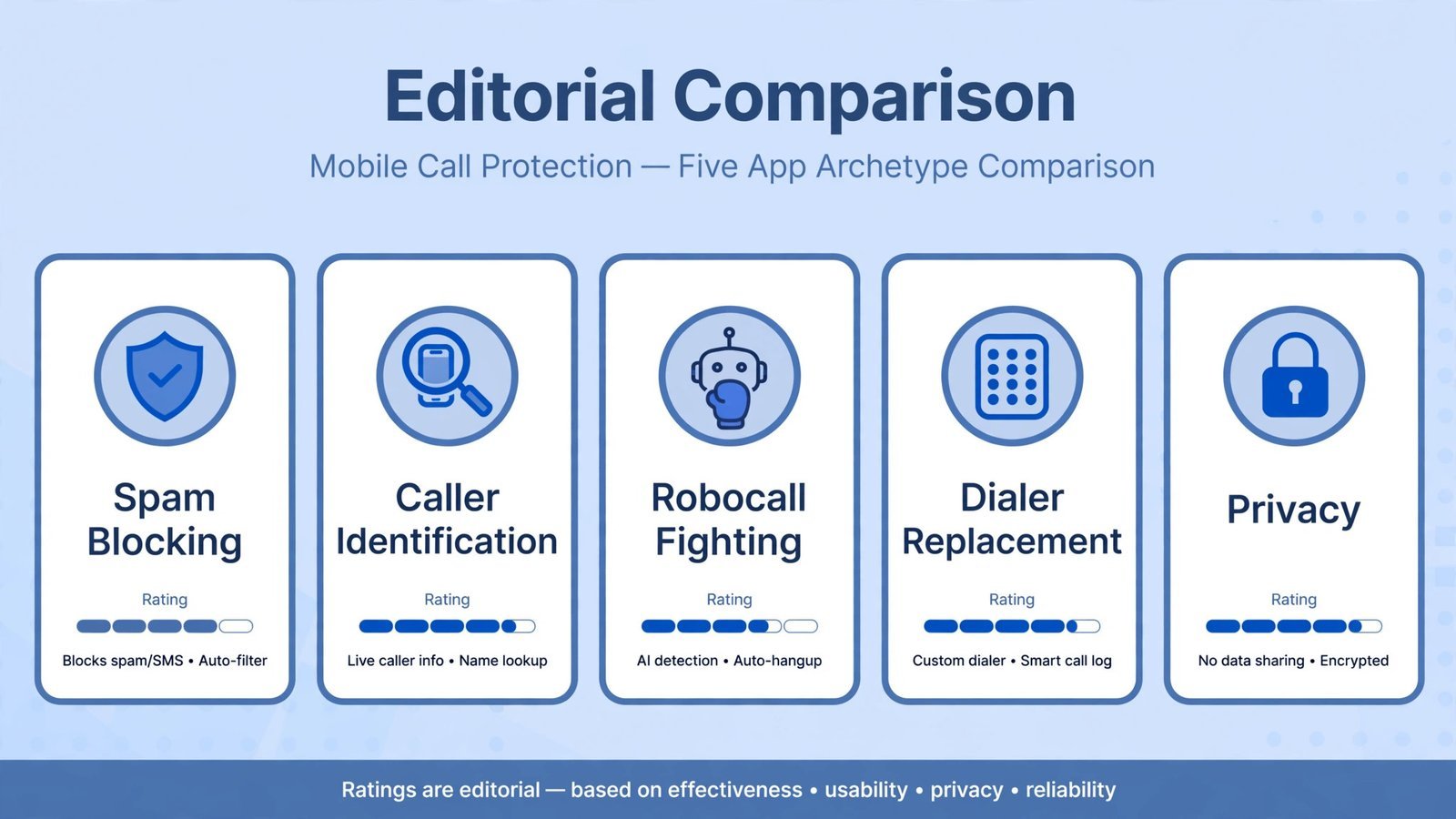
Spam calls aren’t just annoying anymore, they’re the delivery method for most phone scams, and the volume keeps climbing despite carrier filters. If you’re on Android and want to know who’s calling before you pick up, Hiya is the best caller ID app to start with: it blocks spam effectively without demanding access to your contacts. Truecaller identifies more unknown numbers than anything else but wants your address book in return; RoboKiller fights back with answer bots if you’ll pay; and there are honest free options below that ask for almost nothing.
A note before you install anything
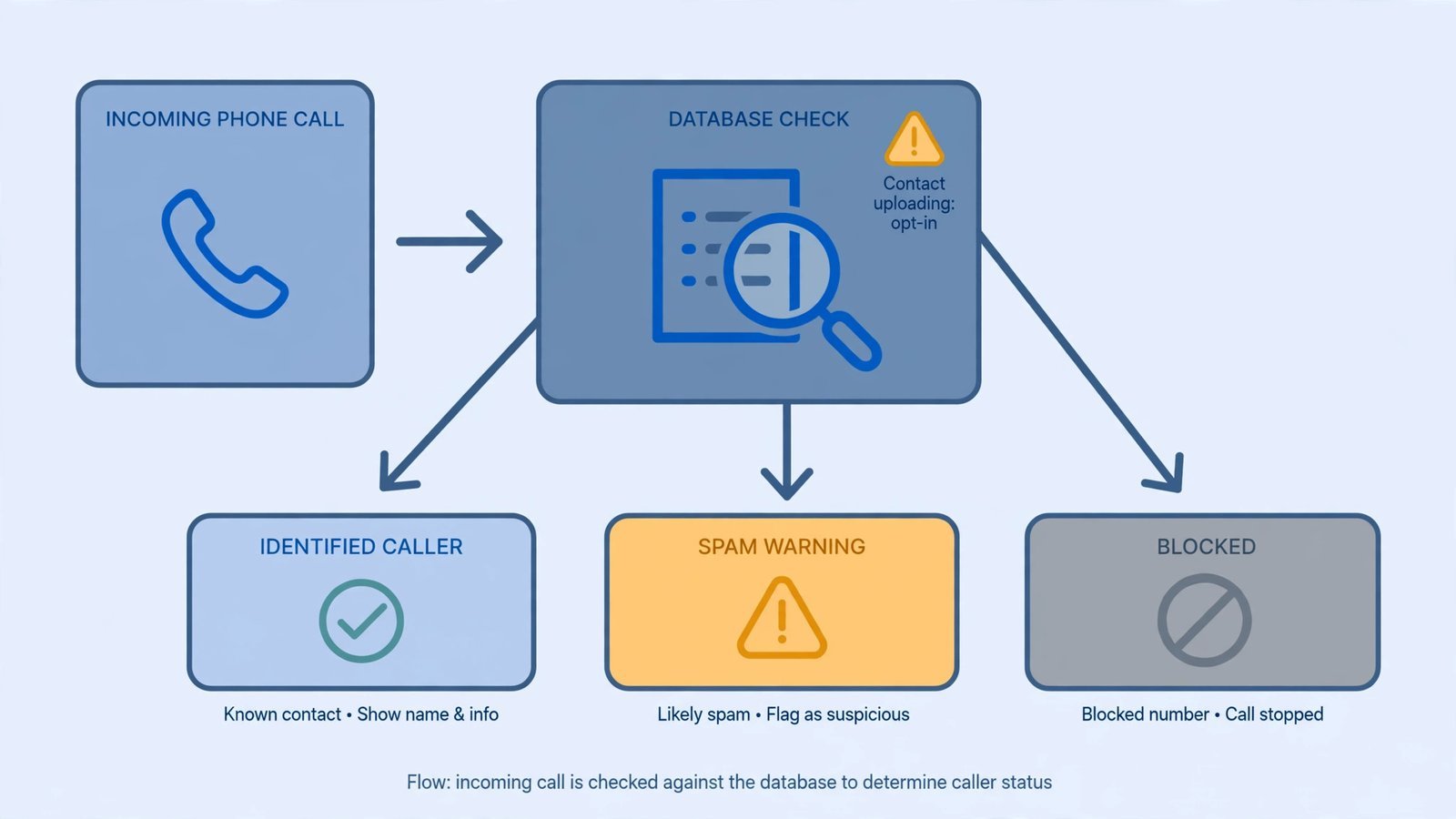
Your phone may already do half this job. The Google Phone app’s built-in spam protection flags suspected spam and can send it to voicemail, and on supported Pixel devices Call Screen has Google Assistant answer unknown callers and transcribe their reason for calling, free, no third-party app involved. Carriers add their own layers too (ATT Call Protect, T-Mobile Scam Shield, Verizon Call Filter). Behind the scenes, the STIR/SHAKEN protocol now lets carriers verify that a call’s number isn’t spoofed, which is why “neighbor spoofing” has dropped off.
So check your dialer’s settings first. If spam still gets through, and for many people it does, that’s when a dedicated app earns its place. For the nuclear option, see our guide to spam call blocker apps for heavier-duty blocking setups.
The best caller ID app for Android for spam blocking without the privacy trade-off: Hiya
Price: Free · Premium roughly $2.99–$4.99/month (varies by plan and platform) · Platforms: Android, iOS · Free tier: Strong, spam and fraud blocking without contact access
Hiya is the quiet professional of this category. Instead of building a giant social directory of phone numbers, it leans on number reputation: it warns you about or blocks calls its database flags as spam or fraud, and on Android it can act as your default phone app so the blocking happens at the moment the call arrives. The free tier is unusually strong, daily spam-list updates and blocking that works without handing over your contact list, which is a genuine privacy advantage over the competition.
Premium adds an offline database of up to 1.5 million caller identities, spam updates three times a day, and a paid-tier call screener that asks unknown callers for a name and reason before your phone rings. One wrinkle: Hiya’s premium has historically been iOS-leaning in how it’s packaged, so check what’s actually offered on Android before assuming the price matches what you read.
Reasons to buy:
- Blocks spam and fraud calls without requiring access to your contacts
- Free tier is genuinely useful, not a demo
- Carrier and manufacturer partnerships mean a large, fresh reputation database
- Call screener on the paid tier handles unknown numbers for you
Reasons to avoid:
- Weaker at identifying who a legitimate unknown caller is, that’s Truecaller’s game
- Screening and the best features sit behind the paid tier
- Premium packaging and pricing differ by platform; Android users should verify before paying
Scorecard:
- Spam accuracy, 4.5/5: Reputation-based blocking catches most robocall and fraud patterns.
- Privacy, 5/5: No contact upload required; the best privacy posture in this roundup.
- Ease of use, 4.5/5: Set as default dialer on Android and forget it.
- Price, 4.5/5: The free tier does the job; premium is optional.
The best caller ID app for identifying unknown numbers: Truecaller
Price: Free with ads · Premium around $2.99/month or $29.99/year (varies by region) · Platforms: Android, iOS · Free tier: Real-time caller ID and spam flagging on Android
Truecaller is the lookup. With a crowdsourced database reported at over 5 billion numbers and 500 million+ users, it names unknown callers more often than anything else in this list, you get a name on the incoming call, and you can search any number after the fact. The free tier on Android does the heavy lifting: real-time identification, spam flagging, and manual blocking. Premium removes the ads, adds incognito mode (look numbers up without others seeing you viewed their profile), alerts when someone views yours, and in some regions an AI Assistant that answers spam calls and sends you a live transcript.
The price of that directory is your data. Truecaller builds its database partly from users’ contact books, which is how your number ends up searchable even if you’ve never installed it. The free app is ad-supported and can feel cluttered, full call screening needs Premium, and iPhone users get a thinner experience thanks to Apple’s API restrictions. If that trade-off bothers you, Hiya above is the answer. Also worth knowing: Truecaller has grown into a full communication platform with messaging built in, fine if you want it, bloat if you don’t.
Reasons to buy:
- The largest caller-identification database in the world, best odds of naming an unknown number
- Free tier on Android is fully functional for ID and basic blocking
- Reverse number lookup after the fact, plus spam reporting community
- AI Assistant (Premium) screens calls with live transcripts in supported regions
Reasons to avoid:
- Uploads your contacts to build its directory, the core privacy trade-off
- Free version is ad-heavy; the app has grown bloated with messaging features
- Your number may already be in its database without your consent
- iOS version is notably more limited than Android
Scorecard:
- Spam accuracy, 5/5: Biggest database wins on identification; strong spam flagging.
- Privacy, 2.5/5: Contact harvesting is the business model, go in with eyes open.
- Ease of use, 4/5: Polished, but cluttered with features you didn’t ask for.
- Price, 4/5: Free tier is capable; premium pricing is reasonable but region-variable.
The best caller ID app for fighting back against robocalls: RoboKiller
Price: $4.99/month or $39.99/year · 7-day free trial · Platforms: Android, iOS · Free tier: None, premium only
RoboKiller’s pitch is catharsis: it uses audio fingerprinting to catch spoofed numbers that simple blocklists miss, then deploys “answer bots”, recorded personas that keep scammers on the line, wasting their time. It’s genuinely effective against robocalls specifically, and the call-screening with transcription is solid. If robocalls are your personal torment, this is the most aggressive tool aimed at them.
The obvious problem is the price with no free tier, $4.99/month is the steepest ongoing cost here for a single-purpose app. Some users report false positives where legitimate calls get caught, and setup on iPhone requires digging into Settings to enable call blocking, which trips people up. Note that pricing has moved around over the years (there was a notable increase in 2024), so confirm the current rate before subscribing.
Reasons to buy:
- Audio fingerprinting catches spoofed robocalls that list-based blockers miss
- Answer bots waste scammers’ time, oddly satisfying and actually effective
- Real-time screening with transcription
Reasons to avoid:
- No free tier at all, subscription or nothing
- Among the priciest options for what it does
- Occasional false positives on legitimate calls
Scorecard:
- Spam accuracy, 4.5/5: Excellent against robocalls specifically; narrower against general spam.
- Privacy, 4/5: No contact-harvesting directory model.
- Ease of use, 4/5: Setup takes a few steps, especially on iPhone.
- Price, 2.5/5: Premium-only at a premium price.
The best free dialer replacement with blocking built in: Call Control
Price: Free · Premium $9.99/year · Platforms: Android, iOS · Free tier: Generous, community blocking plus manual controls
Call Control calls itself the “#1 Call Blocker” and takes a different approach: it can replace your default dialer entirely, combining a community-sourced spam database with the FTC’s Do Not Call registry data. Compared with Truecaller, the free tier offers more functionality and the premium costs a fraction of the price, $9.99 a year is the cheapest paid tier in this roundup by a wide margin.
The trade-off is quality variance. Community databases are only as good as their contributors, so in regions with fewer users the blocking is thinner, and you’ll do more manual work curating your own blocklist. But if you want a free, no-nonsense blocker that doubles as your dialer, and you like the idea of paying almost nothing for the upgrade, this is the value pick.
Reasons to buy:
- Works as a full dialer replacement, not just an overlay
- Free tier is more functional than most paid tiers here
- Premium is $9.99/year, absurdly cheap
Reasons to avoid:
- Community database quality varies by region
- Less polished than Hiya or Truecaller
- You’ll curate blocklists manually more often
Scorecard:
- Spam accuracy, 3.5/5: Good where the community is active; thinner elsewhere.
- Privacy, 4/5: No contact-upload directory model.
- Ease of use, 4/5: Straightforward, if less refined.
- Price, 5/5: Free works; $9.99/year premium is a steal.
The best caller ID app for the privacy-paranoid: Should I Answer?
Price: Free · Platforms: Android, iOS · Free tier: The whole app
Should I Answer is the minimalist’s choice: a free call-blocking app built around an offline, community-rated number database. Unknown numbers get a community score; you decide the threshold for blocking. Because much of the database can live on your device, it asks for less and phones home less than the big directory apps. There’s no premium tier to upsell you into and no ads-for-data bargain to parse.
What you give up is breadth. The database is smaller than Truecaller’s or Hiya’s, there’s no AI assistant or fancy screening, and identification of legitimate unknown callers is weaker. This is the app for someone whose threat model is “I don’t want my data in anyone’s directory” rather than “I want every call perfectly labeled.” Pair it with your carrier’s free spam filter and you’ve got solid protection for zero dollars and zero data trade-offs.
Reasons to buy:
- Completely free with no upsell tier
- Offline-capable database; minimal data collection
- Simple community rating system that’s easy to understand
Reasons to avoid:
- Smaller database means more unknown numbers stay unknown
- No AI screening, no assistant features, no frills
- Interface is functional rather than polished
Scorecard:
- Spam accuracy, 3.5/5: Decent for known spam; weaker on novel numbers.
- Privacy, 5/5: The least data-hungry option here.
- Ease of use, 3.5/5: Simple, but you’ll configure thresholds yourself.
- Price, 5/5: Free. All of it.
Quick comparison
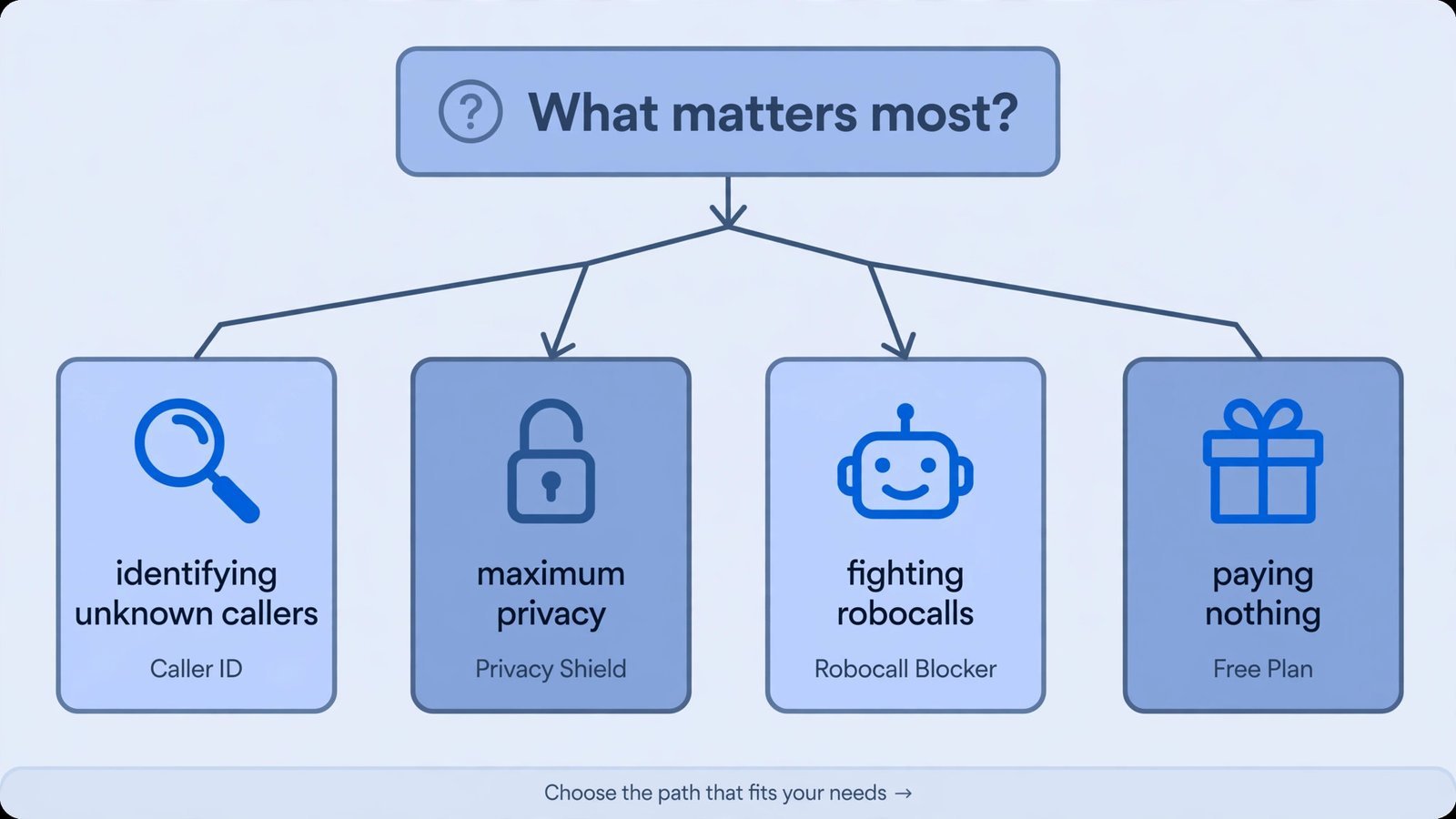
| App | Best for | Free tier | Paid from | The catch |
|---|---|---|---|---|
| Hiya | Blocking spam without contact upload | Strong | ~$2.99/mo | Weaker at naming legit callers |
| Truecaller | Identifying unknown numbers | Good (ads) | ~$2.99/mo | Uploads your contacts |
| RoboKiller | Fighting robocalls aggressively | None | $4.99/mo | Premium-only, pricey |
| Call Control | Free dialer replacement | Generous | $9.99/yr | Database varies by region |
| Should I Answer? | Maximum privacy | Full app | Free | Smaller database, no frills |
Frequently asked questions
Will these apps work with my carrier?
Yes, they work alongside your carrier, not instead of it. Android lets a call-screening app see incoming numbers and block or label them before your phone rings. Keep your carrier’s own spam filter (ATT Call Protect, T-Mobile Scam Shield, Verizon Call Filter) enabled too; the layers stack.
Why do I still get spam calls if I installed one?
No app catches everything. Spoofed numbers rotate constantly, and legitimate-looking “neighbor” numbers slip past list-based blockers, that’s why RoboKiller’s audio fingerprinting exists. If a specific number keeps getting through, block it manually and report it in the app; community reports are what train these databases. For the ones you can’t identify, let them fall to voicemail and screen later, here’s how to save voicemail on iPhone so you never lose an important message, and a good voice assistant for Android can read the transcription back to you hands-free.
Does Truecaller really upload my contacts?
Truecaller’s directory is crowdsourced, and contact data from users’ phones is part of how it’s built, which is why your number can appear in Truecaller search results even if you’ve never installed it. If that bothers you, use Hiya or Should I Answer instead, and you can request removal of your listing through Truecaller’s unlisting process.
Can I run two call blockers at once?
Don’t. They’ll fight over the incoming-call pipeline and you’ll get duplicate notifications, missed labels, or blocked legitimate calls. Pick one, set it as your default screening app, and let your carrier filter run underneath it.
Why you can trust this guide
Every app above was checked as available and current on Android in October 2026, with pricing taken from the developers’ own published plans and recent store listings. I ranked them on the four things that actually matter for this category, how accurately they stop spam, what they take from you in return, how easy they are to live with, and what they cost, and scored privacy as a first-class criterion, because a spam blocker that harvests your contacts is a trade, not a gift. No app paid for placement.
Read next: a good call blocker is one layer, lock down the rest of your phone with a password manager for Android so the scammers who do get through find nothing worth stealing.

- How to Fix a Laptop Camera Not Working in Windows 11 - October 23, 2026
- How to Fix the Brightness Slider Missing in Windows 11 - October 22, 2026
- How to Stop Phone Link From Opening on Startup in Windows 11 - October 21, 2026